
Radial Array Tool
The Radial Array Tool duplicates the selected elements (Edge, Face) and arranges them in a circular pattern based on a user-defined rotation axis.
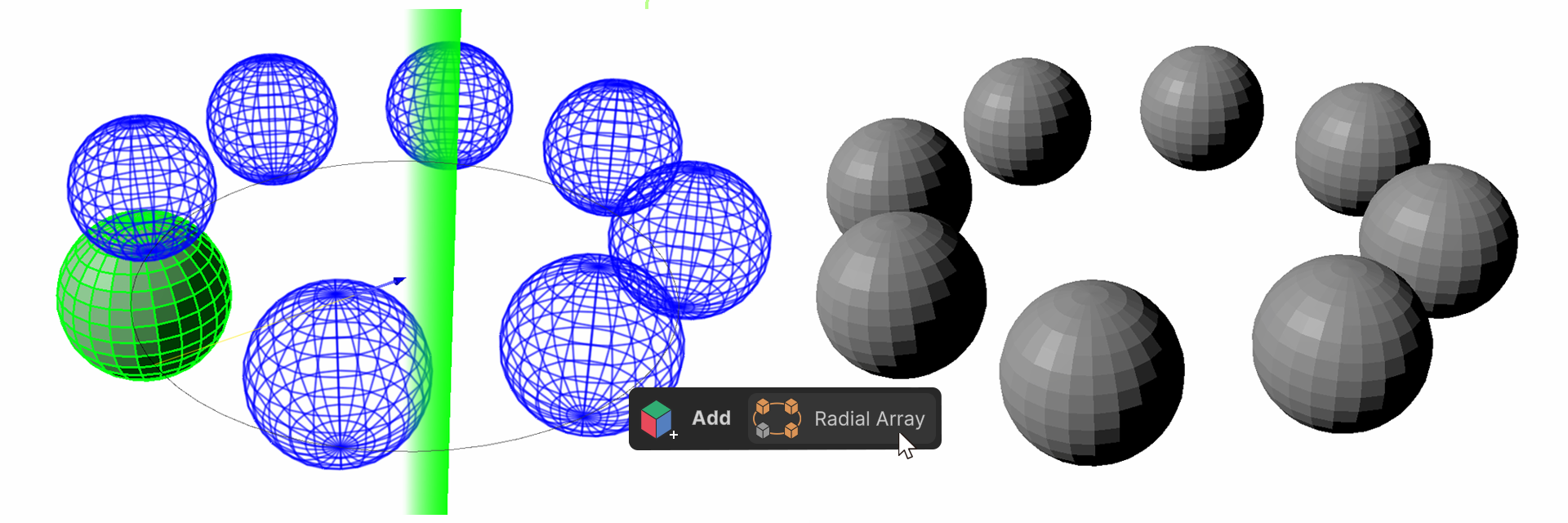
The Radial Array Tool duplicates the selected elements (Edge, Face) and arranges them in a circular pattern based on a user-defined rotation axis.
How to Use
1.Select the elements to duplicate.
2.Run the Radial Array Tool.
3.Choose the Array Type.
4.Select the Length Type.
5.Choose the Rotate Axis.
6.Adjust the position of the rotation axis.
7.Press the Array button to generate the mesh.
Properties
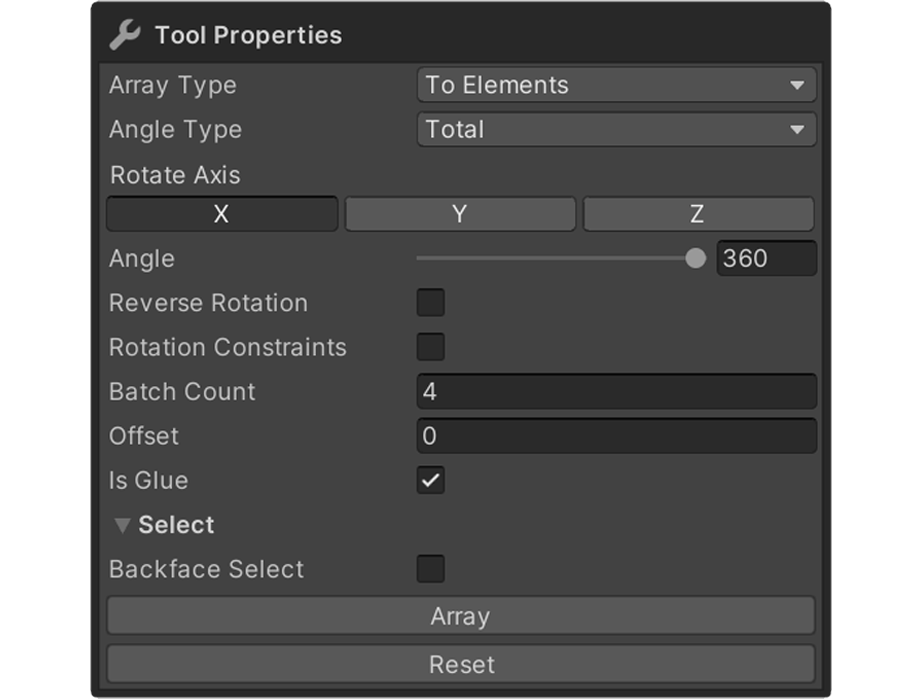
Array Type
Specifies how the duplicated meshes will be generated.
Array Type: To Elements
Create new elements within the same mesh
1.Select a face.
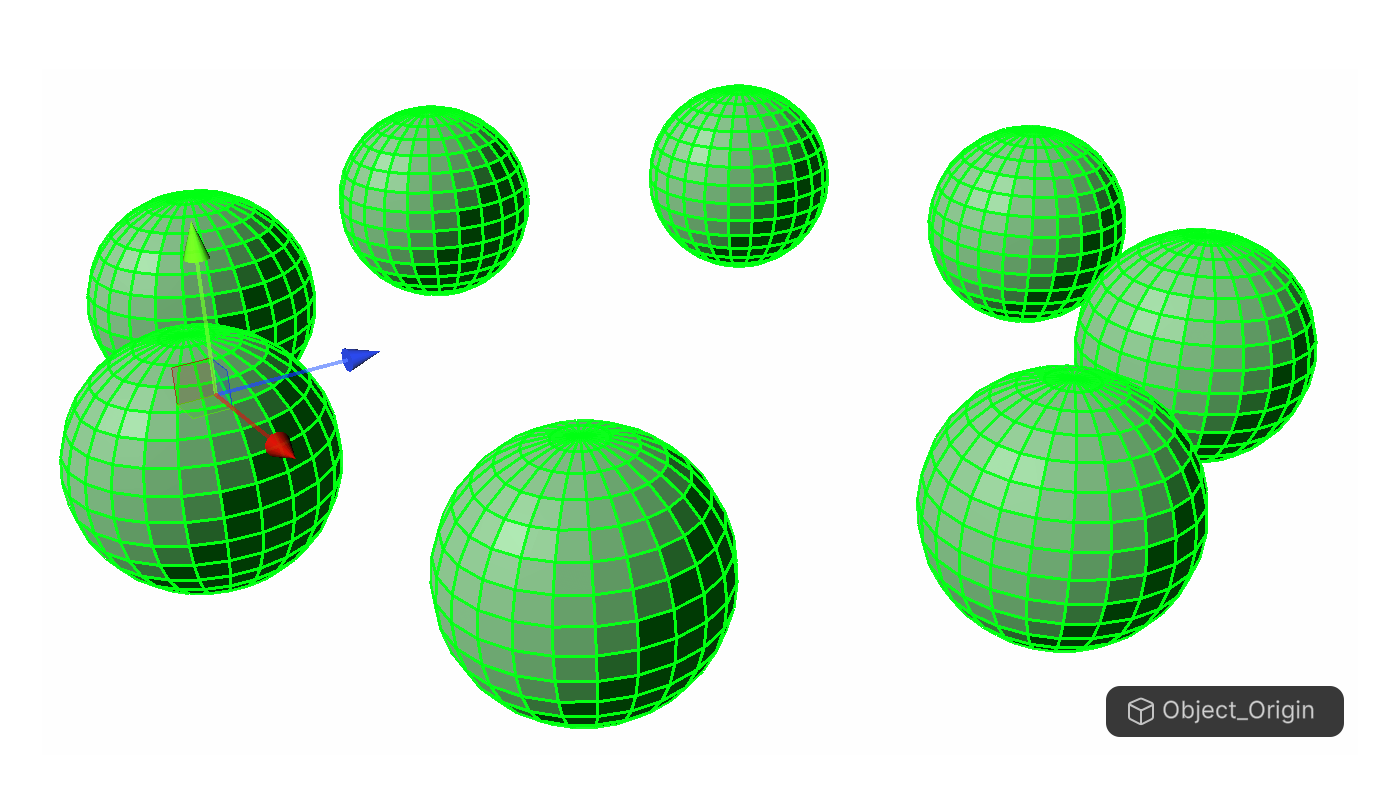
2.Run the Radial Array Tool.
3.New elements will be arranged in a circular pattern within the same mesh.
Array Type: To Object
Create separate objects from the current mesh
1.Select a face.
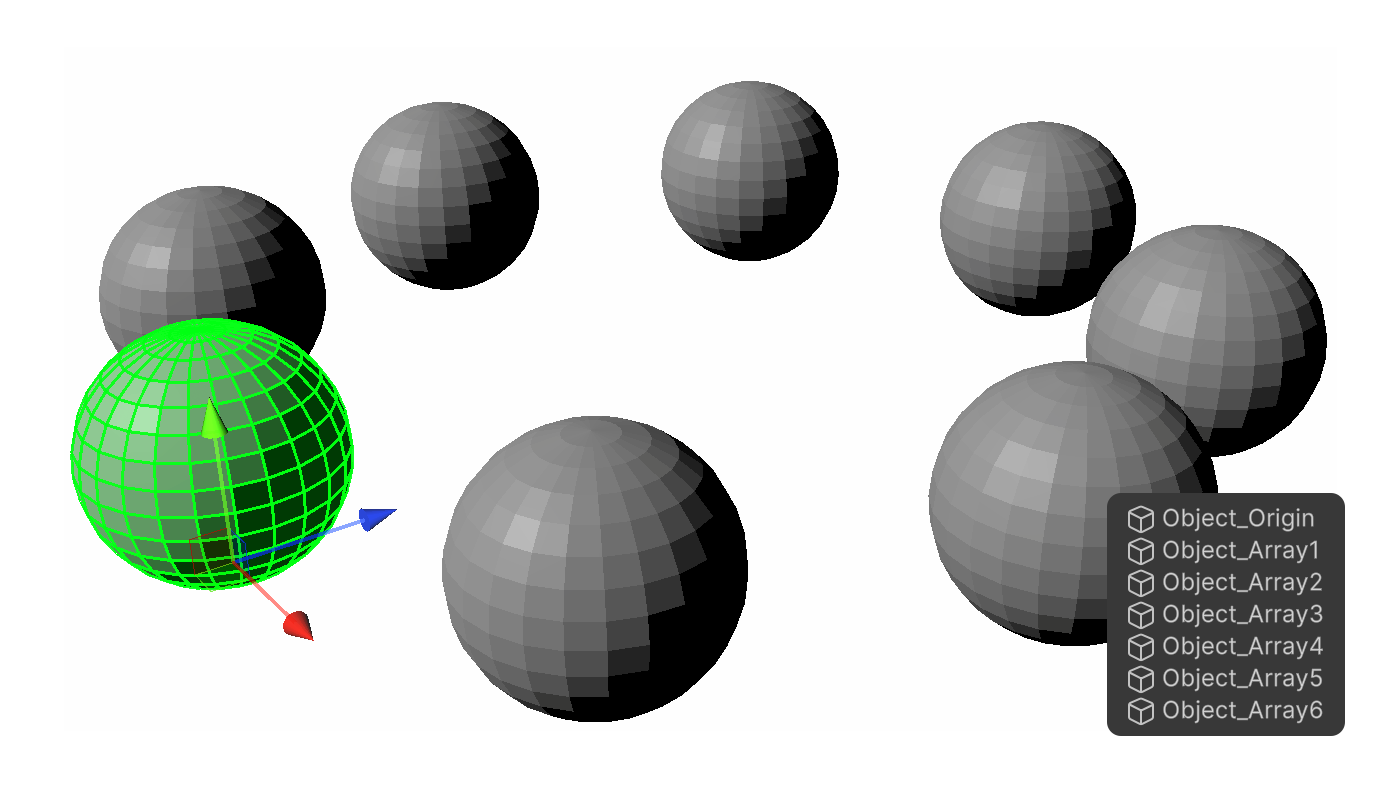
2.Run the Radial Array Tool.
3.New objects are created and placed in a circular arrangement, separated from the original mesh.
Angle Type
- Interval : The Angle value is applied as the rotation interval between each duplicated element.
- Total : The specified Angle is treated as the total rotation angle and evenly divided by the Batch Count.
Rotate Axis
Sets the axis used as the basis for rotation.
Angle
Specifies the angle between each duplicated element.
Reverse Rotation
Applies the Angle in the opposite direction. When enabled, the rotation direction is inverted from the default.
Rotation Constraints
Prevents duplicated meshes from rotating themselves. Each duplicated mesh is positioned along the circular pattern but maintains the original rotation.
Batch Count
Defines the total number of elements or objects to be created. (from 2 to 1000).
Offset
Sets the distance between the original element and the rotation axis.
Is Glue
Merges the duplicated meshes with the original mesh using Boolean operation.
- Only available when Array Type is set to To Elements.
- The new elements are fused into the original mesh structure.
Select
Controls the face selection method.
Backface Select