
Painting 2D Editor
The Painting 2D tool is an editor-like tool that synchronizes with the painting mode.
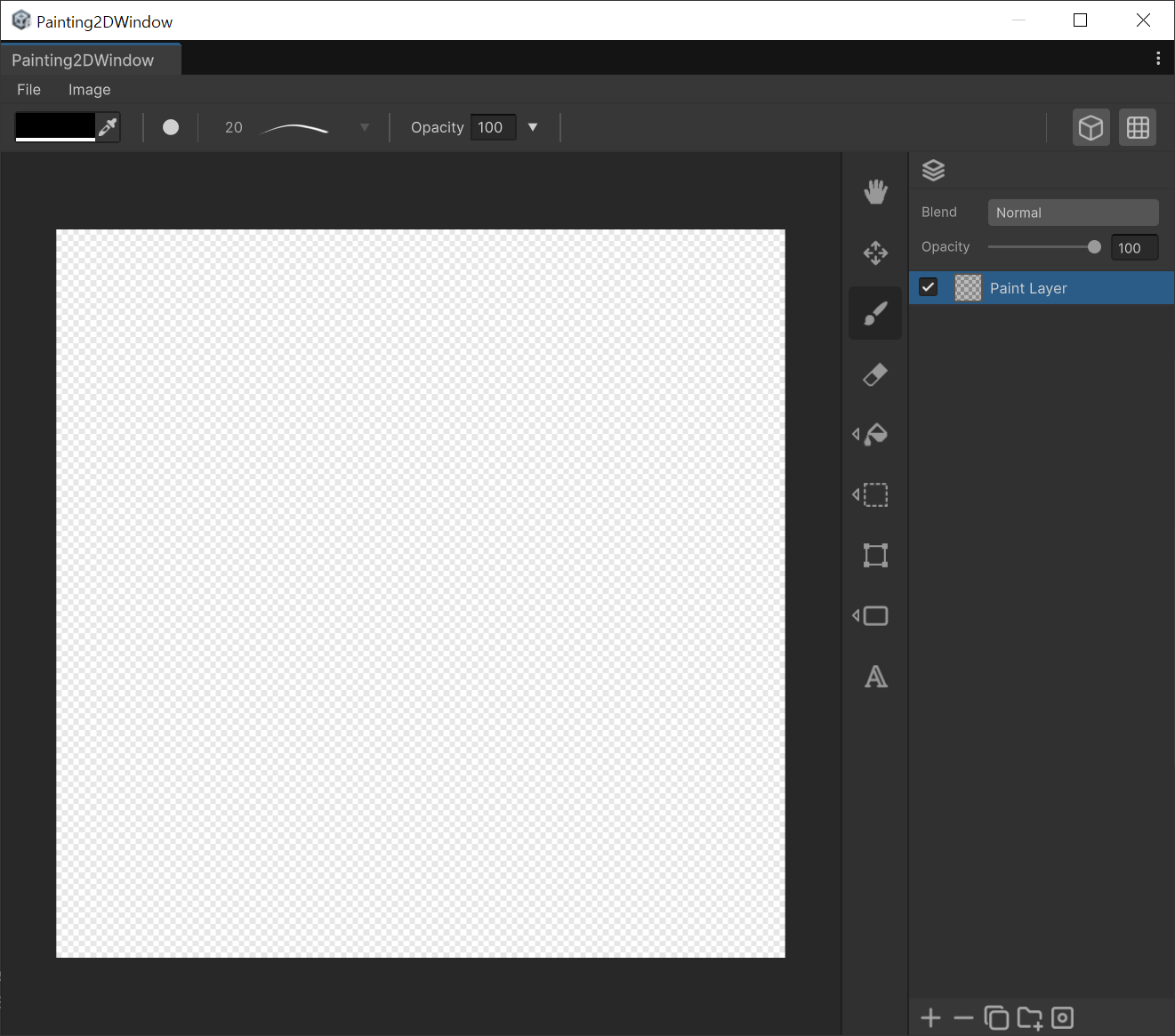
Painting 2D Editor is an integrated painting solution that allows you to create and modify textures directly within the editor. You can edit textures linked to an object's material in real-time or create independent texture assets from scratch.
How to run it
To run the Painting 2D Editor, follow the steps below.
Source Mesh
- Select the Source Mesh.
- Press the Editor button at the top right of the mode.
- Launch the Painting 2D from the menu.
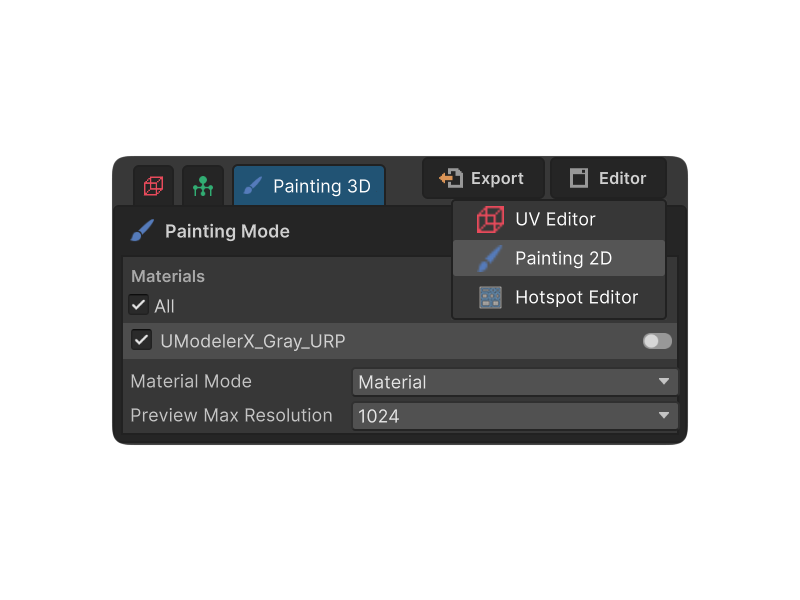
- You can see the Painting 2D Editor.
Menu
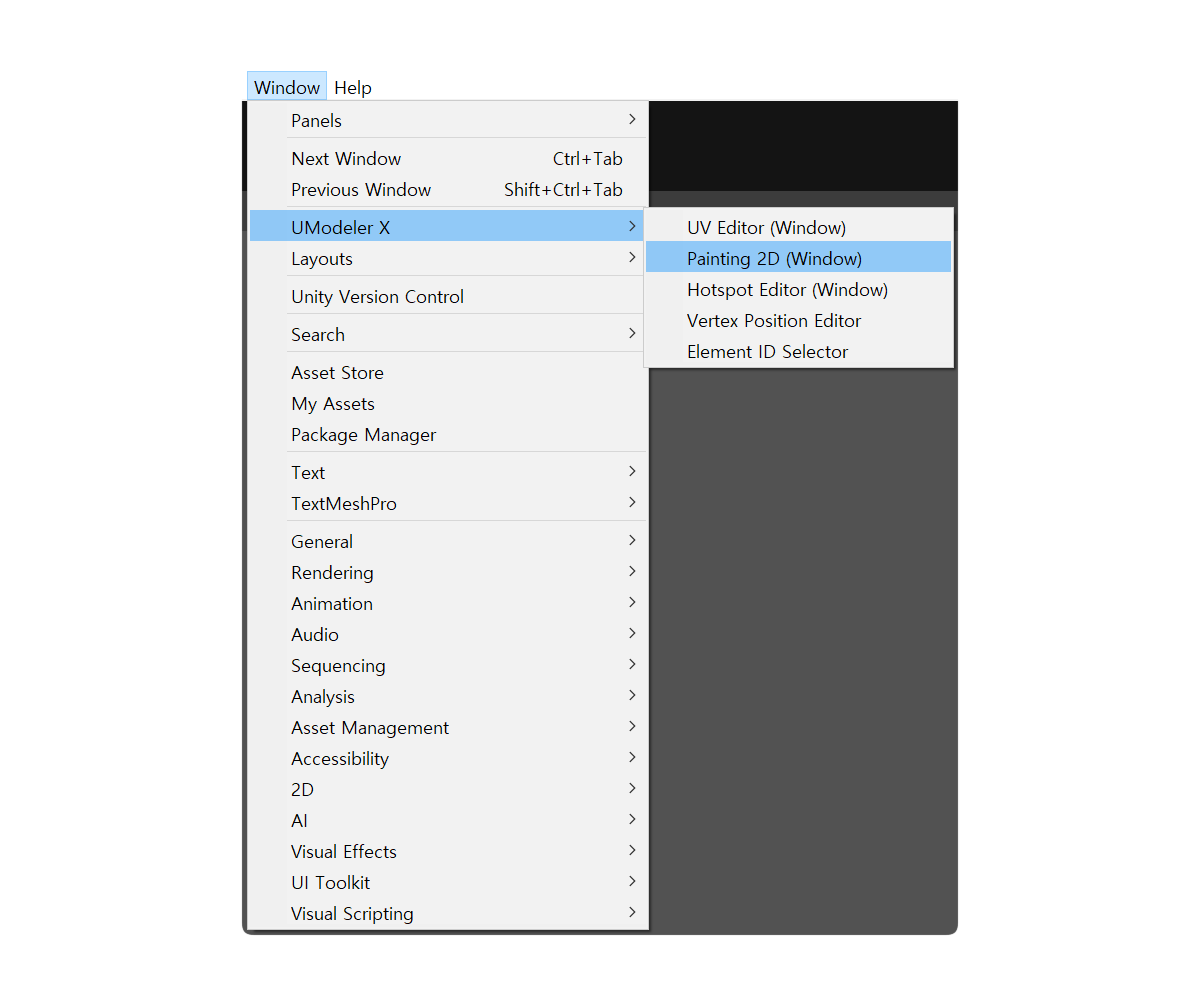
- Go to Window -> UModeler X and Select the Painting 2D (Window) menu.
Shortcut
- Open preference.
- Open UModelerX Shortcuts tab.
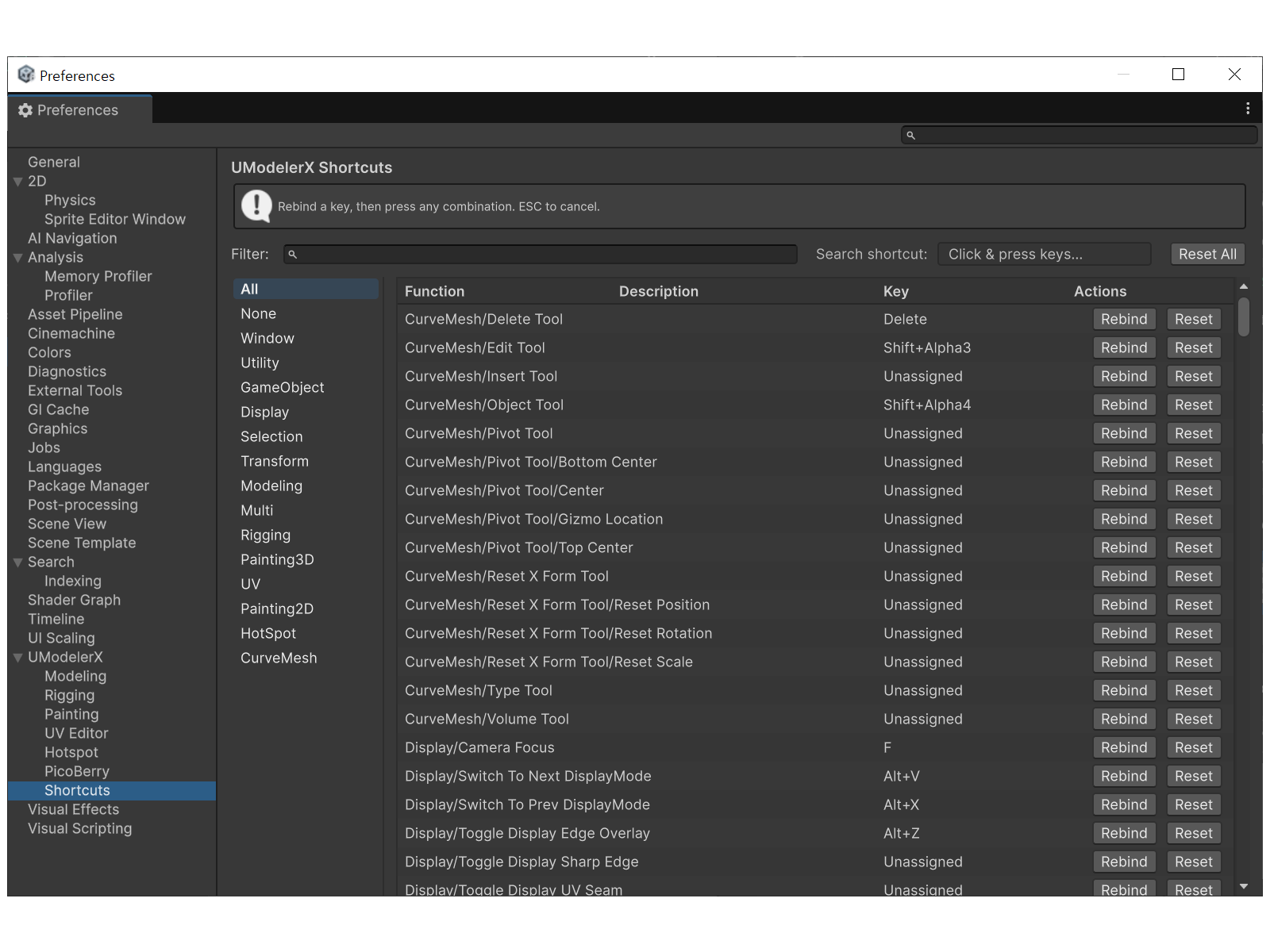
- Find 'Window/Open Painting2d Window' shortcut and change the keys to your preference.
- Press the shortcut key to open the window.
How to Use
UModeler X object
- Select a UModeler X object.
- Go to the Painting 3D tab. With a material assigned to the slot, the PaintData / texture / layer assets are created automatically and you can begin painting immediately.
- Painting 3D and 2D operate on the same object — strokes made on either side update the other in real time.
Asset Texture
- Open the Painting 2D window first.
- Select a texture from the Asset folder path.
- The selected texture will be displayed on the screen.
Menu
The menu functions are only available for asset textures. Object textures are saved automatically, and their resolution can only be configured in the 3D Editor.
File
- New : Clear all current progress.
- Save : Overwrites the existing texture file with your changes.
- Save as : Creates a new texture file or overwrites a selected file.
- Resolution : Changes the resolution of the texture.
Display Options
- Wireframe : Overlays the wireframe of the selected object onto the canvas. This helps you paint accurately by referencing the model's structure and UV layout.
- Repeat Texture : Previews how the texture repeats across the screen. This is essential for creating patterns or checking seamless texture transitions.