
Rectangle Tool
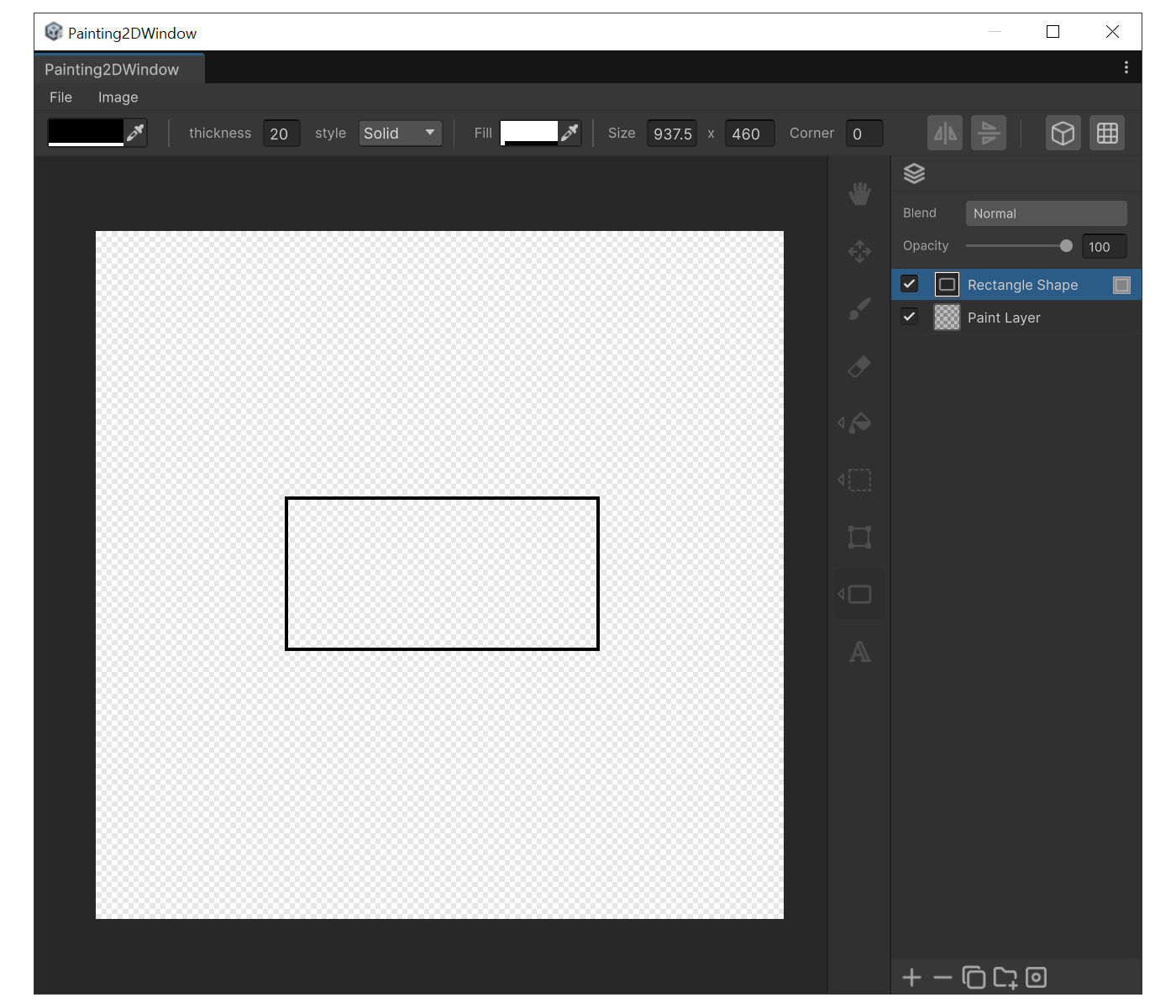
When to use
To add a non-destructive rectangle for frames, UI boxes, or backgrounds.
Properties
- Thickness : Stroke width.
- Style : Stroke pattern (Solid / Dashed / Dotted).
- Fill : Inner fill color. When alpha is 0 only the stroke is drawn; changing the RGB while alpha is 0 automatically raises it.
- Size : Width × Height of the rectangle. After the shape is created, you can type exact numbers in the edit state.
- Corner : Corner radius in pixels. 0 is a sharp rectangle; larger values produce a rounded rectangle .
How to use
- Press 'R'
- Drag on the canvas. A new 'Shape layer' is created automatically.
- Right after creation the shape enters edit state, so changing Size or Corner in the property panel updates the shape immediately.
- You can also drag the bounding-box handles or the rotation disc to transform the shape non-destructively.