
브러시 툴 (Brush Tool)
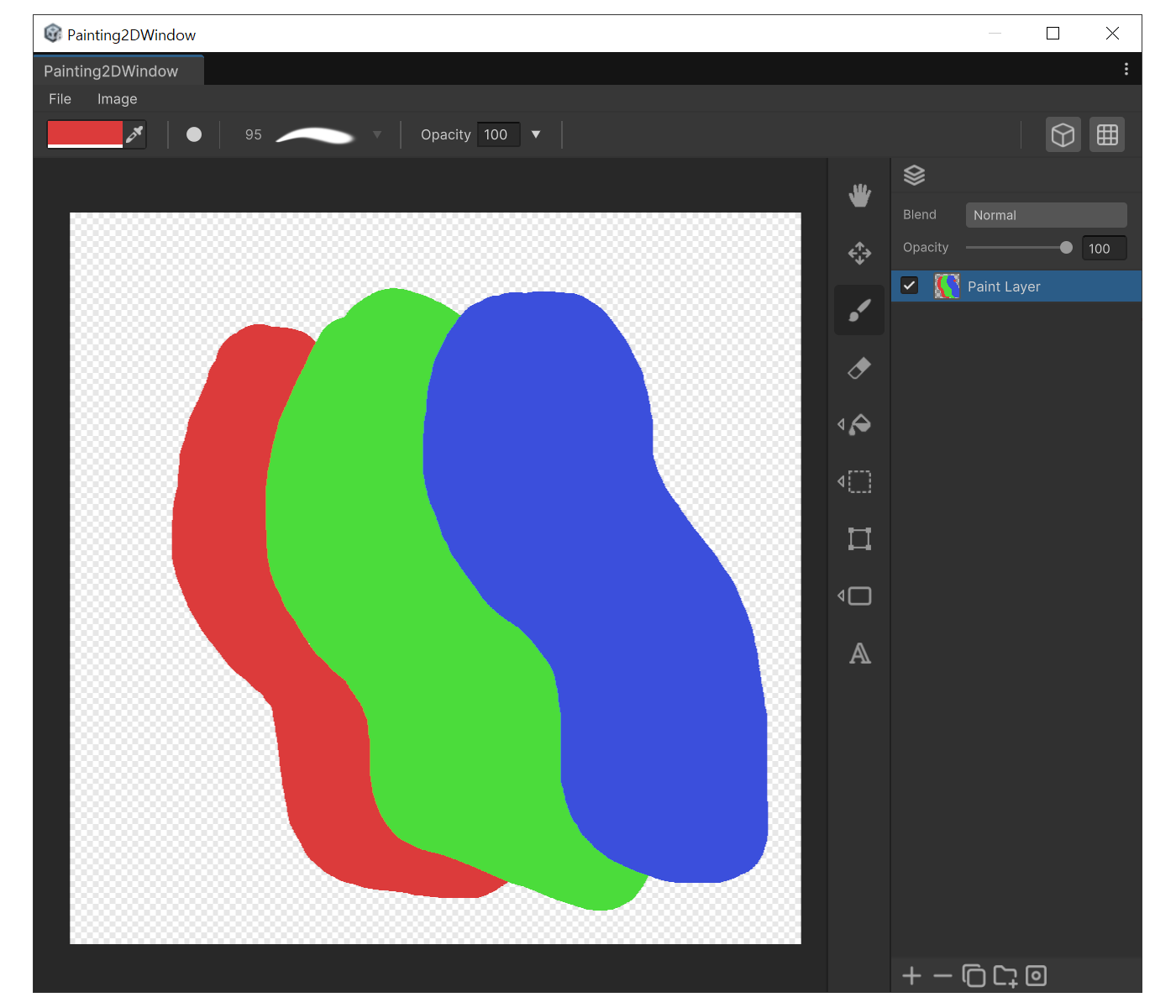
용도
- 자유롭게 색을 칠할 때 (가장 기본이 되는 도구)
- 타블렛 펜으로 압력에 따라 두께·불투명도를 조절해 그릴 때
속성
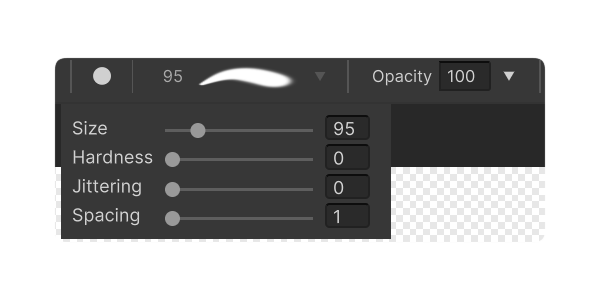
- 모양 (Shape) : 브러시 형태를 원, 사각형으로 설정합니다.
- 크기 (Size) : 브러시 지름.
- 경도 (Hardness) : 가장자리의 경도. 낮을수록 흐리게 번집니다.
- 간격 (Spacing) : 스탬프 간격. 낮을수록 촘촘합니다.
- 지터 (Jittering) : 위치 지터. 거친 질감을 낼 때 사용합니다.
- 불투명도 (Opacity) : 브러시 불투명도.
사용법
- 상단 툴바에서 색상을 선택하세요.
- 'B'를 눌러 툴을 선택하고, '[' / ']' 버튼으로 크기를 설정하세요.
- 캔버스 위에 커서를 옮기면 브러쉬 사이즈에 맞는 프리뷰가 나타납니다.
- 마우스 왼쪽 버튼을 드래그 해 칠하세요.