
Detach Tool
The Detach tool is used to detach only selected faces from the message, or to detach them from the object currently being edited and separate them into a new object.
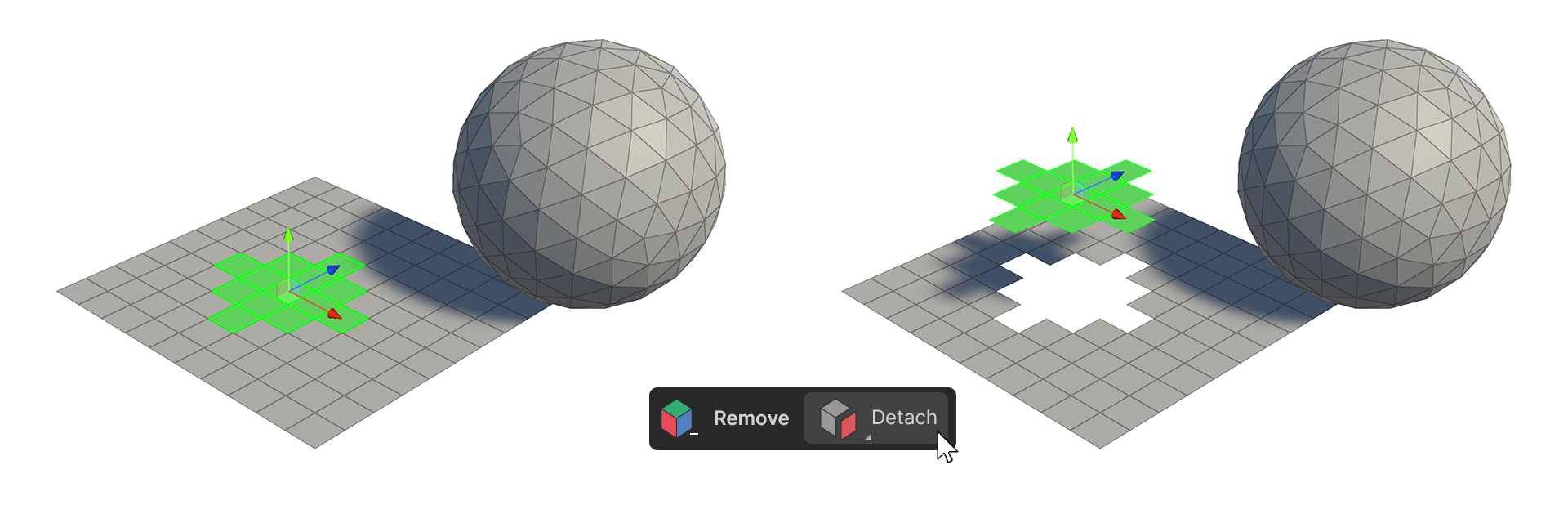
The Detach tool is used to detach only selected faces from the message, or to detach them from the object currently being edited and separate them into a new object.
How to use
The Detach tool is a tool that is applied directly according to the set properties, so you need to change the properties before executing it.
properties
Detach Type: To Elements
Detach from a connected mesh
1.select a face.
2.Run the Detach Tool.
3.The selected faces are detached from the connected mesh.
Detach Type: To Object
Create an Object with Detach
1.select a face.
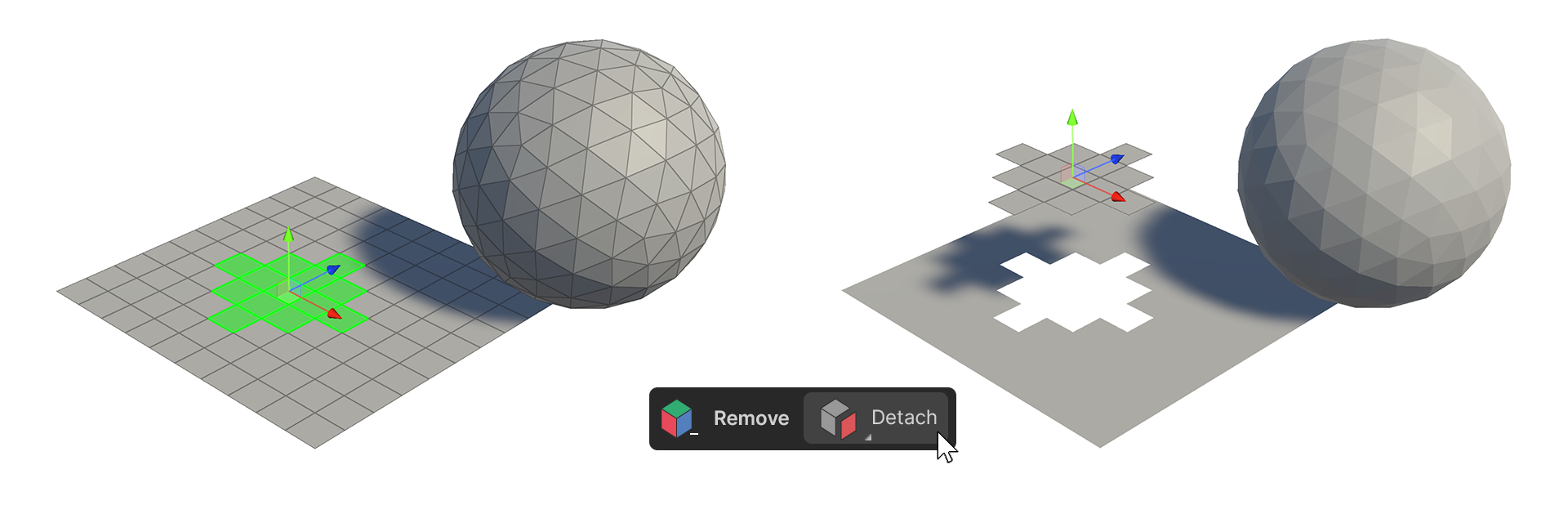
2.Run the Detach Tool.
3.The faces will detach, creating a new object with the selected faces.