
지우개 툴 (Erase Tool)
칠해진 페인트를 지우는 도구. 브러시와 동일한 속성을 가지며 칠하는 대신 지웁니다.
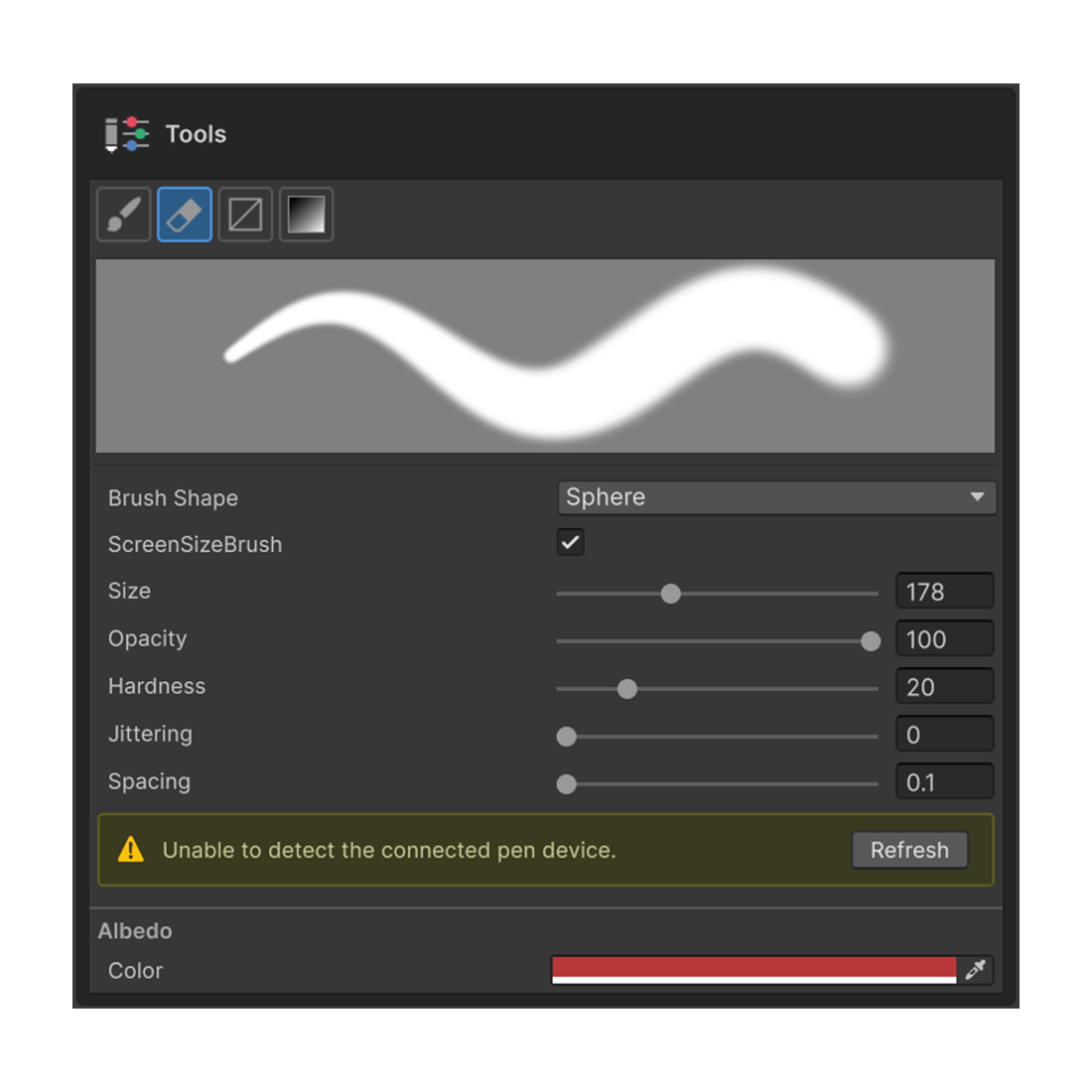
이미 칠해진 페인트를 지우는 도구입니다. 내부적으로 브러시 툴 과 같은 스탬프 메커니즘을 사용하므로, 속성도 거의 동일합니다.
단축키
E — Painting 3D 도구 팔레트의 Erase Tool 활성화.
동작
| 컨텍스트 | 동작 |
|---|---|
| 일반 페인트 레이어 | 칠해진 색을 알파 값과 함께 제거 |
| 마스크 편집 모드 | 흰색 브러시처럼 동작 (마스크에서 가린 영역을 다시 드러냄) |
마스크 편집 모드에서 Erase Tool 이 "흰색을 칠하는 도구" 가 되는 점이 가장 큰 특징입니다. Brush 와 Erase 를 번갈아 쓰며 마스크 영역을 다듬을 수 있습니다.
속성
브러시 툴과 동일합니다. 상세 설명은 브러시 툴 페이지를 참조하세요.
- Shape — Circle / Square
- Size — 크기
- Hardness — 가장자리 경도
- Opacity — 한 번에 제거되는 양
- Spacing — 스탬프 간격
- Jittering — 위치 지터
- Pen Pressure — Wintab 펜 연결 시 Size / Strength 필압 옵션 자동 노출
Tools 섹션에는 브러시 툴과 동일한 미리보기가 표시되며, 현재 설정에 따른 도장 모양을 즉시 확인할 수 있습니다.