
Weight 툴
Weight 툴은 선택한 버텍스에 웨이트를 할당할 수 있는 툴입니다.
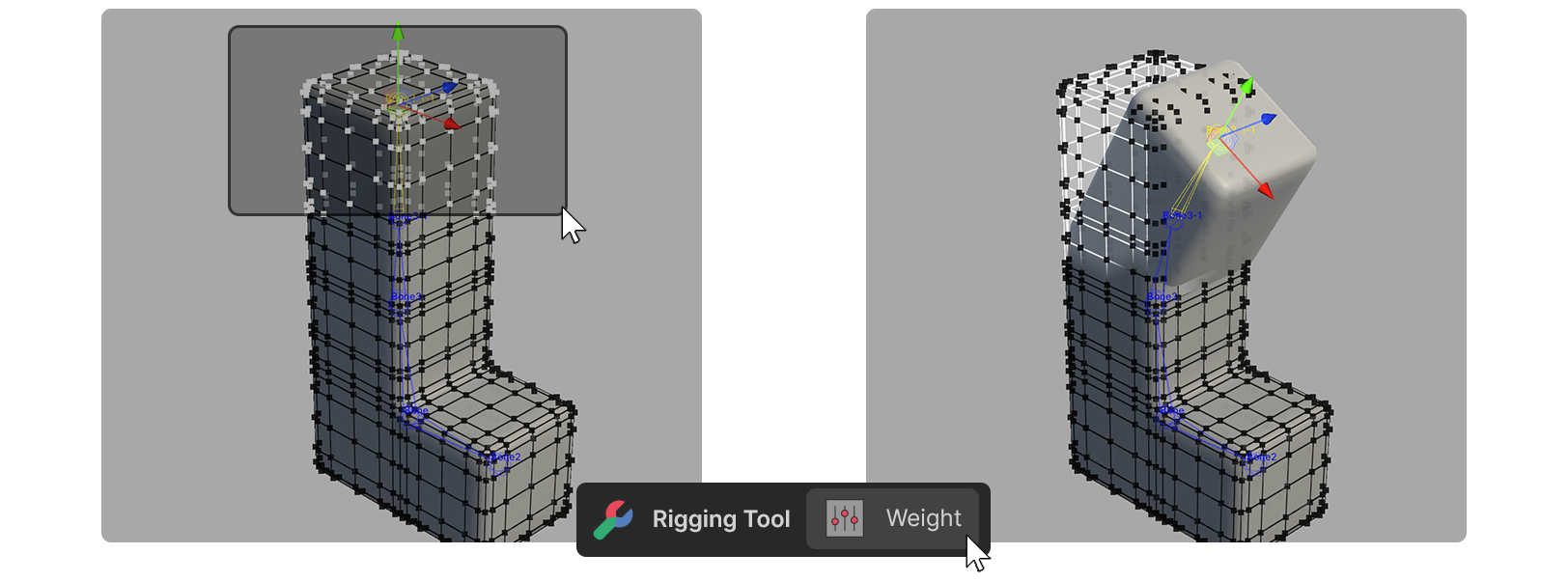
Weight 툴은 선택한 버텍스에 웨이트를 할당할 수 있는 툴입니다.
사용 방법
1.씬 또는 Bone Tree 영역에서 원하는 본을 선택합니다.
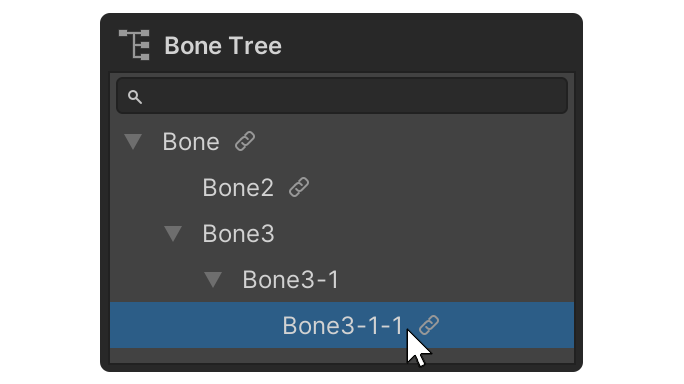
2.Weight 툴을 실행합니다.
3.선택한 본과 연결할 버텍스를 선택합니다.
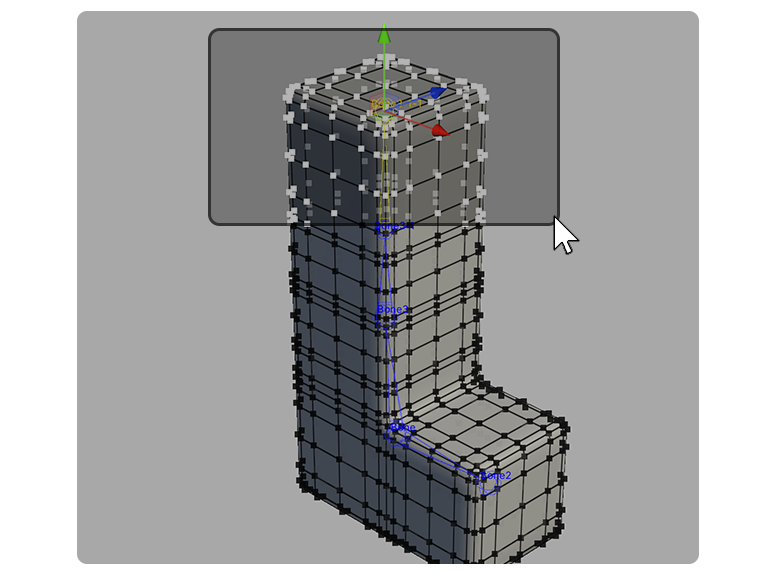
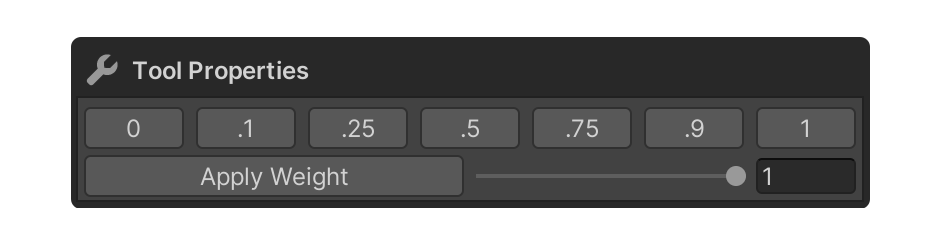
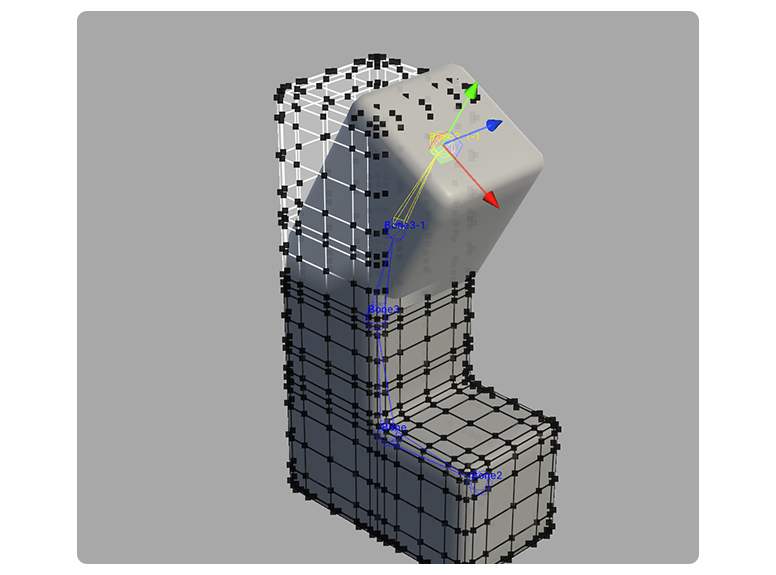
4.버텍스가 선택된 상태에서 Apply Weight 속성 조절하거나 원하는 웨이트 값 버튼을 누릅니다.
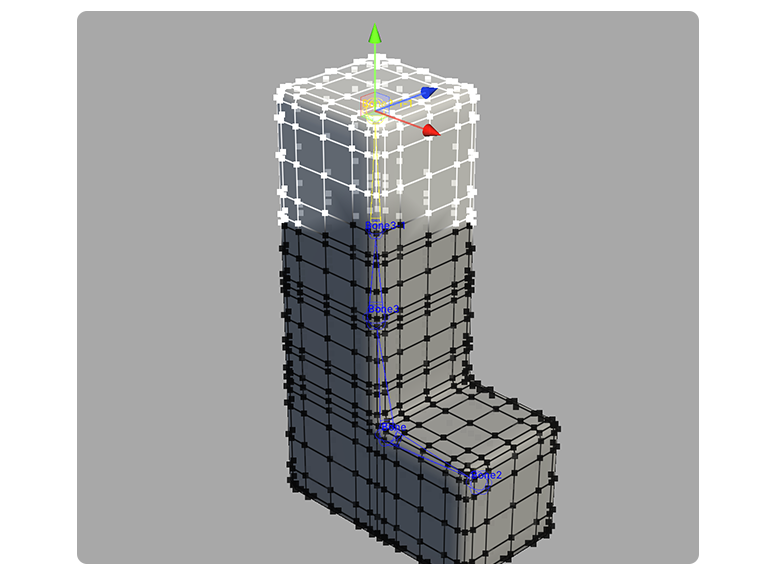
5.버텍스에 웨이트가 적용되었습니다.
속성
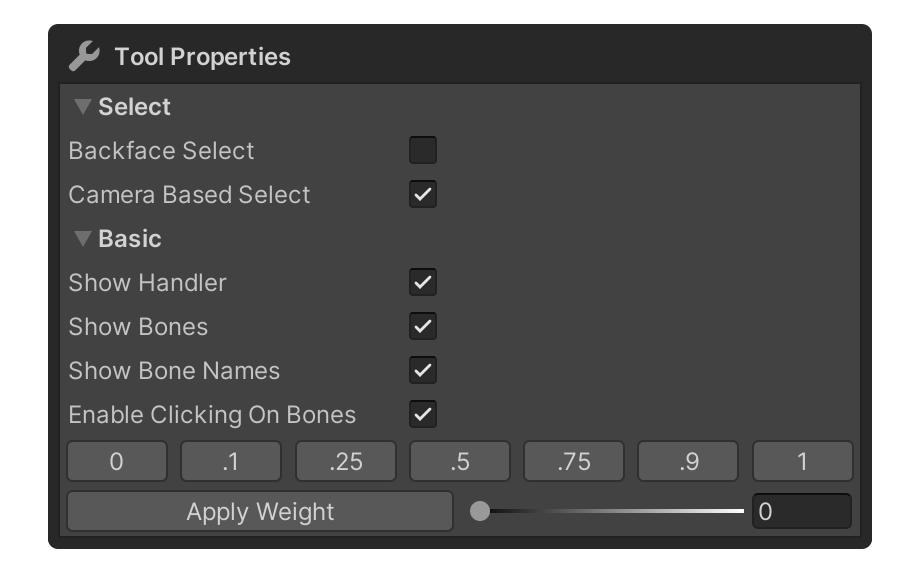
Apply Weight
할당할 웨이트 값을 설정할 수 있습니다.
Select
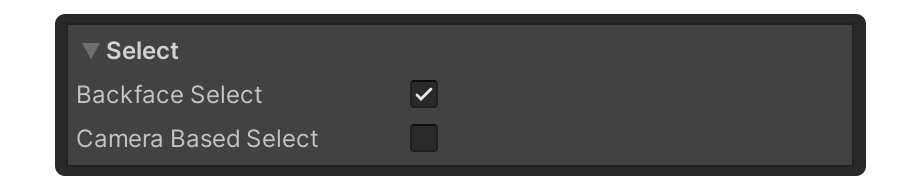
버텍스의 선택 방식을 설정할 수 있는 속성입니다.
Backface Select
Camera Based Select
Basic
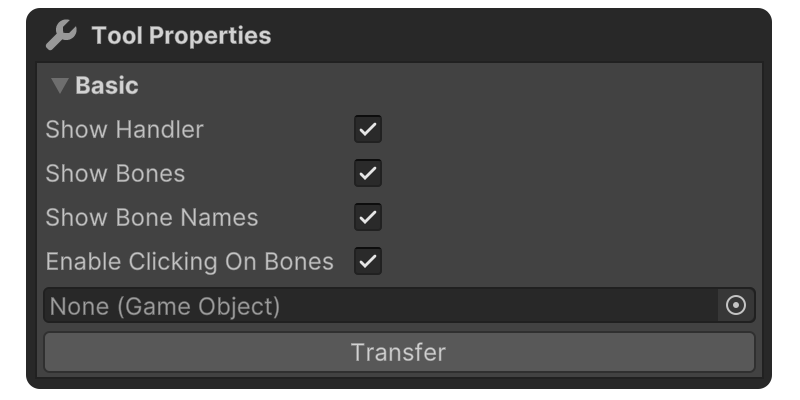
리깅 편의를 위한 속성입니다.
Show Handler
본의 이동이나 회전을 하기 위한 핸들을 보이게 하거나 감출 수 있습니다.
Show Bones
본을 표시하는 속성입니다.
Show Bones Names
본의 이름을 표시하는 속성입니다.
Enable Clicking On Bones
Shift+클릭을 통해 본을 선택할지에 대한 활성화 여부를 설정할 수 있는 속성입니다.
Apply Animation
오버레이를 포즈된 상태로 그립니다. 바인드 포즈가 아니라 실제 애니메이션 위에서 웨이트를 확인할 수 있습니다. Modeling · Multiple Objects 에디터에서는 같은 옵션이 엘레멘트 편집까지 포즈 상태로 옮기며, 켜져 있는 동안에는 토폴로지를 바꾸는 툴이 잠깁니다.
같은 토글을 씬 뷰 툴바 의 Anim 버튼으로도 쓸 수 있습니다.
미리 정해진 웨이트 버튼
선택된 버텍스에 웨이트를 할당하는 버튼입니다.
Apply Weight
할당할 웨이트 값을 설정하거나 웨이트를 할당할 수 있습니다.
Scale Weight
선택한 버텍스의 웨이트에 값을 곱해주거나 곱해줄 값을 설정할 수 있습니다.