UModeler X MCPis live — model with an AI agent
UModeler X

Decimate Modifier

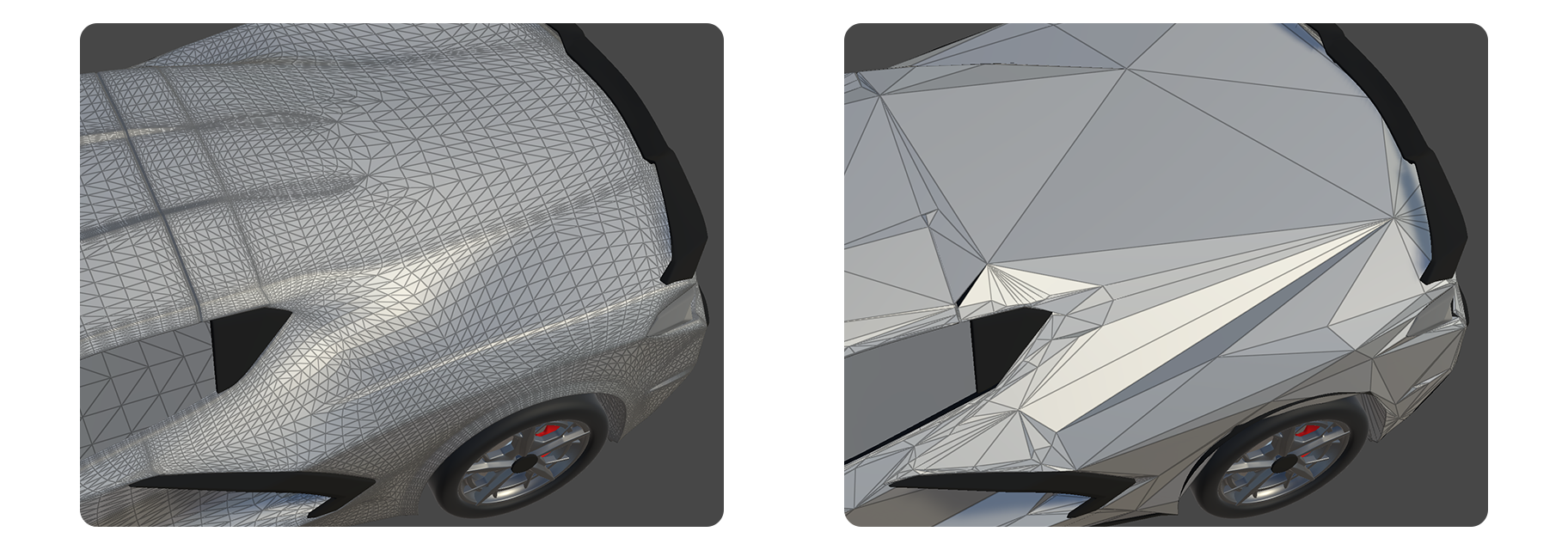
The Decimate Modifier is a modifier for reducing the number of polygons in a model.

decimate modifier

The Decimate Modifier is a modifier for reducing the number of polygons in a model.


How to use

Modifier Add Button

1.Press the Modifier Add Button.

2.Select the Decimate Modifier.

3.Adjust the Ratio property.

Properties

4.The number of polygons in the model will decrease according to the adjusted Ratio property.

Result


Properties

Properties

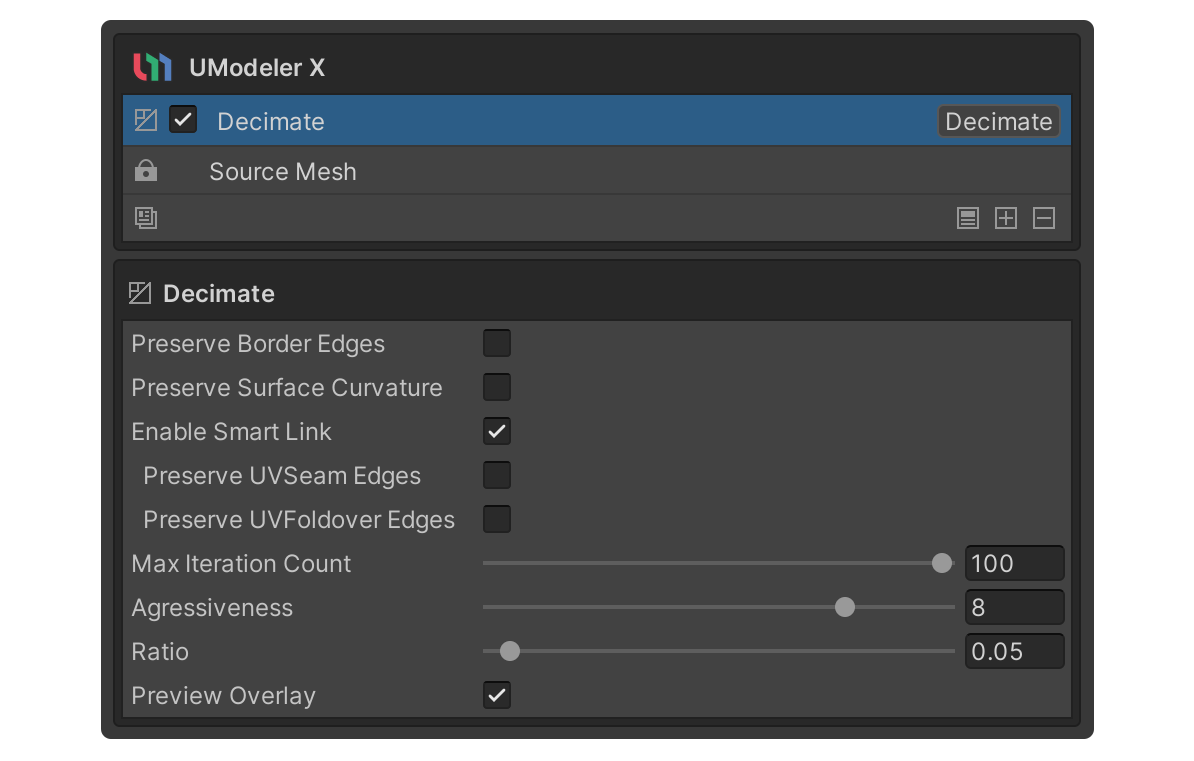
Preserve Border Edges

This property preserves the edges of faces and openings as much as possible.

Preserve Surface Curvature

Property for preserving surface curvature as much as possible. This is recommended to be enabled to preserve silhouettes.

This property allows vertices that are in the same location to be treated as the same vertex to avoid issues such as holes when reducing polygons.

Preserve UVSeam Edges

A property that preserves the edges of the UVs that are the boundaries of the UVs and the corresponding edges of the model, keeping the UVs that touch the texture and consequently ensuring that the texture is well represented in the model.

Only works when the Enable Smart Link property is enabled.

Preserve UVFoldover Edges

This property preserves edges that have the same UV.

Only works when the Enable Smart Link property is enabled.

Max Iteration Count

This property sets the maximum iteration count of the polygon reduction process.

Aggressiveness

This property sets the aggressiveness of the polygon reduction process. Higher values will remove more polygons, but the quality of the reduction may be lower.

Ratio

A property for the ratio of the number of existing polygons.

For example, a value of 0.5 for the Ratio property aims to reduce the number of polygons by 50% compared to the existing.

Preview Overlay

A wireframe preview of the polygon reduction result.


Example Usage

Decimate Modifier | UModeler X Manual