
Radial Array 모디파이어
Radial Array 모디파이어는 사용자가 지정한 축을 중심으로 모델을 원형 패턴으로 배열하는 모디파이어입니다.
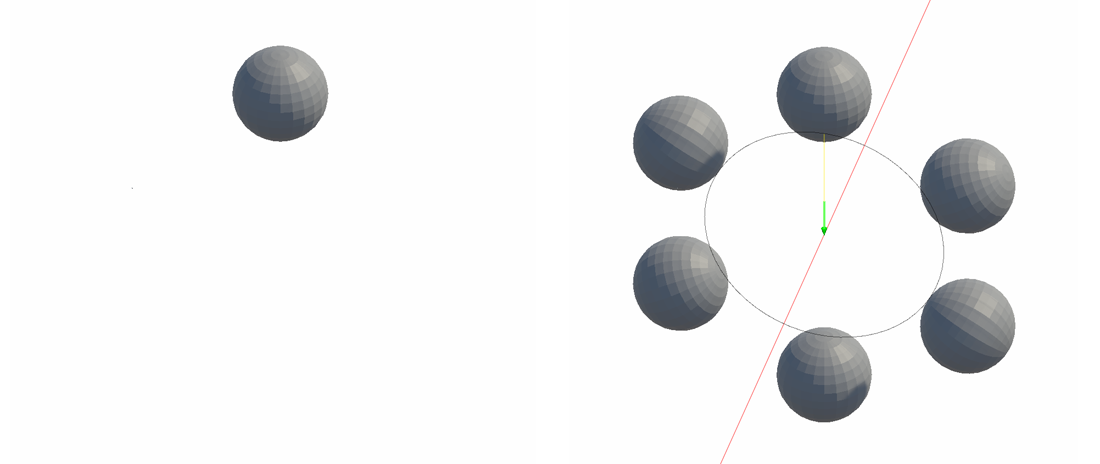
Radial Array 모디파이어는 사용자가 지정한 축을 중심으로 모델을 원형 패턴으로 배열하는 모디파이어입니다.
사용 방법

- Add Modifier 버튼을 클릭합니다.
- Radial Array 모디파이어를 선택합니다.
- Angle Type을 선택합니다.
- Rotate Axis를 선택합니다.
- 필요에 맞게 회전 축의 위치와 다른 속성을 조정합니다.
속성
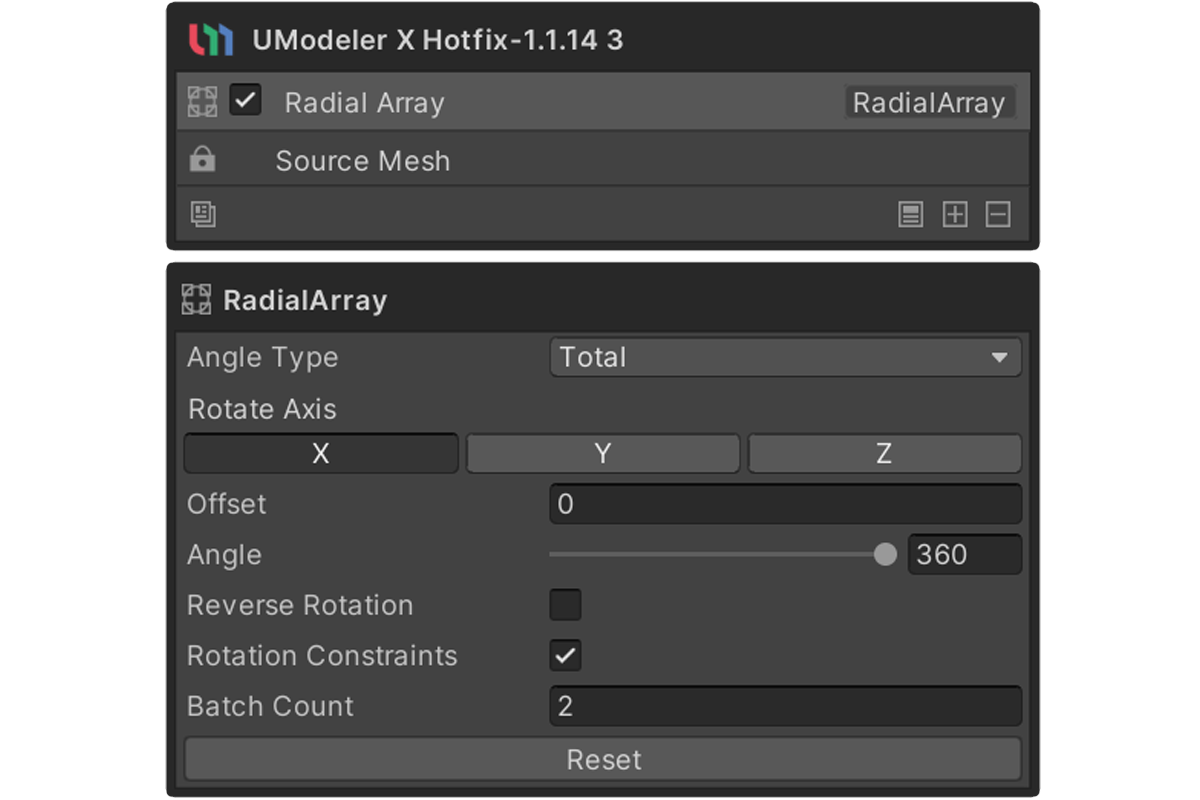
Angle Type
- Interval : 복제된 각 엘리먼트 사이의 회전 간격으로 Angle 값이 적용됩니다.
- Total : 지정된 Angle을 전체 회전 각도로 보고 Batch Count로 균등 분할합니다.
Rotate Axis
원본 모델이 회전할 축을 설정합니다. X, Y, Z 중에서 선택할 수 있습니다.
Offset
원본 모델과 회전 축 사이의 거리를 설정합니다.
Angle
복제 배열을 만들 때 회전의 기준이 되는 값입니다.
Reverse Rotation
Angle을 반대 방향으로 적용합니다.
활성화하면 회전 방향이 기본값과 반대로 됩니다.
Rotation Constraints
복제된 메시 자체가 회전하지 않도록 방지합니다. 복제된 각 메시는 원형 패턴을 따라 위치하지만 원본의 회전을 유지합니다.
Batch Count
생성할 엘리먼트 또는 오브젝트의 수를 설정합니다(2~1000).