
Texture
Texture allows you to regenerate textures to match the 3D model.
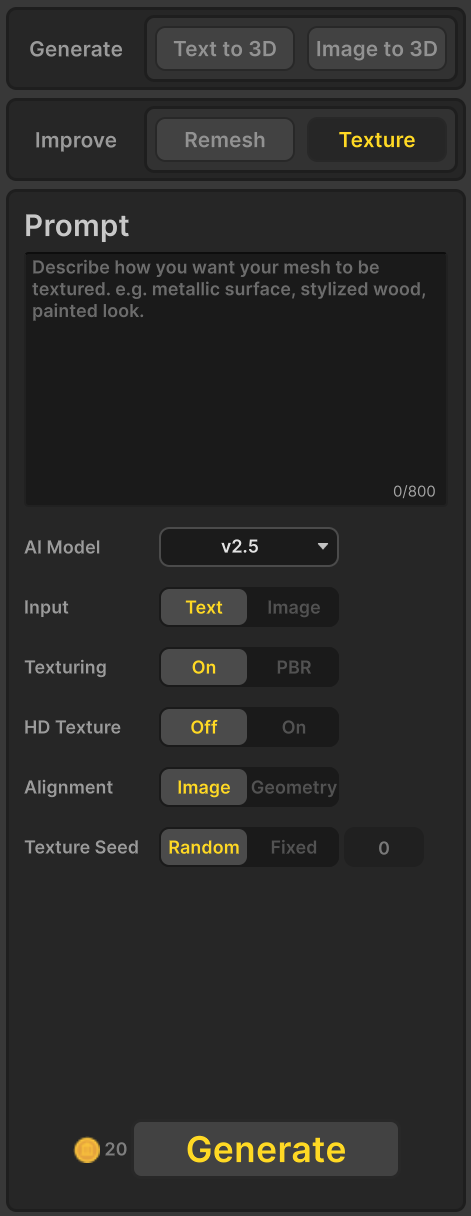
AI Model
Select one model from the list below.
- v3.0
- v2.5
Texturing
Enable or disable texture generation for the 3D model.
- Off
- On
- PBR
HD Texture
When this option is set to On, the texture clarity is improved.
- Off
- On
Aligenment
Controls how the generated texture is aligned between the source image and the 3D mesh.
- Image: Keeps the texture closely aligned with the source image. Minor stretching or misplacement may occur on the mesh.
- Structure: Aligns the texture to fit the mesh structure precisely. The result may differ slightly from the source image.
Texture Seed
The texture seed controls the randomness used during texture generation. Using the same texture seed will generally produce the same texture result. However, due to software or hardware updates, the same seed may occasionally produce slightly different textures.
- Random : The texture seed changes automatically each time textures are generated, producing different texture variations.
- Fixed : The model seed remains constant based on the value you enter, allowing you to consistently reproduce the same model structure.
Generate
Generate textures for the 3D model based on the specified settings.