시작하기
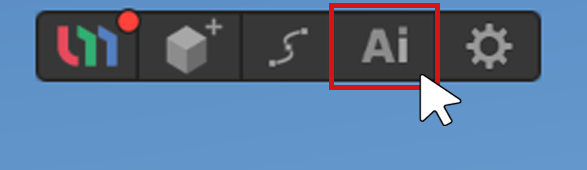
1.Gen 3D AI 탭을 선택합니다.
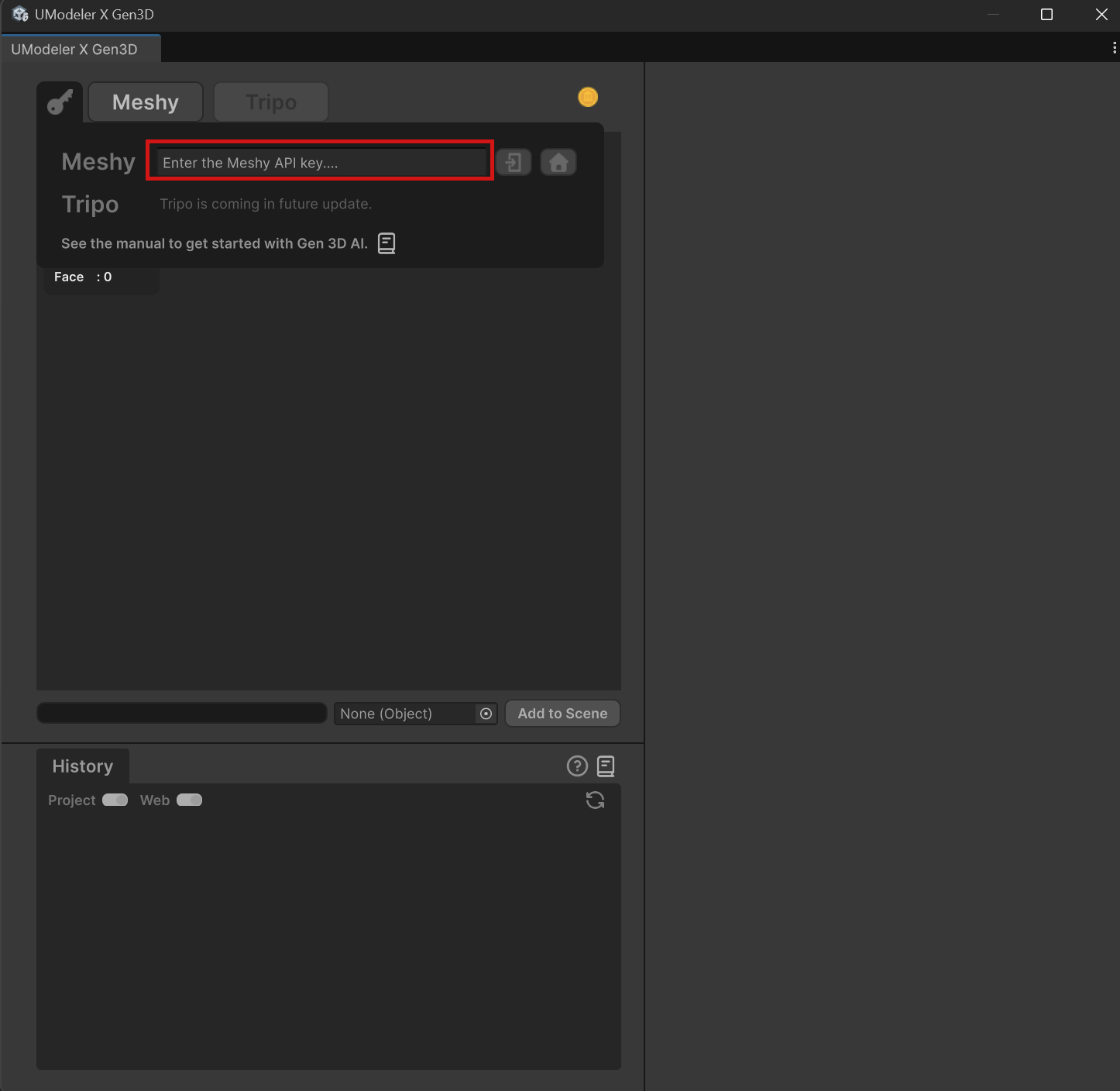
2.원하는 API를 선택하고 해당 API에 맞는 API 키를 입력합니다.
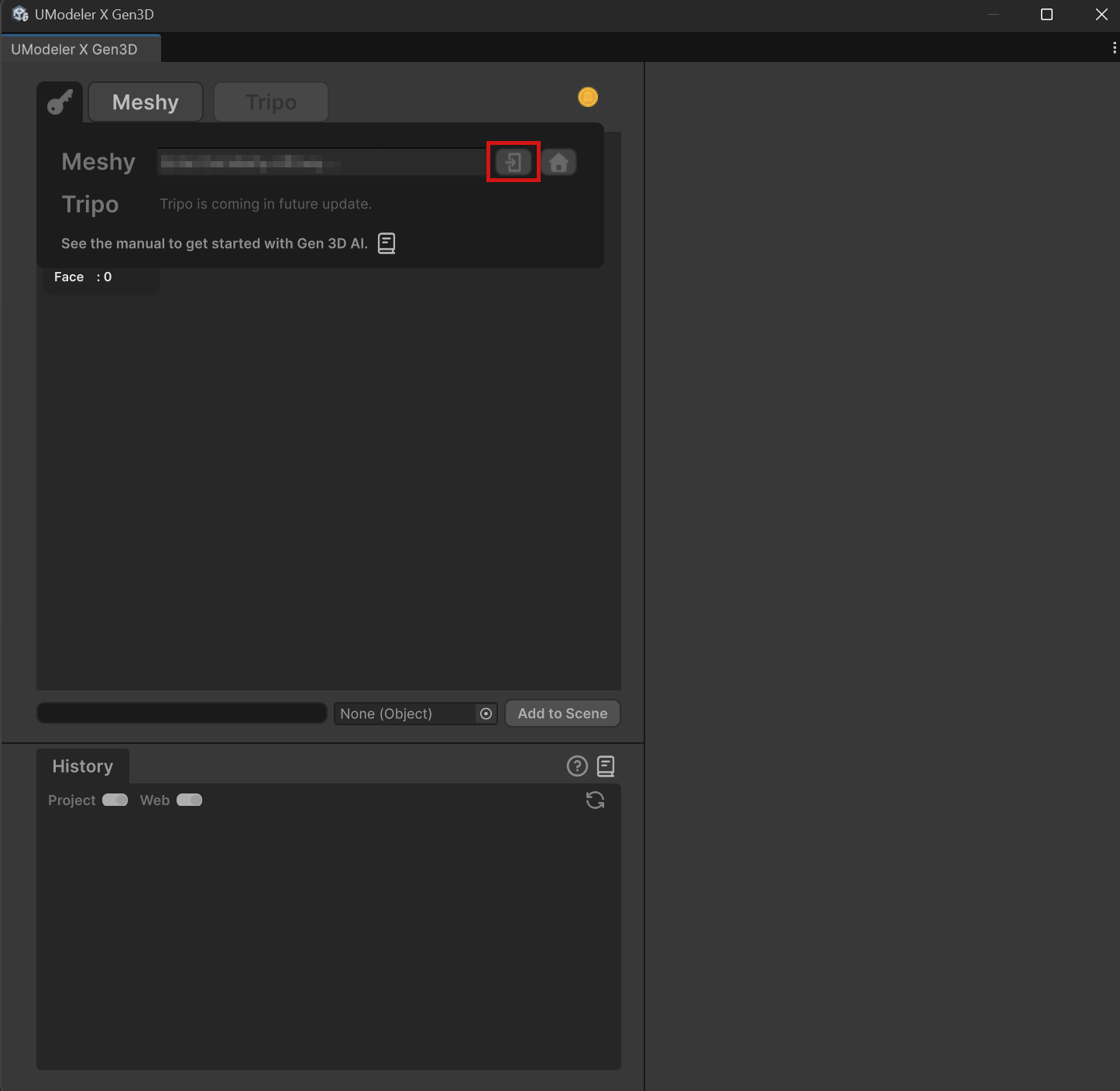
3.로그인하여 선택한 API를 활성화합니다.
4.원하는 생성 유형(Generate Type)을 선택하여 진행합니다.
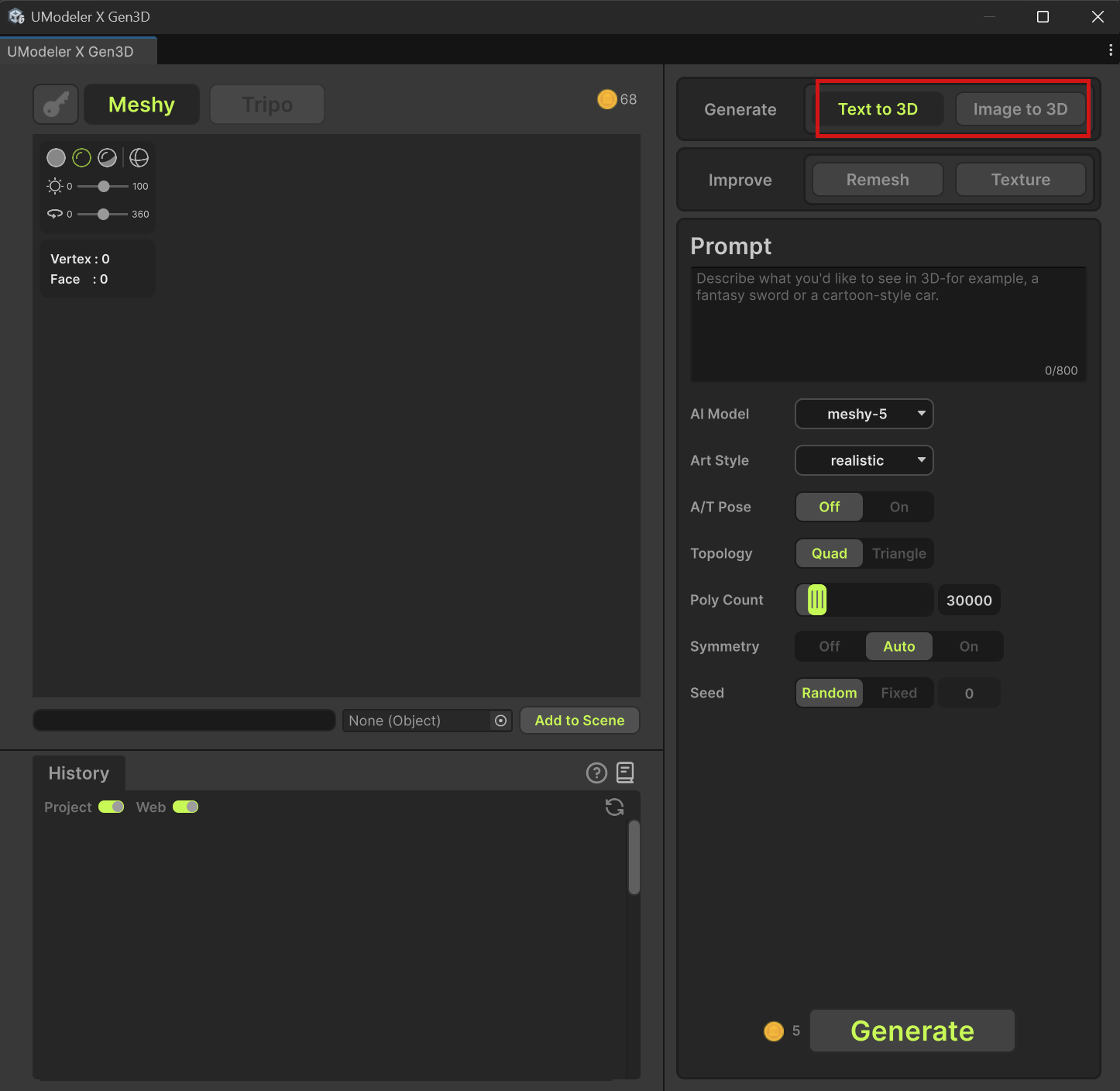
5.남은 크레딧과 필요한 크레딧을 확인 할 수 있습니다.
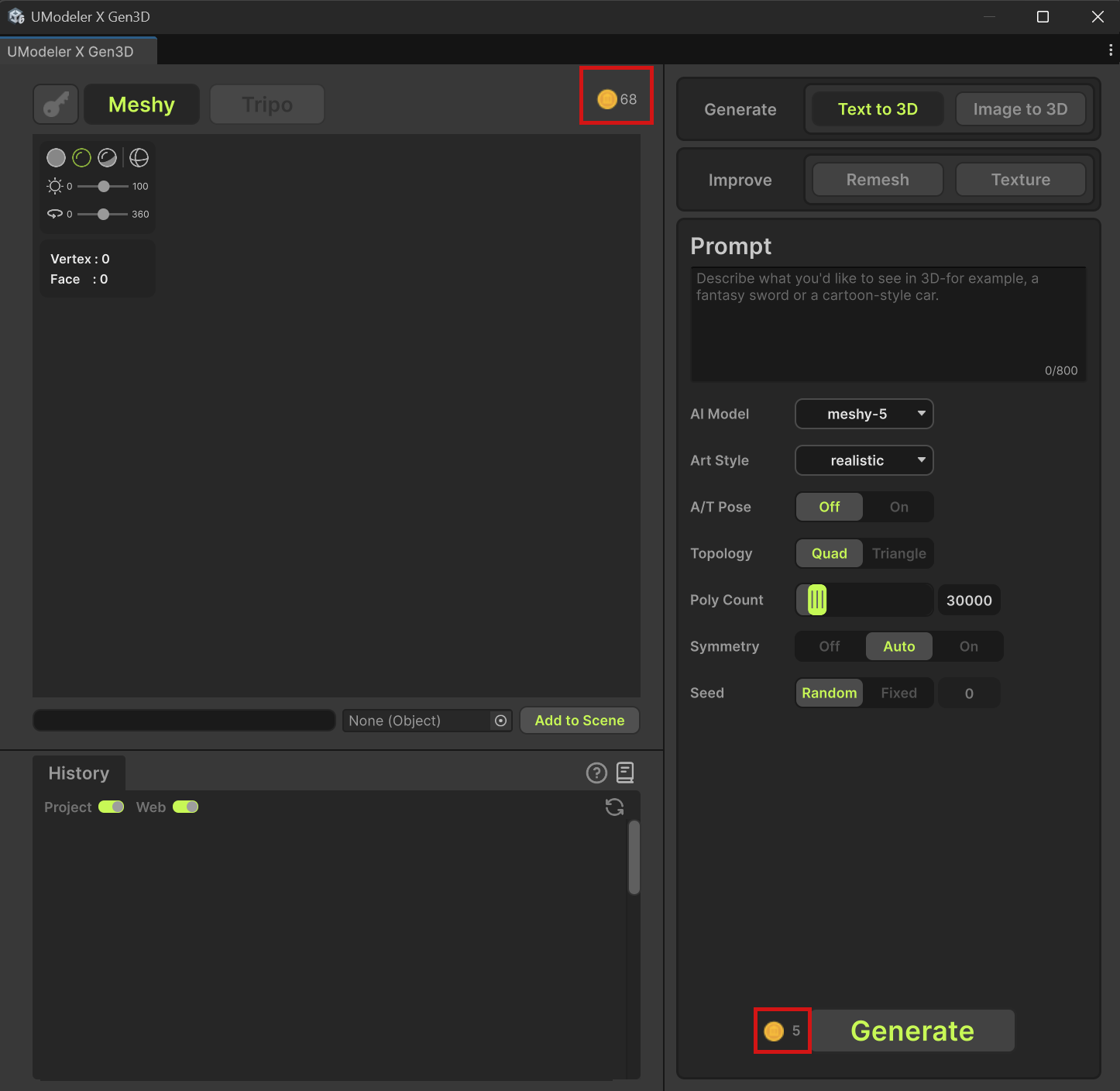
6.필요에 따라 Improve 도구를 사용하여 생성된 3D 모델을 다듬을 수 있습니다.

1.Gen 3D AI 탭을 선택합니다.
2.원하는 API를 선택하고 해당 API에 맞는 API 키를 입력합니다.
3.로그인하여 선택한 API를 활성화합니다.
4.원하는 생성 유형(Generate Type)을 선택하여 진행합니다.
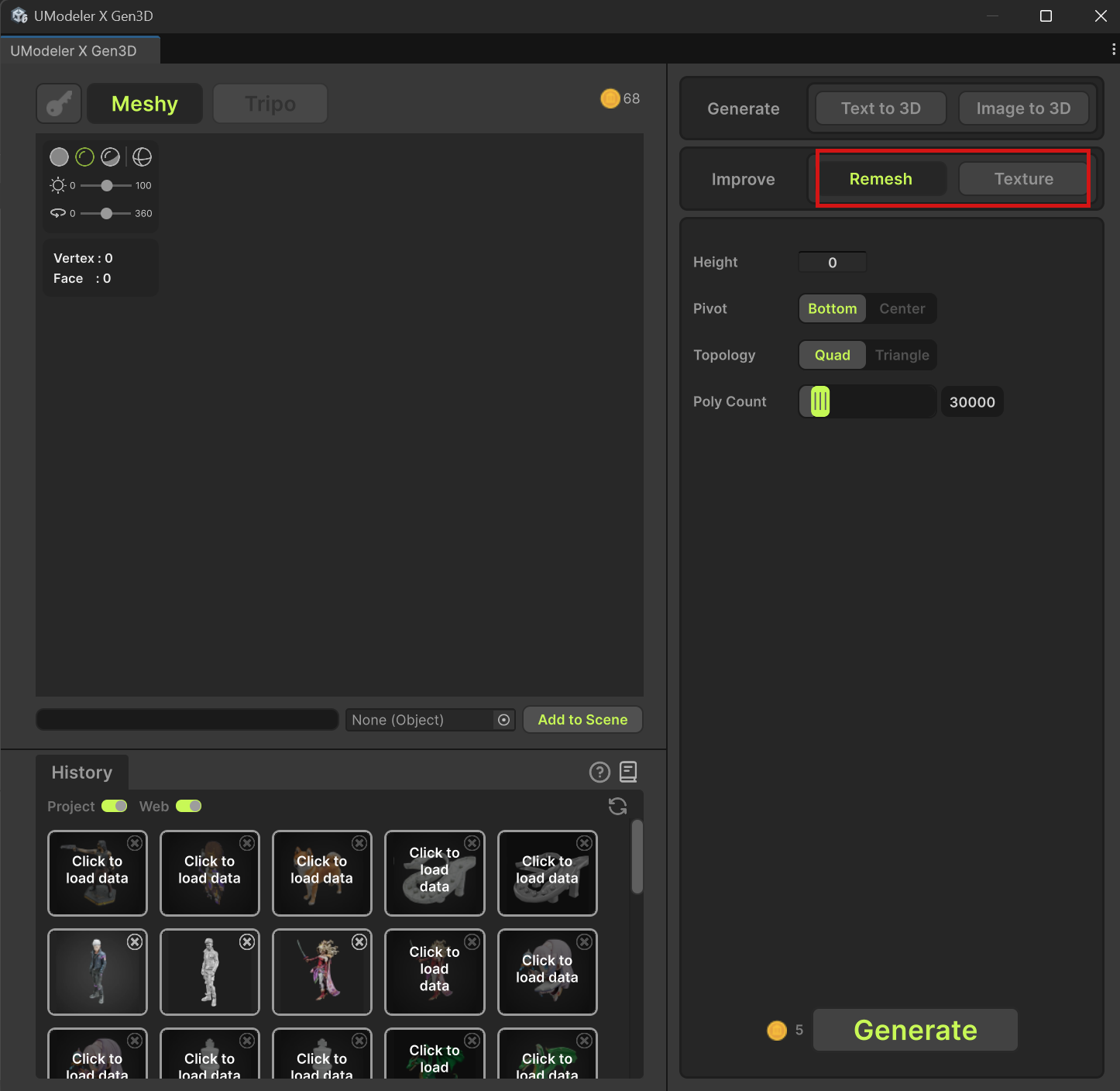
5.남은 크레딧과 필요한 크레딧을 확인 할 수 있습니다.
6.필요에 따라 Improve 도구를 사용하여 생성된 3D 모델을 다듬을 수 있습니다.