
채우기 레이어
Fill 레이어는 활성 채널을 단일 텍스쳐 매핑으로 덮어 모델 전체에 베이스 톤을 깔 때 사용합니다.
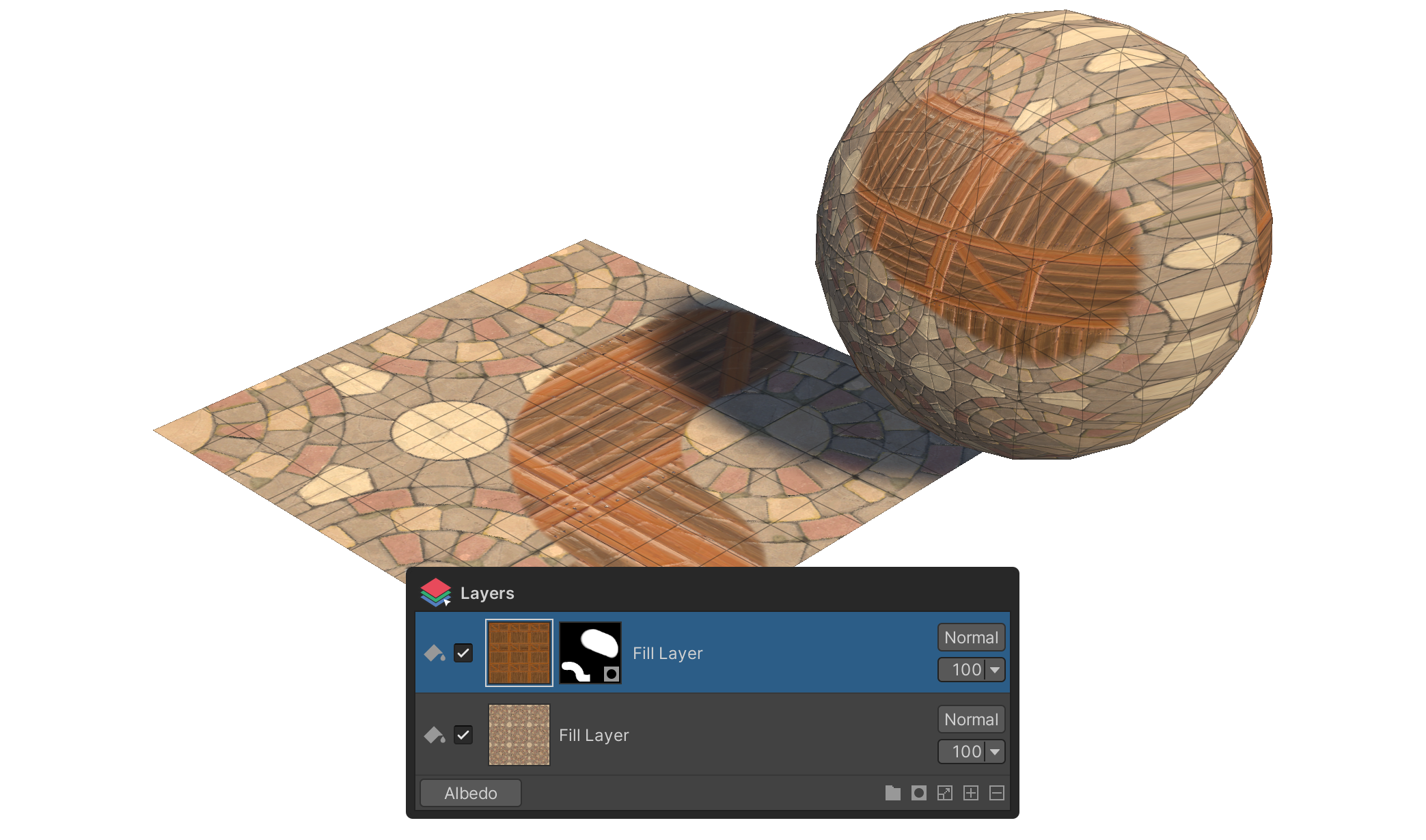
Fill 레이어는 활성 채널 전체를 단일 텍스쳐 매핑 으로 덮는 레이어입니다. 모델 전체에 베이스 색·패턴·노이즈 텍스쳐를 한 번에 깔거나, 위쪽 Paint 레이어들의 합성 결과를 받쳐줄 바탕을 만들 때 사용합니다.
사용 방법
- 레이어 패널 하단 상태바의
+버튼 을 클릭합니다. - 컨텍스트 메뉴에서 Fill Layer 를 선택합니다.
- 활성 채널을 단일 매핑으로 덮는 Fill 레이어가 추가됩니다.
Fill 레이어 편집의 Tools 동작
Fill 레이어를 선택하면 Tools 그룹 에 매핑 변환 속성이 표시됩니다.
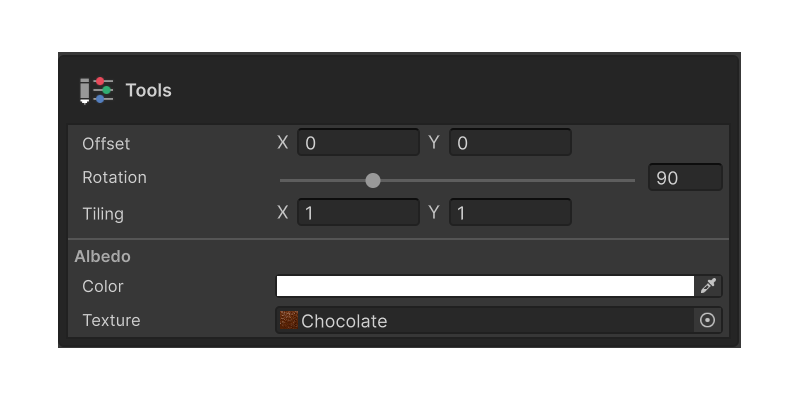
Tiling
적용된 텍스쳐가 모델 표면에 얼마나 반복될지 결정합니다. X / Y 두 축을 독립적으로 조정할 수 있어, 가로 줄무늬·세로 줄무늬·격자 패턴 등을 만들 때 유용합니다.
Offset
적용된 텍스쳐의 시작 위치를 어긋나게 합니다. X / Y 두 축을 독립적으로 조정할 수 있어, 같은 텍스쳐를 쓰는 두 Fill 레이어가 동일한 자리에 정렬되지 않도록 어긋낼 때 사용합니다.
Rotation
적용된 텍스쳐의 회전 각도(0 ~ 360°)를 설정합니다.