
Quick Color Palette
A floating color picker HUD that appears over the Scene View while painting in 3D.
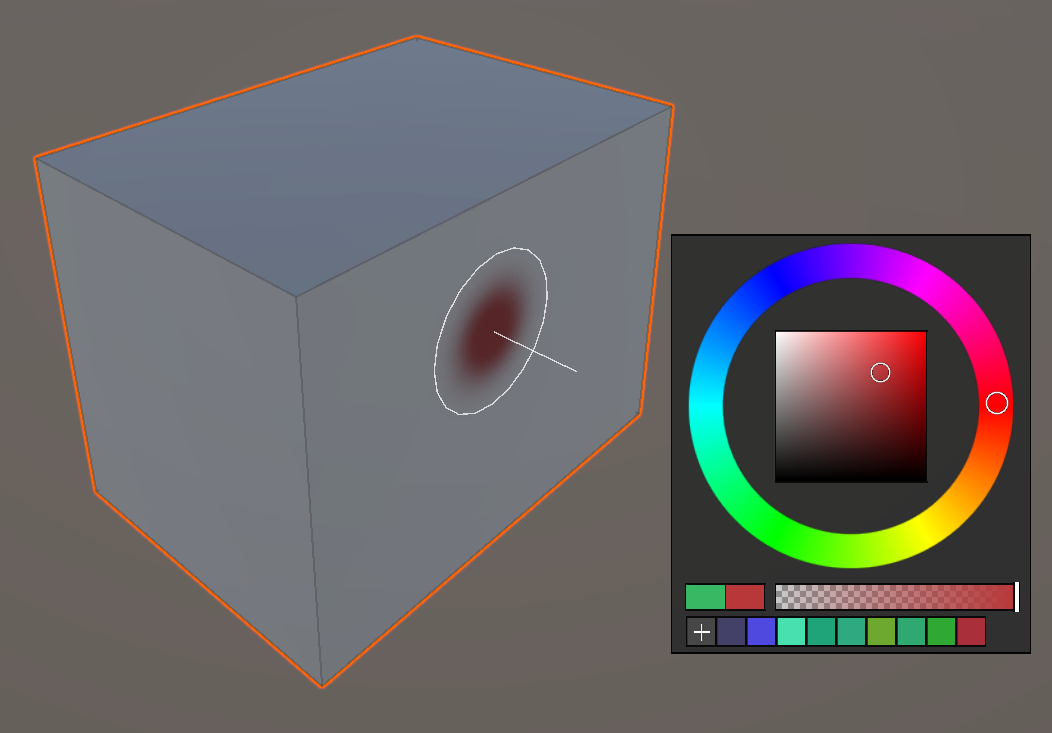
A floating color picker HUD that appears over the Scene View while painting in 3D. This feature is exclusive to Painting 3D — Painting 2D does not have it.
Opening
Shift + Alt + Right-click — The palette pops up at the cursor position.
Layout
- Color wheel + SV (saturation/value) area — Pick a color on the left.
- User palette — Saved colors are arranged in a grid on the right; click any swatch to apply it instantly.
- Slot 0, the
+button: stores the current color into a new slot. - Alt + click on a saved slot: removes that slot.
- Slot 0, the
Eyedropper (Color Picking)
Holding Alt outside the palette area for 0.5 seconds switches into eyedropper mode, letting you sample a color from the Scene View.
Saved swatches persist in editor preferences — they survive Unity restarts. Up to 32 swatches can be stored. Duplicates are ignored, and once the limit is reached new saves are refused, so clear slots you no longer need with
Alt + click.