
UV Param 툴
UV Param 툴은 위치, 회전, 스케일, 타일링 같은 속성으로 UV 좌표를 변환해 선택된 페이스에 텍스처가 표시되는 방식을 조정합니다.
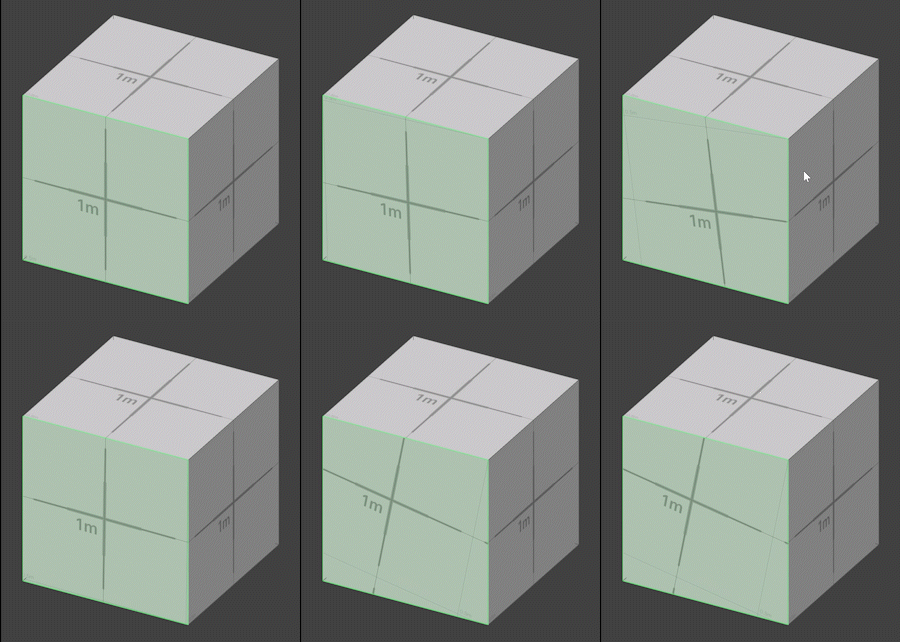
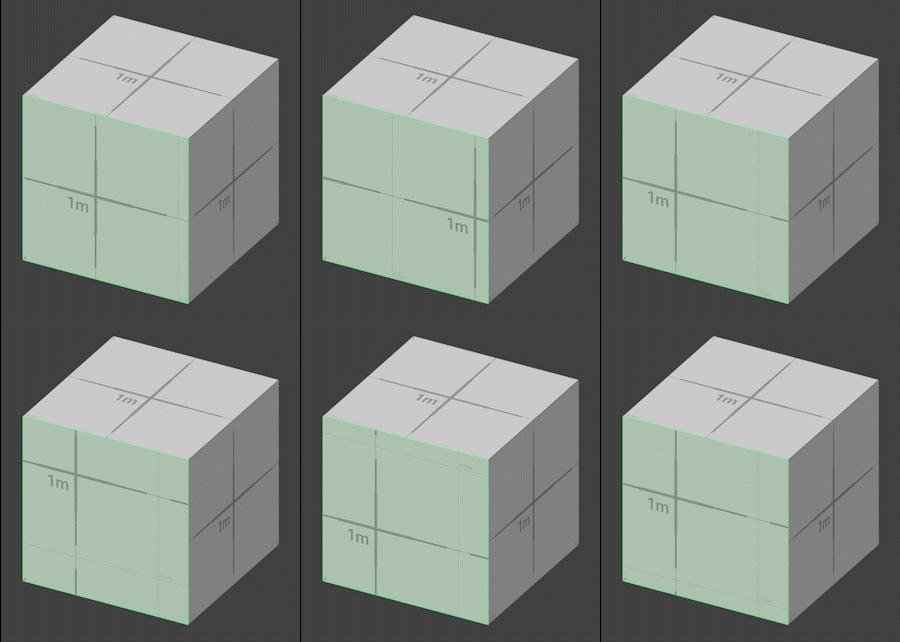
UV Param 툴은 위치, 회전, 스케일, 타일링 같은 속성으로 UV 좌표를 변환해 선택된 페이스에 텍스처가 표시되는 방식을 조정합니다.
사용 방법
-
수정할 페이스를 선택합니다.
-
UV Param 툴을 선택합니다.
-
Tool Properties 패널에서 이동, 스케일, 회전 속성을 조정합니다.
속성
Select
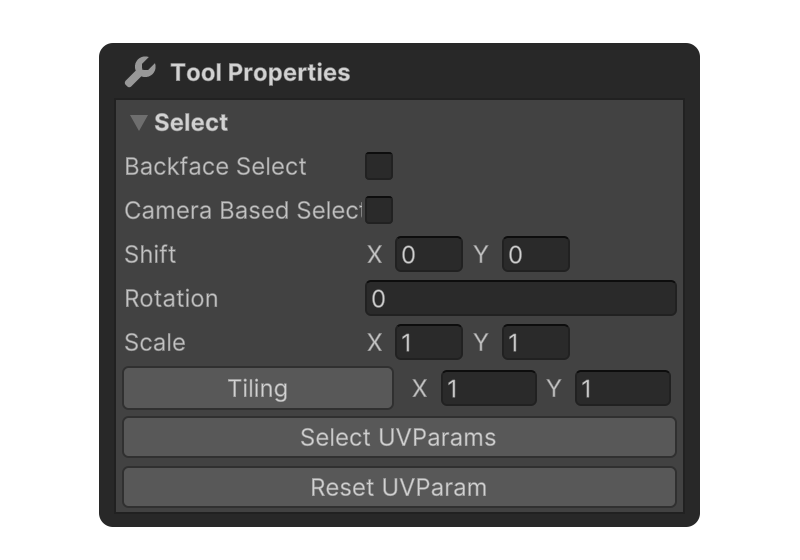
페이스 선택 방식을 설정할 수 있는 속성입니다.
Backface Select
Camera Based Select
UV Param
Shift
텍스처의 위치를 이동시킵니다.
Rotation
텍스처를 회전시킵니다.
Scale
텍스처의 크기를 키우거나 줄입니다.
Tiling
X, Y 축으로 텍스처가 반복되는 횟수를 설정합니다.
Select UV Params
UV Param 값이 수정된 페이스를 선택합니다.
Reset UV Params
UV Param 값을 기본값으로 초기화합니다.