
Channels 그룹
채널 추가·동시 페인팅·해상도·Shader Variable·Height as Normal 을 다룹니다.
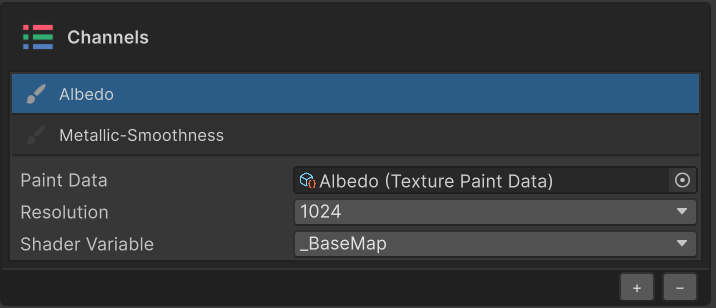
Channels 섹션은 머티리얼의 채널(Albedo / Metallic / Roughness / Normal / Height / …)을 관리합니다. 각 채널은 셰이더의 텍스쳐 슬롯에 일대일로 매핑되며, 채널 단위로 PaintData·텍스쳐·레이어가 분리되어 저장됩니다.
채널 데이터의 저장 구조와 동기화 동작은 Painting 데이터와 채널 페이지를 참고하세요.
채널 리스트
| UI 요소 | 동작 |
|---|---|
| 붓 아이콘 | 채널의 활성화(브러시 대상) 토글. 두 개 이상 켜면 한 번의 스트로크가 동시에 적용됩니다 |
| 채널명 | 단일 채널은 Albedo, 그룹 채널은 Metallic-Smoothness 처럼 표시 |
| 행 클릭(선택) | UI 표시 / 레이어 패널 필터링용. 활성화 여부와는 별개로 동작 |

다중 채널 동시 페인팅
여러 채널의 붓 아이콘을 활성화한 뒤 한 번 칠하면, 활성화된 모든 채널에 동일한 스트로크가 동시에 적용됩니다. 예를 들어 Albedo 와 Emission 을 함께 활성화하면 한 번의 브러시 작업으로 두 채널을 모두 칠할 수 있습니다.
채널 추가 · 삭제
섹션 하단의 + / − 버튼을 사용합니다.
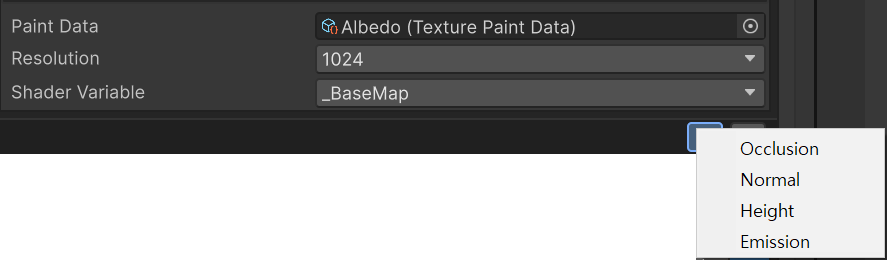
+— 머티리얼 셰이더가 지원하지만 아직 PaintData 가 없는 채널을 그룹 단위로 메뉴에서 선택해 추가합니다.−— 현재 선택된 채널을 제거합니다. 관련 PaintData · 텍스쳐 자산도 함께 정리됩니다.
Resolution
채널별 텍스쳐 해상도를 128 / 256 / 512 / 1024 / 2048 중에서 선택합니다.
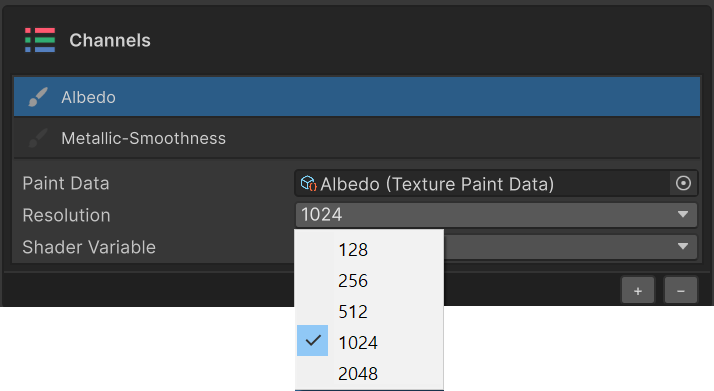
변경하면 기존 픽셀이 새 해상도로 리샘플됩니다.
Shader Variable
이 채널이 매핑되는 셰이더 속성(_MainTex / _BumpMap / _NormalMap / _MetallicGlossMap / …) 입니다.
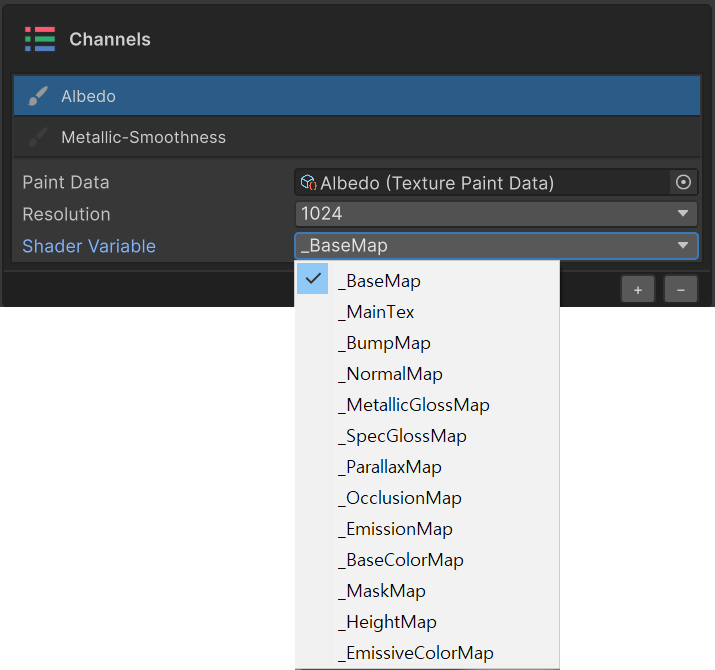
일반적으로 자동 감지되지만, 표준이 아닌 셰이더에서 수동으로 다른 슬롯에 연결할 때 사용합니다.
Height as Normal
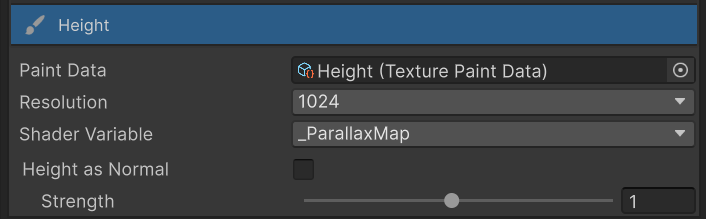
Height 채널이 선택된 경우, Channels 섹션에 Height as Normal 토글과 Strength 슬라이더가 함께 표시됩니다. Height 텍스쳐를 Normal Map 으로 자동 변환해 머티리얼에 적용하는 옵션입니다.
| 상태 | 동작 |
|---|---|
| Off (기본) | Height 값이 그대로 _ParallaxMap 슬롯에 적용됩니다 |
| On | Height 텍스쳐를 Normal Map 으로 자동 변환해 _BumpMap / _NormalMap 슬롯에 적용합니다 |
Strength (0.1 ~ 2.0) 슬라이더로 변환 강도를 조정합니다. 값이 낮을수록 부드러운 굴곡, 값이 높을수록 노멀 정보가 강조되어 표면 입체감이 강해집니다.
별도의 노멀 맵을 만들지 않고 Height 만 칠해 빠르게 표면 굴곡을 만들고 싶을 때, 또는 결과를 보면서 변환 강도를 실시간으로 조정하고 싶을 때 사용합니다.