UModeler X MCP
출시 — AI 에이전트로 모델링하세요
사용법 보기
×
검색
⌘K
UModeler X 매뉴얼
시작하기
에디터블 메시 (Editable Mesh)
모델링 모드
Element 그룹
Primitive Shapes 그룹
Drawing 그룹
Selection 그룹
Add 그룹
Remove 그룹
Deform 그룹
Surface 그룹
Multiple Objects 그룹
Misc 그룹
Reset X Form 툴
Pivot 툴
Custom Coordinate 툴
Local Settings 툴
Align 툴
Edge To Curve 툴
Repeat 툴
모디파이어
SketchUp 스타일 모델링
추가 기능
UV 에디터
Painting 3D 에디터
패인팅 2D 에디터 (Painting 2D Editor)
리깅 모드 (Rigging Mode)
핫스팟 텍스쳐링 (Hotspot Texturing)
커브 메시 (Curve Mesh)
파라메트릭 쉐이프 (Parametric Shape)
메시 옵스 (Mesh Ops)
PicoBerry AI
자주 묻는 질문 (FAQ)
문제 해결 (Troubleshooting)
UModeler X Manual
/
에디터블 메시 (Editable Mesh)
/
모델링 모드
/
Misc 그룹
/
Edge To Curve 툴
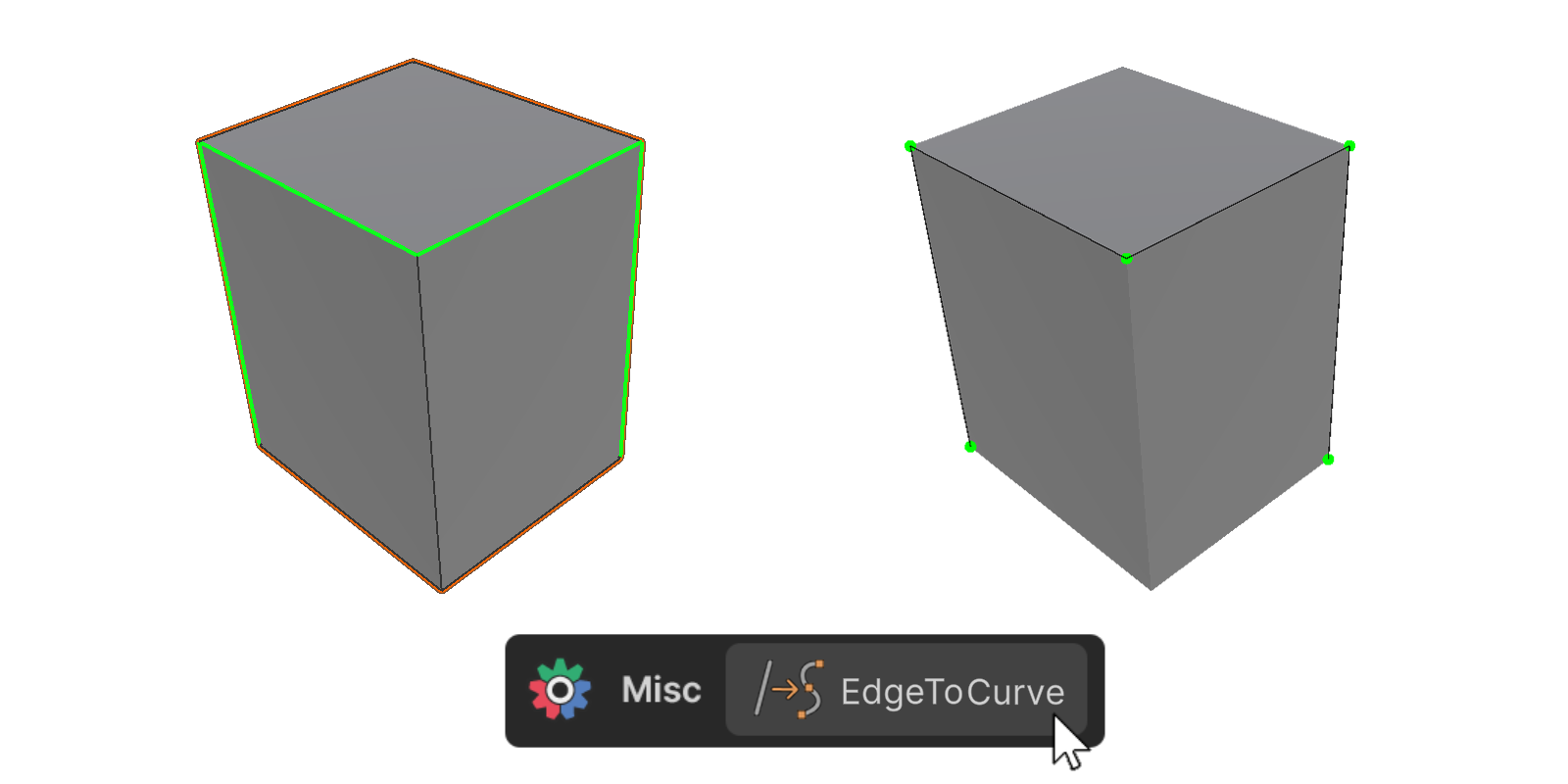
Edge To Curve 툴
Edge to Curve 툴
은 선택된 엣지를 커브 메시로 변환합니다.
사용 방법
Edge 툴
로 커브 메시로 변환할 엣지를 선택합니다.
Misc 그룹
에 위치한
Edge To Curve 툴
을 클릭합니다.
선택된 엣지를 기반으로
커브 메시
가 생성됩니다.
사용 예시
← 이전
Align 툴
다음 →
Repeat 툴
Edge To Curve 툴 | UModeler X Manual