UModeler X in 15 Languages —
model in Unity, in your own language
The UModeler X interface now comes in English and 14 other languages, from Korean, Japanese and Chinese to German, Spanish and Brazilian Portuguese. Pick one in Preferences and keep modeling in the Unity Editor.
Which languages does UModeler X support?
UModeler X, a free 3D modeling plugin for the Unity Editor, can show its interface in 15 languages since version 1.4.1: English, Korean, Japanese, Simplified Chinese, Traditional Chinese, German, French, Spanish, Italian, Brazilian Portuguese, Russian, Dutch, Turkish, Polish and Finnish.
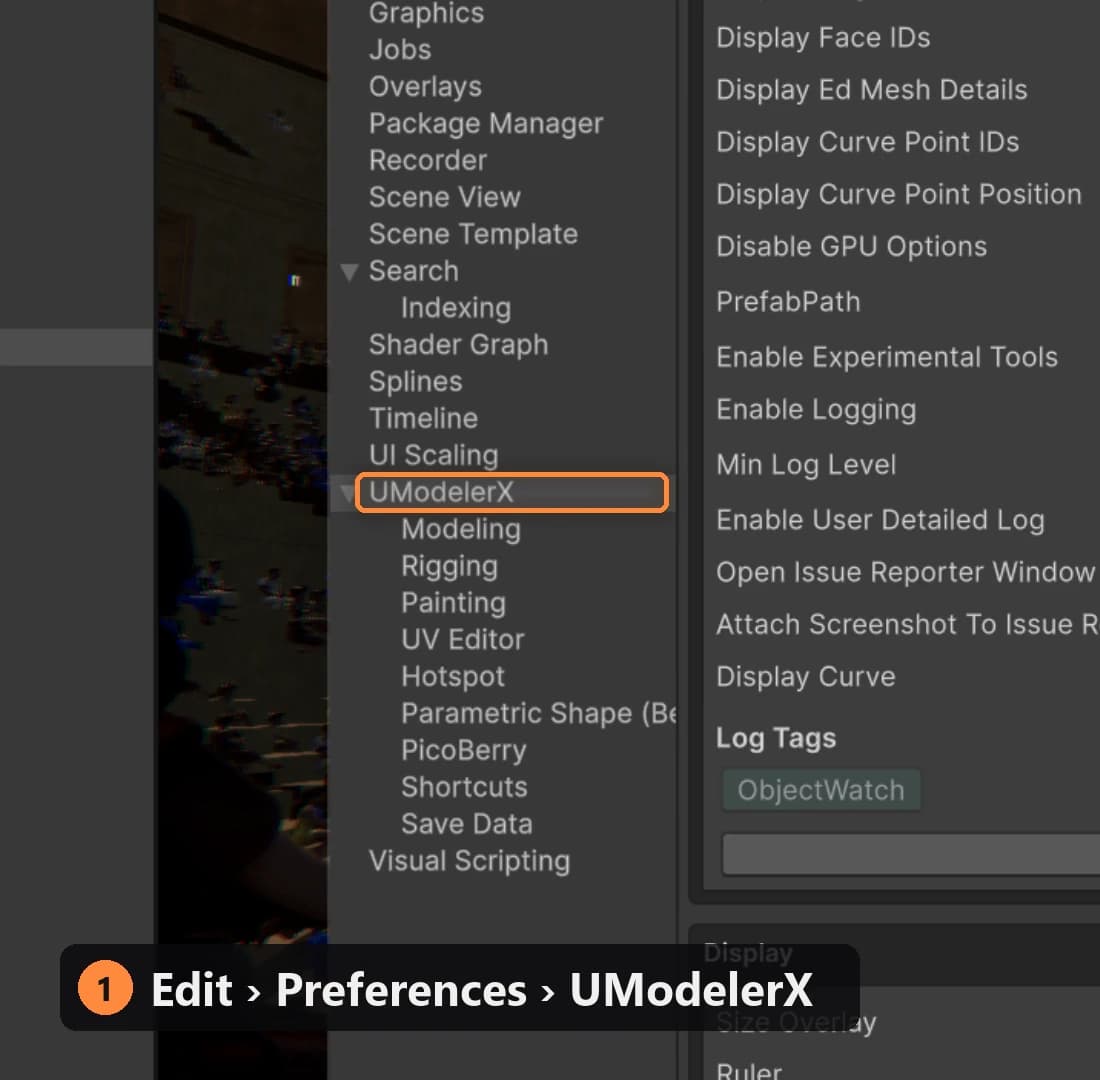
Choose one under Preferences › UModelerX › Settings › Language (open Preferences from Edit › Preferences, or Unity › Settings on macOS). Unity then reloads its scripts and UModeler X comes back in that language, with no restart and no language pack to install.
What do you get with the language setting?
Every language ships with it
All 15 cover the same interface: about 3,000 buttons, labels, tooltips and messages in each language.
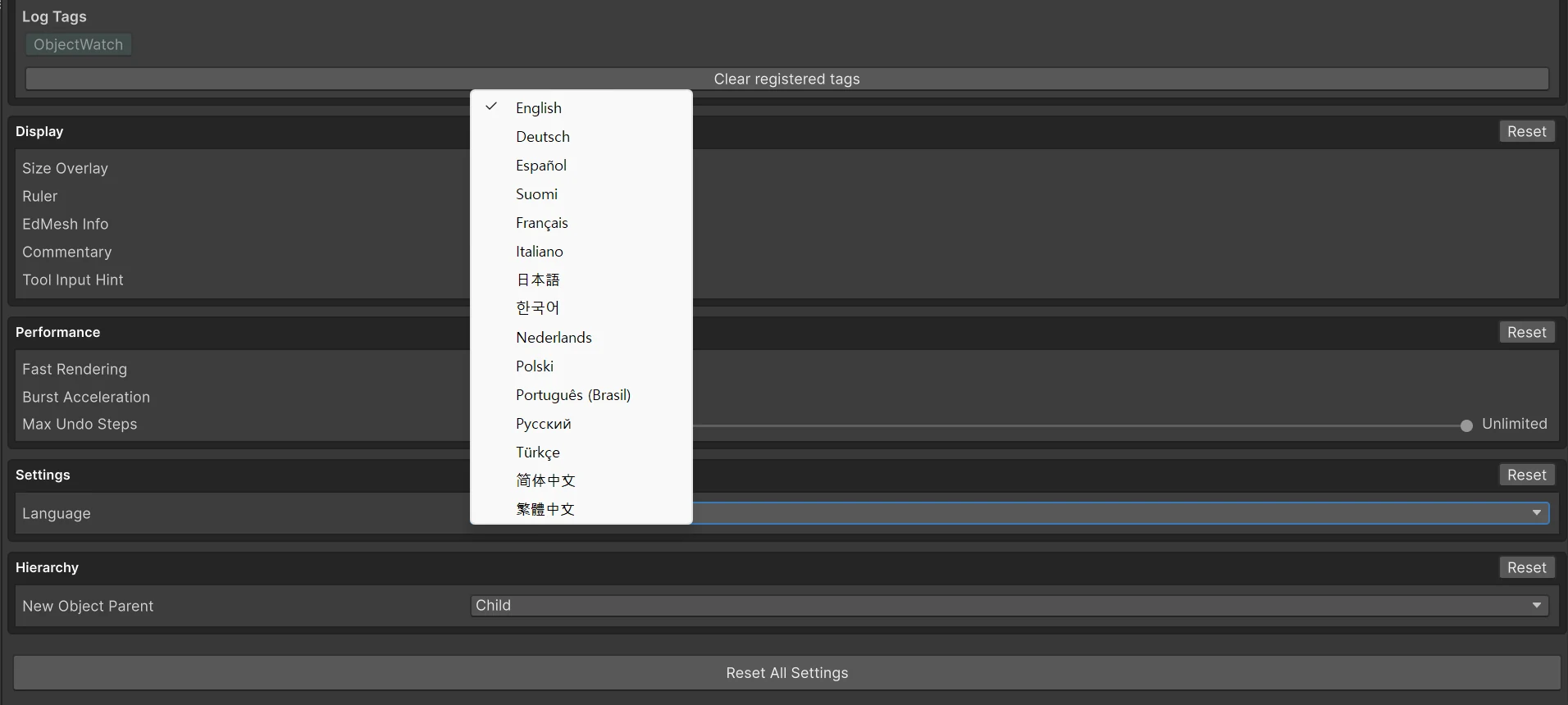
One setting in Preferences
Pick a language from one menu under Preferences › UModelerX › Settings. Each language is listed by its own name, and you keep working in the same Unity session.
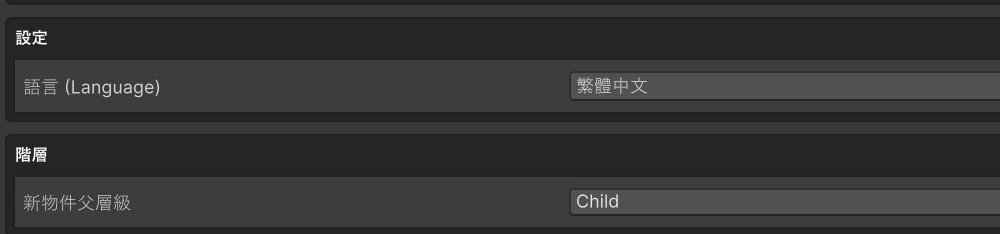
You can always switch back
Whatever language you pick, the Language field keeps its English name alongside, such as 語言 (Language), so you can always find it and switch back to English.
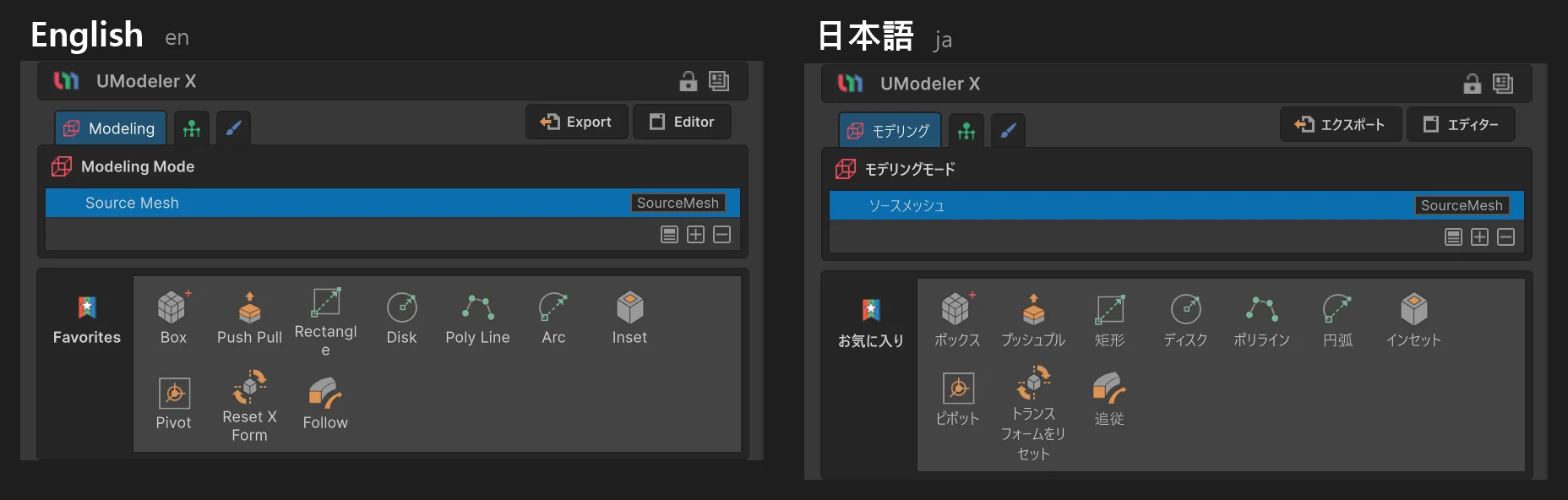
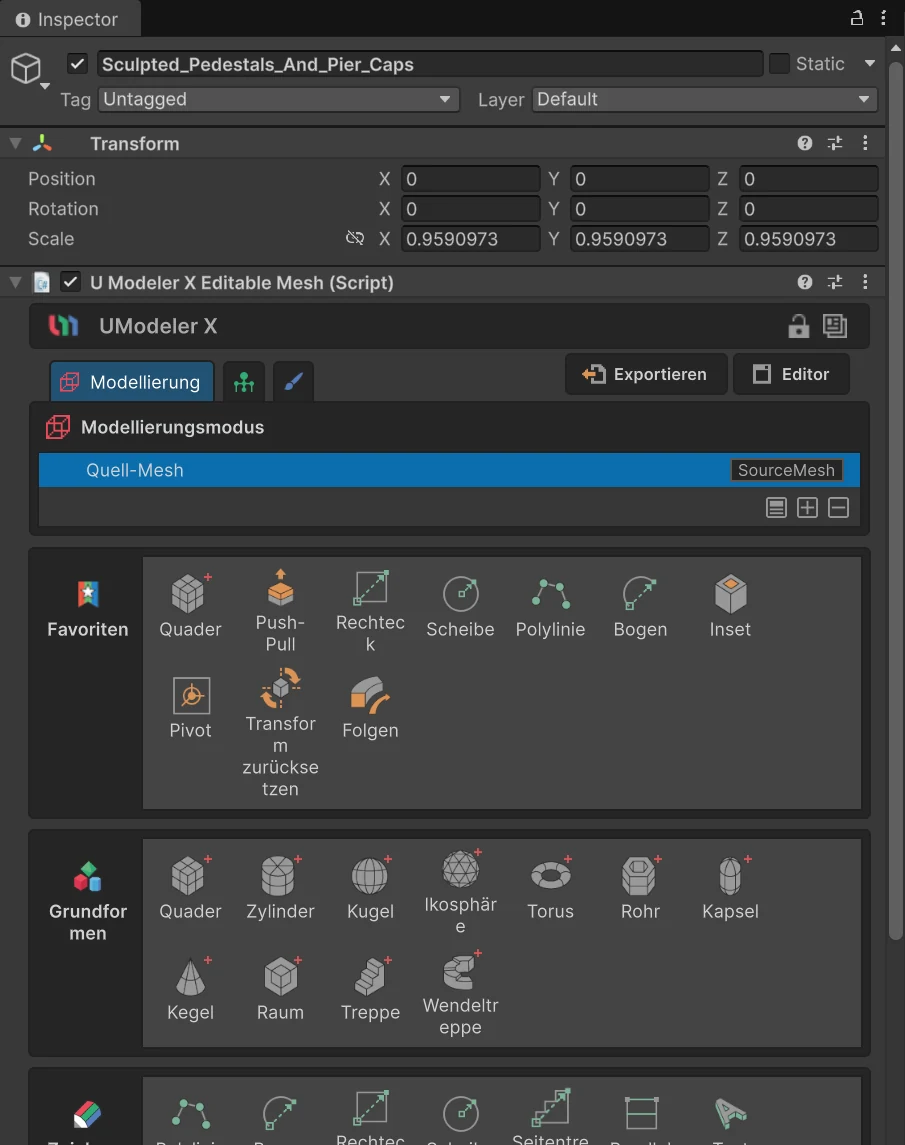
What does UModeler X look like in your language?
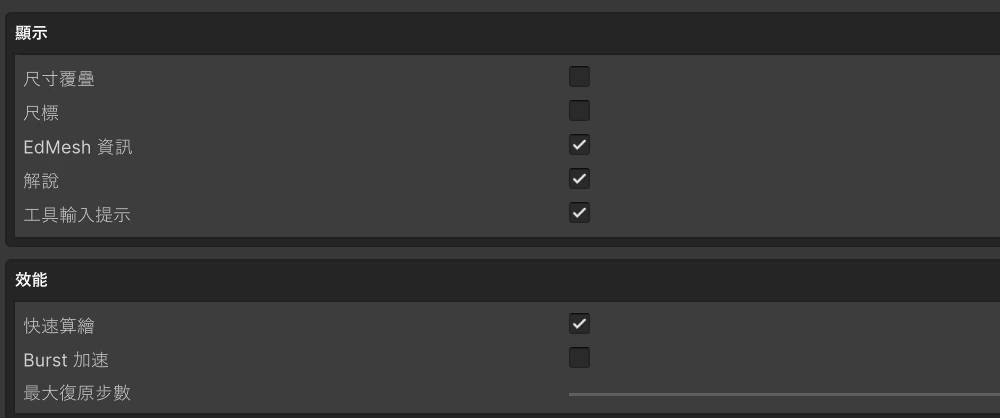
The UModeler X panel in each of the 15 languages, from the same Colosseum scene. Unity's own rows at the top, such as Tag, Layer and Transform, follow Unity's language (English in these captures).
How do you change the UModeler X language?
- 01
Open Preferences
In Unity, open
Edit › Preferences(on macOS,Unity › Settings) and selectUModelerXin the list on the left. - 02
Pick a language
Under
Settings, open theLanguagemenu and choose one of the 15 languages. - 03
Let Unity reload
Unity reloads its scripts; how long that takes depends on the size of your project. Then the UModeler X panels, tooltips and most of its messages appear in the new language.
What changes, and what stays in English?
Translated
- Tool names and buttons in modeling, UV, painting and rigging
- Most UModeler X labels in the Inspector and in Preferences
- Tooltips and on-screen hints
- Most messages and confirmation dialogs
Left in English
- Product names such as UModeler X and PicoBerry, and shortcut keys
- A few technical names that stay the same in every language, such as FFD, UV, EdMesh and Burst, and the modifier type (SourceMesh, Bend, Mirror…) shown beside the selected modifier
- Unity menu paths such as
Window › Package Manager, written as Unity's English menus name them - A few labels, dropdown options and dialogs that aren't translated yet, such as the New Object Parent options and the prompt that asks you to sign in before opening the PicoBerry website
Separate from Unity's own language
The UModeler X language is its own setting, saved apart from Unity's. Unity's menus and windows keep the language Unity is set to, so the two can differ: Unity in English and UModeler X in Korean, for example.
One glossary for all 15
Every translation follows the same term list, so a word reads the same in every panel. Painting terms such as blend modes follow each language's edition of Photoshop.
How are core modeling terms translated?
Six terms from the UModeler X translation glossary, as they appear in each language.
| Language | Vertex | Edge | Face | Bevel | Extrude | Modifier |
|---|---|---|---|---|---|---|
| Deutsch | Vertex | Kante | Fläche | Abschrägen | Extrudieren | Modifikator |
| Español | Vértice | Arista | Cara | Bisel | Extruir | Modificador |
| Suomi | Kärkipiste | Särmä | Tahko | Viiste | Pursotus | Muokkain |
| Français | Sommet | Arête | Face | Biseau | Extrusion | Modificateur |
| Italiano | Vertice | Spigolo | Faccia | Smusso | Estrusione | Modificatore |
| 日本語 | 頂点 | エッジ | 面 | ベベル | 押し出し | モディファイア |
| 한국어 | 버텍스 | 엣지 | 페이스 | 베벨 | 돌출 | 모디파이어 |
| Nederlands | Hoekpunt | Rand | Vlak | Afschuinen | Extruderen | Modifier |
| Polski | Wierzchołek | Krawędź | Ściana | Fazowanie | Wytłaczanie | Modyfikator |
| Português (Brasil) | Vértice | Aresta | Face | Chanfro | Extrudar | Modificador |
| Русский | Вершина | Ребро | Грань | Фаска | Выдавливание | Модификатор |
| Türkçe | Köşe | Kenar | Yüz | Pah | Ekstrüzyon | Değiştirici |
| 简体中文 | 顶点 | 边 | 面 | 倒角 | 挤出 | 修改器 |
| 繁體中文 | 頂點 | 邊 | 面 | 倒角 | 擠出 | 修改器 |
Frequently Asked Questions
Is UModeler X free in Korean, Japanese and Chinese too?+−
Yes. UModeler X is free to download, and all 15 languages come in the same package, with nothing extra to buy or install.
Which version of UModeler X do I need?+−
UModeler X 1.4.1 or later. Multilingual support arrived in 1.4.1, released on October 7, 2026.
Does the UModeler X language setting follow Unity's language?+−
No. UModeler X starts in English and keeps its own setting; it doesn't follow the Unity Editor's language or your computer's. Pick your language once under Preferences › UModelerX › Settings › Language.
Does the language apply to all my projects and to my teammates?+−
It applies to every Unity project you open with your user account on that computer, because UModeler X saves the choice in your Unity Editor preferences, not in the project. Each teammate picks their own, so one person can work in Korean and another in English on the same project.
Do I need to restart Unity after switching?+−
No. When you pick a language, Unity reloads its scripts on its own (a domain reload, not a restart), and UModeler X comes back in that language. How long the reload takes depends on the size of your project.
Does it change the language of the Unity Editor?+−
No. The UModeler X language is a separate setting. Unity's menus and windows stay in whatever language Unity is set to.
I switched to a language I can't read. How do I get back?+−
The Language field keeps the English word next to the translation, for example Sprache (Language) or 语言 (Language). Find that field and choose English.
Why are some words still in English?+−
Product names such as UModeler X and PicoBerry, shortcut keys, Unity menu paths and a few technical names (such as FFD, UV, EdMesh and Burst) stay in English in every language, and a few labels, dropdown options and dialogs aren't translated yet. In Korean, Japanese and Chinese, even feature names such as Boolean and Hotspot are translated.
Is the UModeler X manual available in my language?+−
The UModeler X manual is available in English and Korean.
Where can I report a translation that reads oddly?+−
Tell us on the UModeler Discord with the language and where you saw it.
Explore More
AI Agent Scene Building in Unity
Claude Code or Codex lays out a Unity scene through UModeler X, and you keep editing what it builds.
Explore →Unity All-in-One Workflow
Modeling, UV editing, painting and rigging without leaving the Unity Editor.
Explore →UModeler X vs Unity ProBuilder
Both are free and run inside Unity. The difference is how far each one takes you.
Explore →Try UModeler X in your language
Free, and it runs inside the Unity Editor. Pick your language in Preferences.
Read the 1.4.1 release notes →