UModeler X vs Unity ProBuilder —
Greybox fast, refine without limits
UModeler X gives you a faster, easier way to block out inside Unity — then keeps the same geometry moving. Model, unwrap, paint, and rig without abandoning the work you started or rebuilding it in another tool.
ProBuilder is a stop at rough geometry. UModeler X is the stronger choice from the first blockout when your level, prop, or character needs to become more than a placeholder.
UModeler X or Unity ProBuilder — which should you use?
Choose UModeler X from the first blockout. It gives you the speed to prototype and the depth to keep going: the same geometry can move into detailed modeling, UV editing, layered 3D painting, and rigging without leaving Unity.
ProBuilder is useful only while a shape stays rough. Once the work needs detail, texture control, or animation, its limited workflow becomes the constraint. UModeler X keeps the work moving instead of making you work around the tool.
What's the difference between UModeler X and ProBuilder?
UModeler X carries its blockout mesh all the way to a finished, textured, rigged asset.
ProBuilder
A short-term greybox tool. It gets basic shapes on screen, then runs out of workflow.
UModeler XStart here
One Unity workflow — from the first blockout to the asset you keep refining.
See each stage in UModeler X — from the first blockout through to a rigged asset, all inside the Editor.
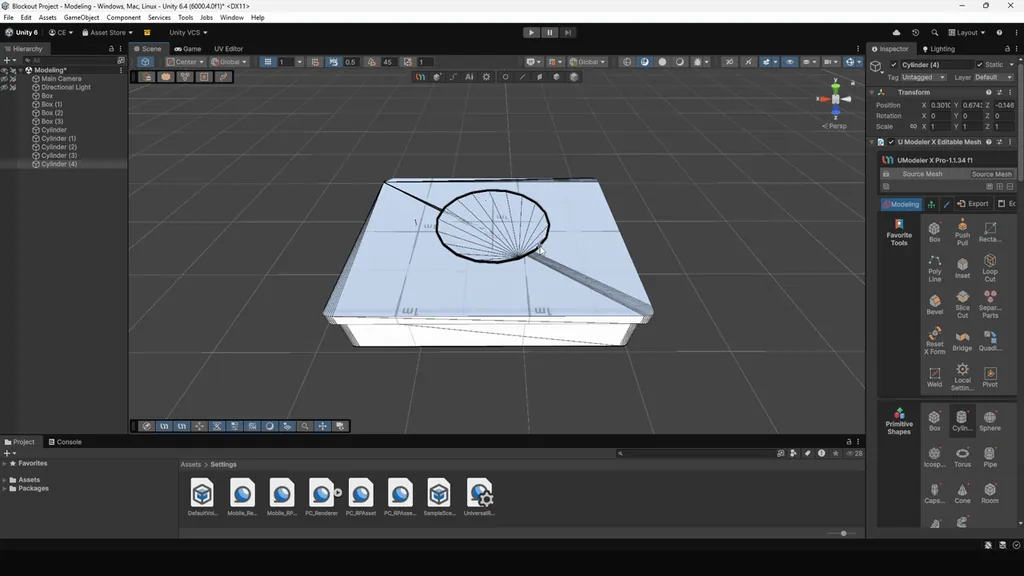
Blockout
Block out your environment fast with easy-to-use tools — lay down walls, floors, and massing to shape the space quickly.
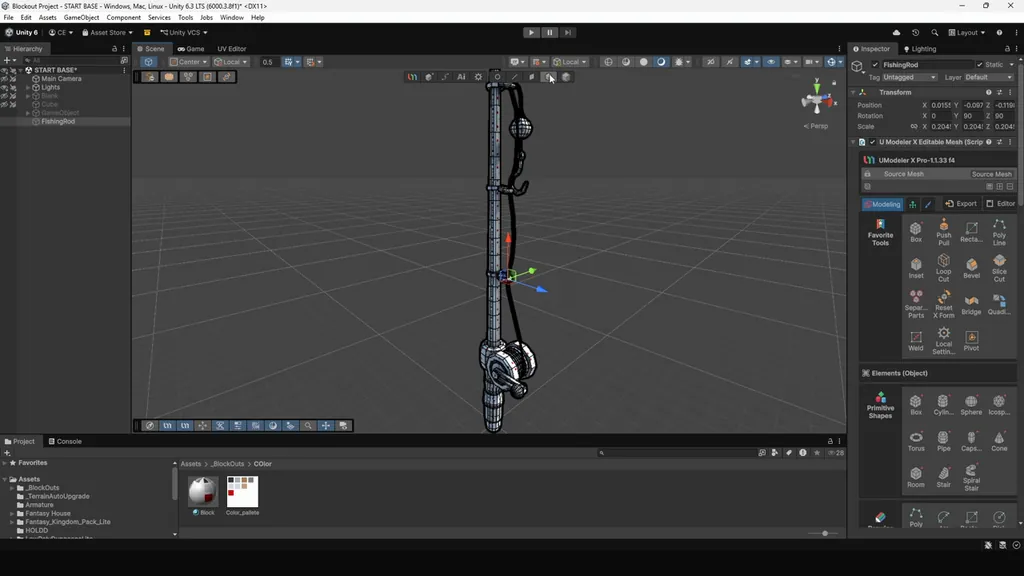
Detailed Modeling
Push the blockout into real form with booleans, array and modifier tools, and detailed poly editing — no export, no second app.
UV Editing
Unwrap and arrange UVs with dedicated tools — control seams, islands, and layout so textures sit correctly.
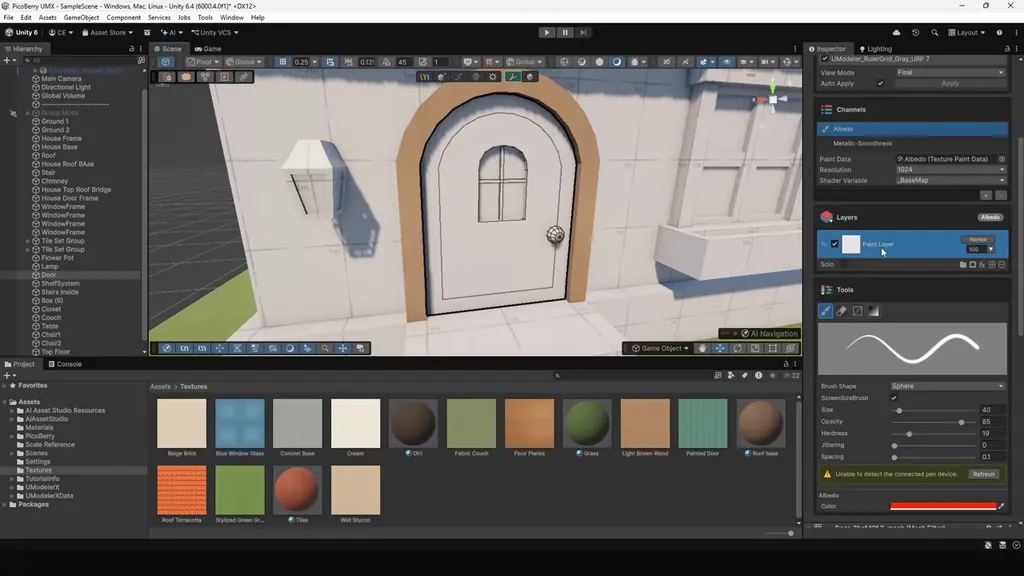
Painting
Paint the asset directly in the Editor with layered 3D painting — masks and blending modes included.
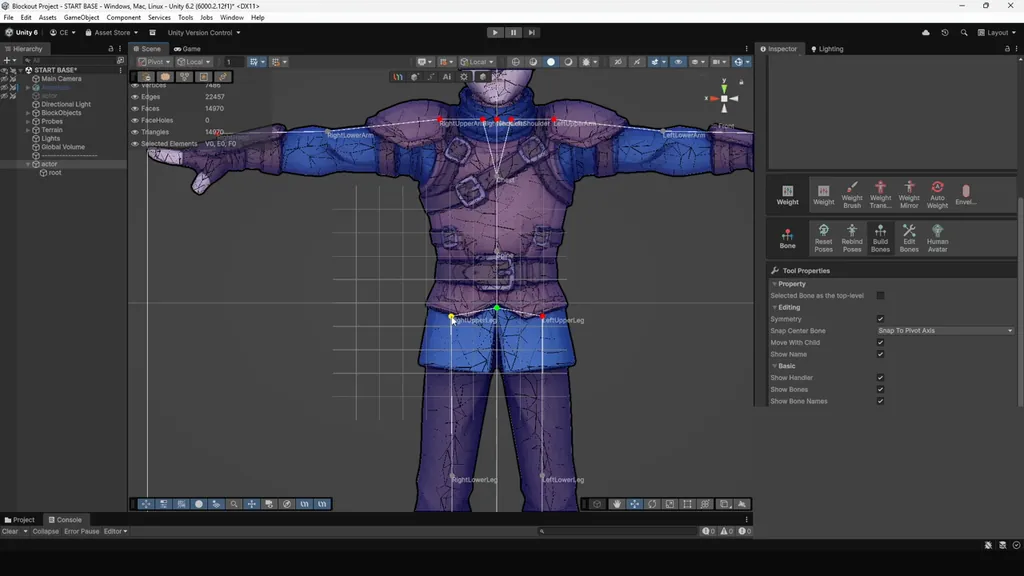
Rigging
Add bones and skin the mesh so a character is ready for animation — all without leaving Unity.
How do UModeler X and Unity ProBuilder compare?
Both run inside Unity, but only UModeler X stays useful as the work grows. It starts at blockout, then keeps the same mesh moving through the complete editable-asset workflow.
| Dimension | UModeler X | Unity ProBuilder |
|---|---|---|
| Where it runs | Inside the Unity Editor | Inside the Unity Editor (built-in package) |
| Primary use | One workflow for blockout, refinement, and asset creation | Basic temporary geometry |
| Blockouts & prototyping | Fast blockout tools that stay useful as the mesh evolves | Basic shapes that reach their limit quickly |
| What happens next | Keep refining the same editable Unity mesh | Work around the limits or rebuild elsewhere |
| Modeling depth | Full modeling toolset | Basic only — extrude, bevel, simple shapes |
| UV editing | Dedicated UV editing system | Auto and manual UVs for simple geometry |
| Painting & materials | Full 3D painting | Vertex colors and per-face materials only |
| Rigging & skinning | Yes | No |
| Learning curve | More tools, still easier to use | Fewer tools, harder to use |
| Price | Free | Free |
What does UModeler X add beyond ProBuilder?
Deeper modeling
Beyond basic extrude-and-bevel: booleans, array and modifier tools, and detailed poly editing for assets that need real shape control instead of simple placeholder geometry.
Real UV editing
Dedicated UV tools that give you real control over seams, islands, and layout of UVs.
Painting & materials
Paint and assign materials in the Editor to move an asset from grey mass to a look that reads correctly under the game's lighting.
Rigging & skinning
UModeler X adds rigging and skinning, so a character can be prepared for animation without leaving Unity.
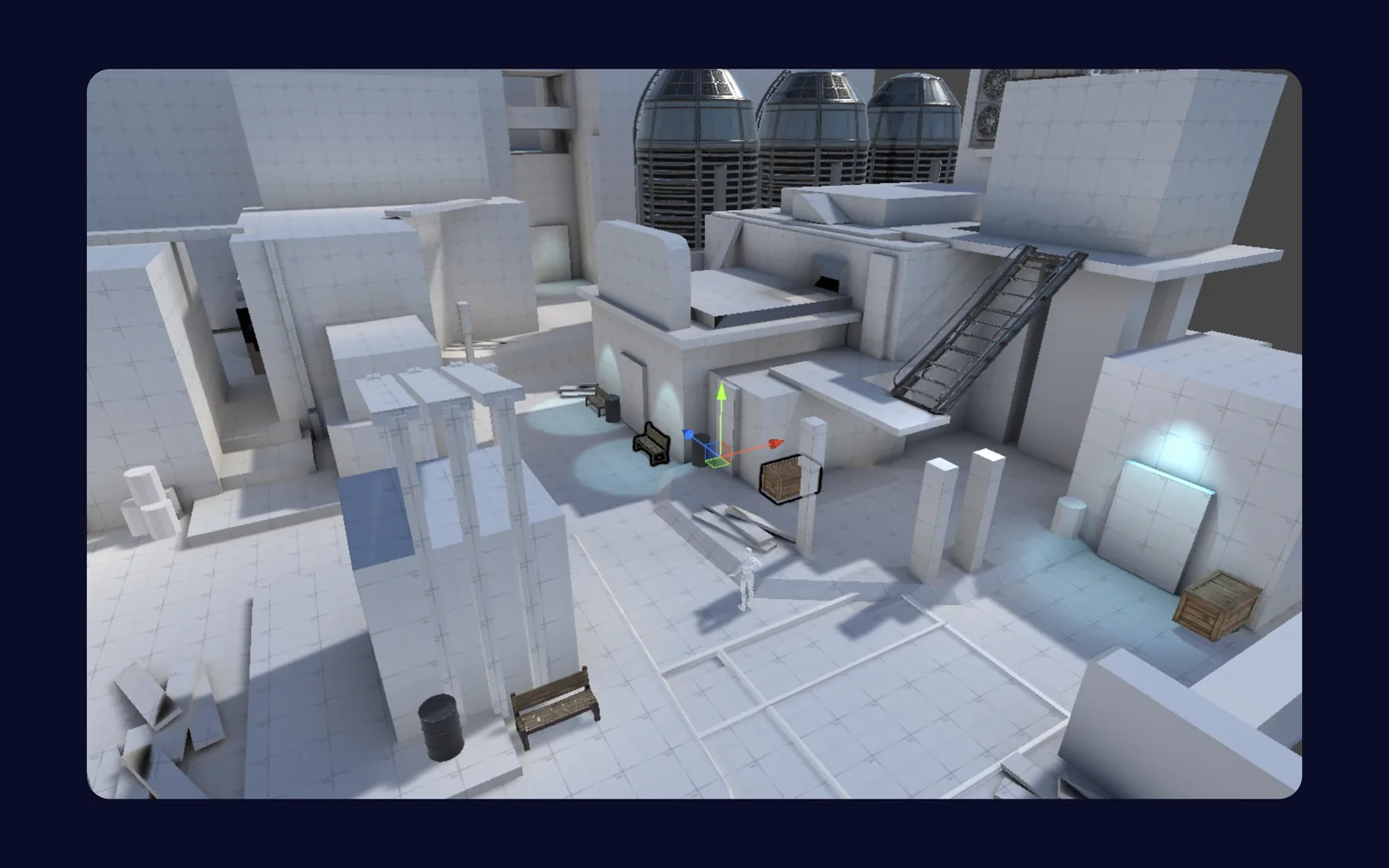
Environment Blockouts
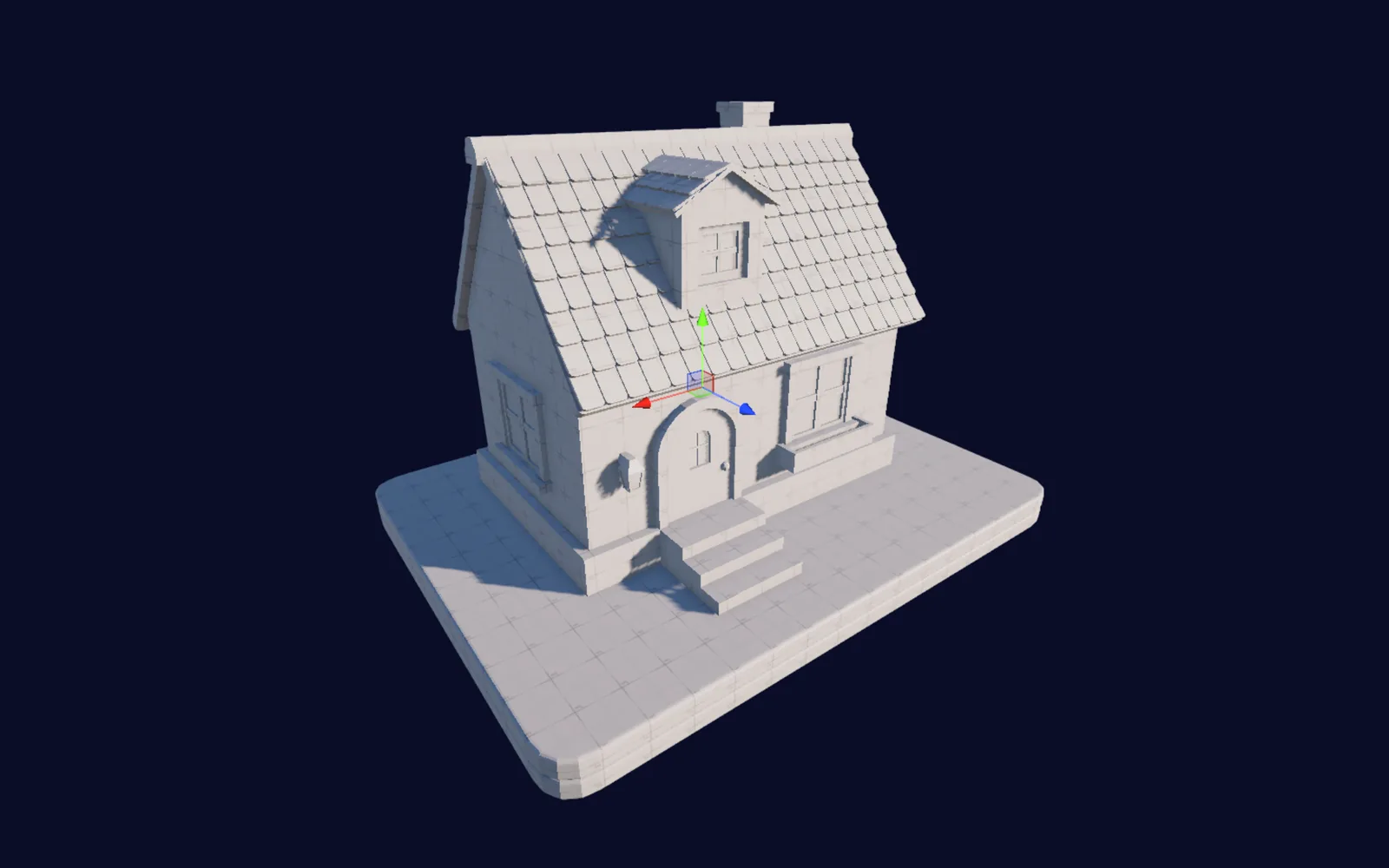
Detailed Modeling
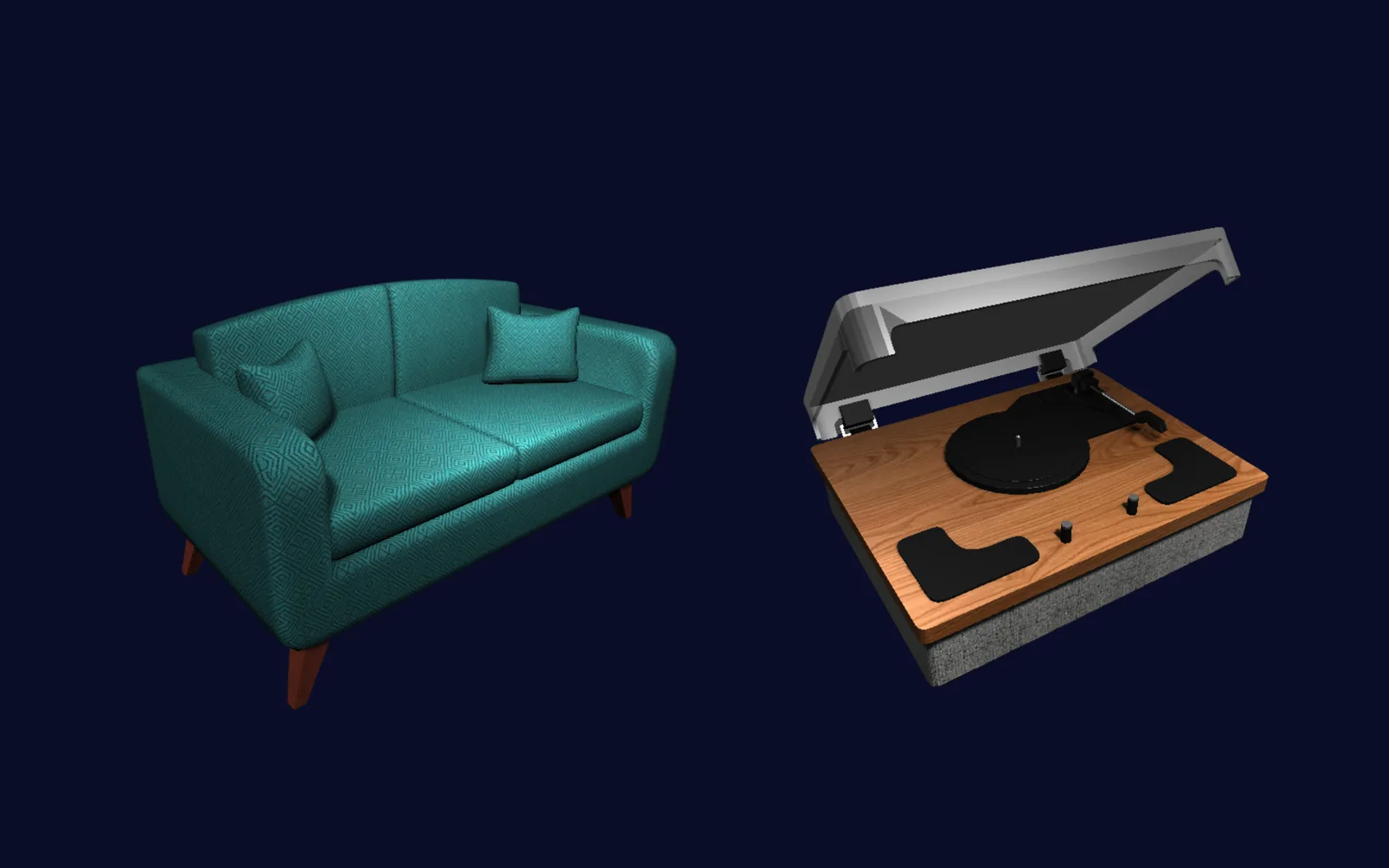
Mesh Texturing
The bottom line: start in UModeler X.
Start in UModeler X when the work matters. You can block out quickly, then keep the same geometry moving through modeling, UV editing, painting, and rigging — without switching tools, giving up control, or rebuilding the work you already made.
Frequently Asked Questions
What is UModeler X used for?+−
UModeler X is a Unity-native 3D toolset for building game assets without leaving the Editor — from blocking out levels and prototypes to detailed modeling, UV editing, texture painting, and rigging. It covers the whole asset workflow in one place, inside Unity.
Can I block out and prototype with UModeler X?+−
Yes. UModeler X has fast, easy-to-use blockout tools for roughing out levels and prototypes — and because it's the same tool you use to finish the asset, the geometry you block out keeps developing without a rebuild or re-import.
Does UModeler X handle UVs and rigging?+−
Yes. UModeler X includes a dedicated UV editing system for unwrapping and laying out UVs, plus bone-based rigging and skinning, so you can prepare a character for animation — all inside Unity.
Should I use UModeler X for props and characters?+−
Yes. Props and characters need real modeling depth, proper UVs, texture painting, and — for characters — a rig, and UModeler X provides all of that in one Unity-native toolset.
Can I do all of my modeling in Unity with UModeler X?+−
Yes. UModeler X runs entirely inside the Unity Editor, so you can model, UV, paint, and rig without exporting to a separate application or importing the result back — the asset stays a live, editable Unity object the whole time.
Is UModeler X free?+−
Yes. UModeler X is free to download and needs no sign-up, and modeling, UV editing, painting and rigging are all included. A Pro subscription is optional and adds the art template library.
Explore More
Block out fast. Then keep going.
Block out your level in UModeler X, then keep developing the same geometry — model, unwrap, paint, and rig it into finished meshes without ever switching tools.