UModeler X vs Blender —
make Unity your modeling workspace
For Unity asset work, UModeler X keeps modeling, UV editing, painting, rigging and iteration in the Editor where the asset actually lives. Skip the export/import loop, work in the real scene and lighting, and keep the asset editable as a Unity object.
Blender stays useful for specialized external-DCC work — high-detail sculpting, complex character animation, offline rendering. For everything Unity-bound, UModeler X keeps the work in one place.
Should UModeler X replace Blender for Unity work?
For most Unity-focused asset creation, yes. UModeler X is built to be your primary 3D workspace — modeling, UV editing, painting and rigging all happen directly inside the Unity Editor with no export/import friction. Every decision is made in the real project context: your actual scene, prefab, camera, lighting and render pipeline.
External-DCC round-trips don't have to define Unity development. UModeler X gives you a Unity-native 3D environment with familiar, industry-standard navigation and a full modeling toolset — so you can build and refine assets inside the Editor without leaving your project.
What's the difference between UModeler X and Blender?
Blender lives in a separate app and exports into Unity. UModeler X is your 3D workspace inside Unity — model, UV, paint and rig in the scene you're building, with zero round-trips.
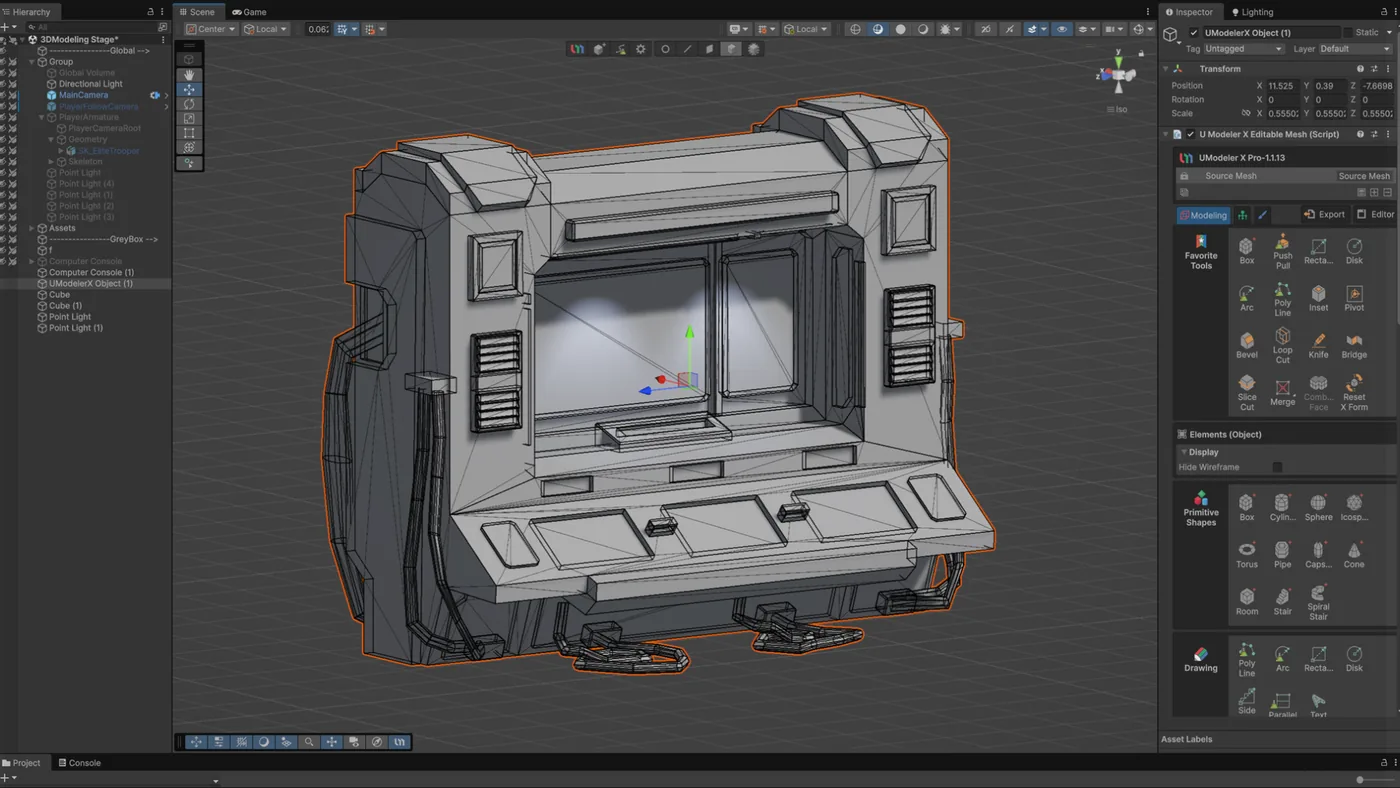
Your 3D modeling workspace
A free 3D modeling toolset that lives inside the Unity Editor. Familiar, industry-standard controls let you extrude, bevel, boolean and edit polygons without learning a separate app — and the mesh stays a live Unity object in your scene.
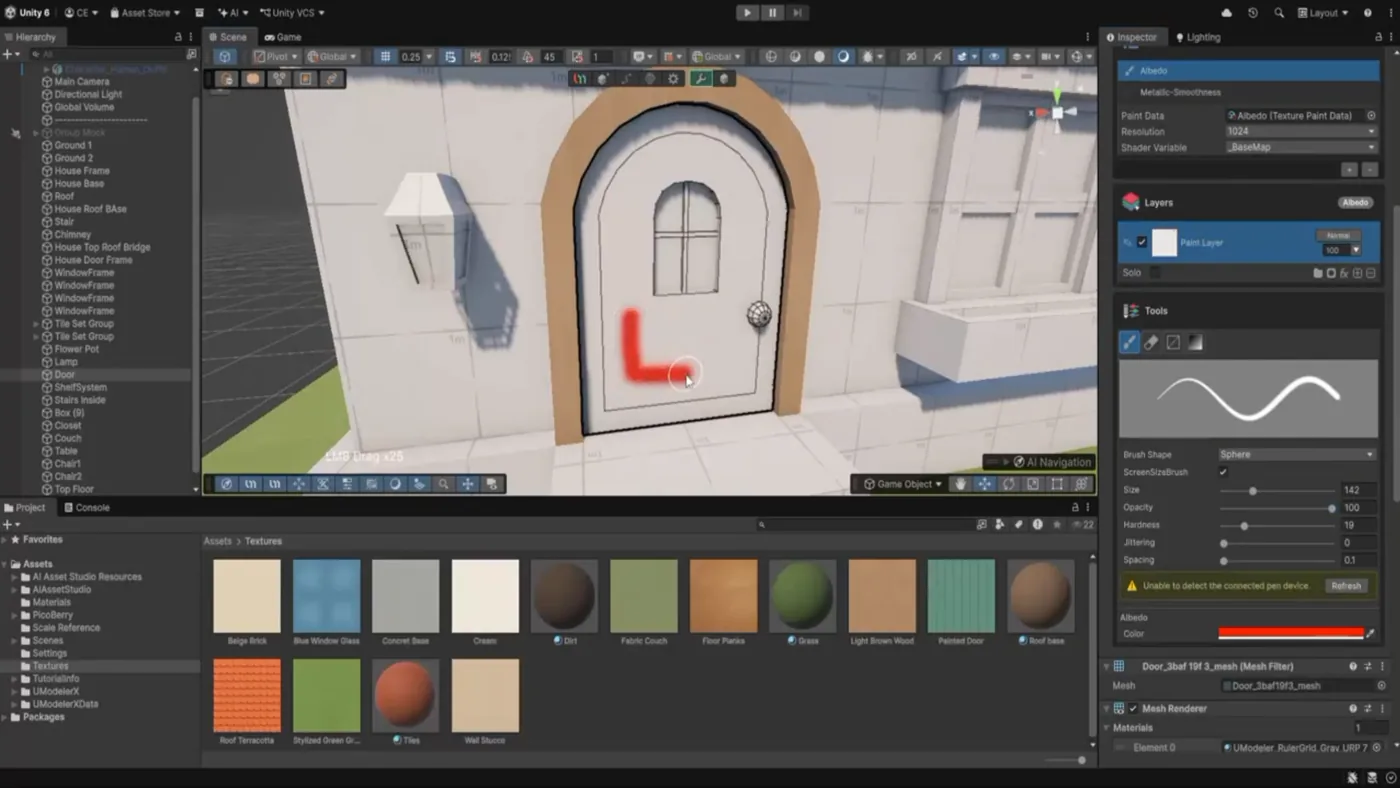
Your texturing workspace
Unwrap UVs and paint textures directly on the asset inside Unity, so you see exactly how it reads under your game's lighting — no exporting to another app and back.
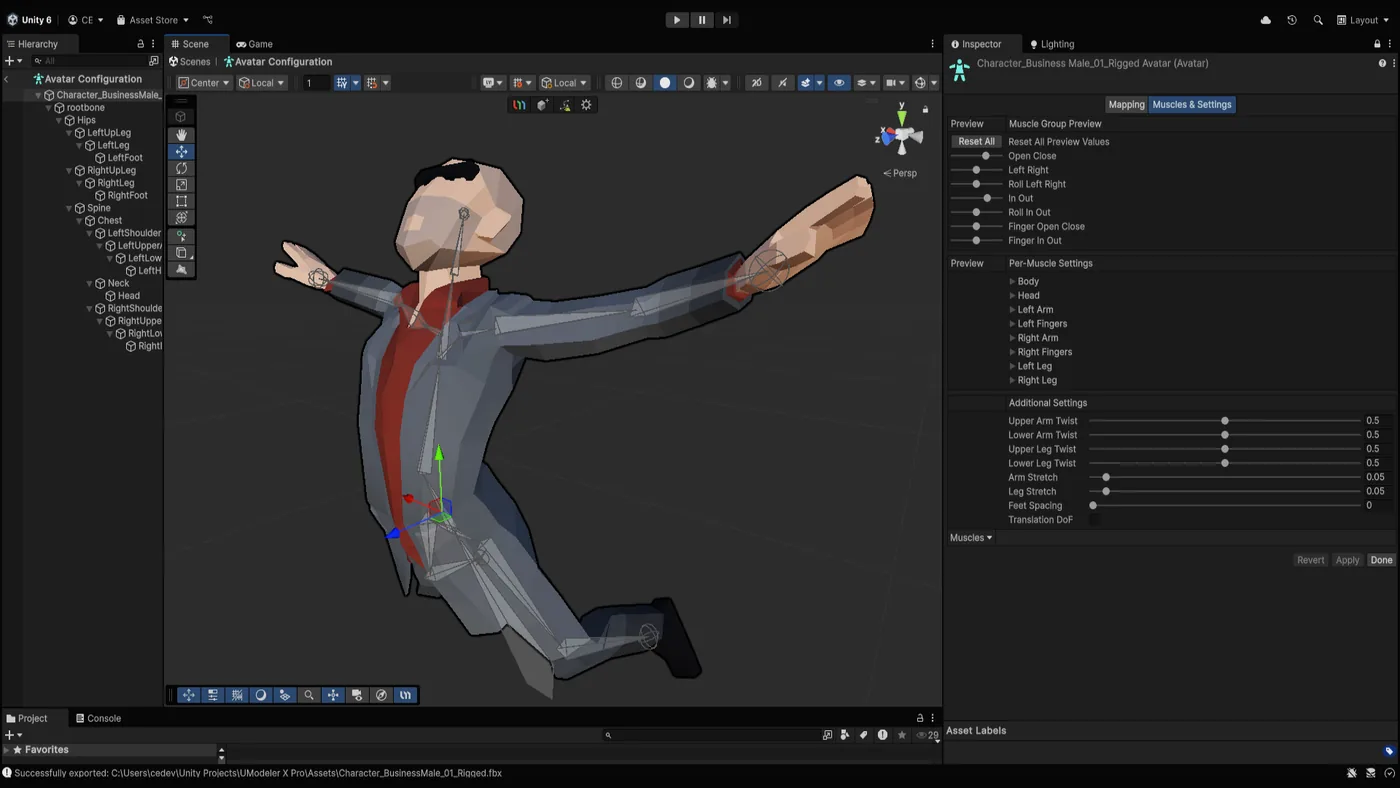
Your rigging workspace
Set up bones and skinning right in the Editor with a straightforward, in-Unity workflow — get a character ready for animation without ever leaving your project.
How do UModeler X and Blender compare?
This is about the workflow that matters most once Unity is the destination: building and iterating assets quickly, in context, without leaving the project.
| Dimension | UModeler X | Blender |
|---|---|---|
| Where it runs | Inside the Unity Editor | Standalone desktop application |
| Unity workflow | Internal — build and edit directly in the Unity engine | External — export FBX/glTF, import to Unity, then re-export when an upstream edit is needed |
| Scope | Block out, detailed modeling, UV editing, 3D painting and rigging | Full DCC: modeling, sculpting, animation, simulation, rendering, compositing |
| Surface deformation | Brush-based Deform tools: Relax, Smooth, Standard, Flatten, Move and Pinch | Advanced multiresolution sculpting |
| Animation authoring | Rigging & skinning; animation via Unity's own tools | Full keyframe, NLA and character animation |
| Rendering | Uses Unity's renderer (URP / HDRP / Built-in) | Cycles (offline path tracer) and Eevee (real-time) renderers |
| Learning curve | Lighter — focused on Unity modeling tasks | Steeper — it's an entire 3D pipeline |
| Price | Free | Free |
How does UModeler X change the Unity workflow?
Eliminate the export/import loop
An external-DCC workflow adds exports, imports and reassignment whenever a Unity asset changes. UModeler X edits the Unity object in place, so iteration stays direct and the project keeps one current source of truth.
Make decisions in the real scene
A prop is judged next to everything already in the level, under the game's camera and lighting. Modeling in the Editor means you see that context while you work — not only after an external edit is brought back in.
Keep assets editable in Unity
The mesh stays adjustable inside the project. When direction changes, height, proportion and structure can change where the asset is used, instead of starting another trip through a separate application.
Keep iteration where it belongs
An existing mesh — from an earlier asset, a specialized DCC task, or an AI-generated mesh imported into Unity — can be adjusted, re-UV'd, painted and rigged in the Editor. UModeler X keeps the next iteration inside Unity instead of sending it back out.
Props, environments and vehicles — all modeled in Unity with UModeler X.
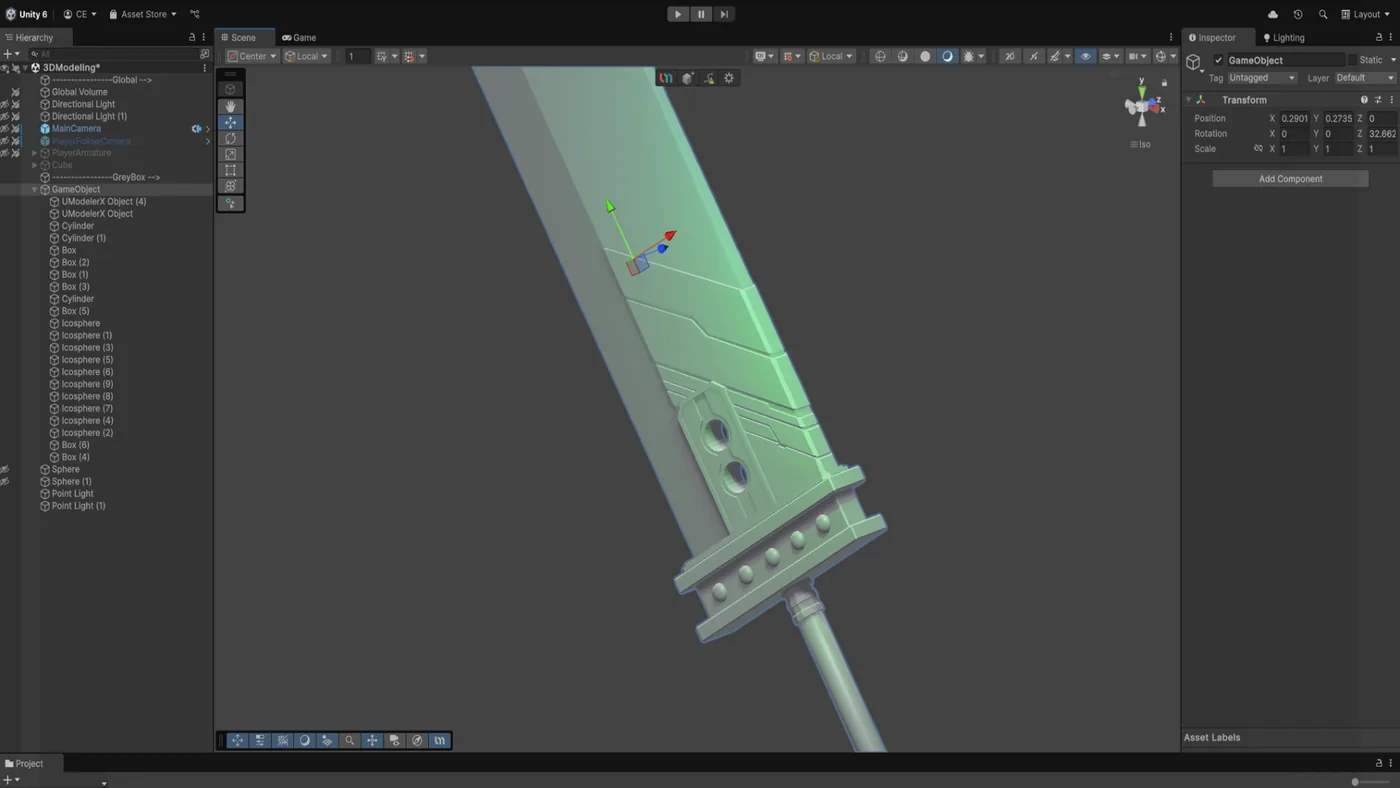
Sci-fi sword
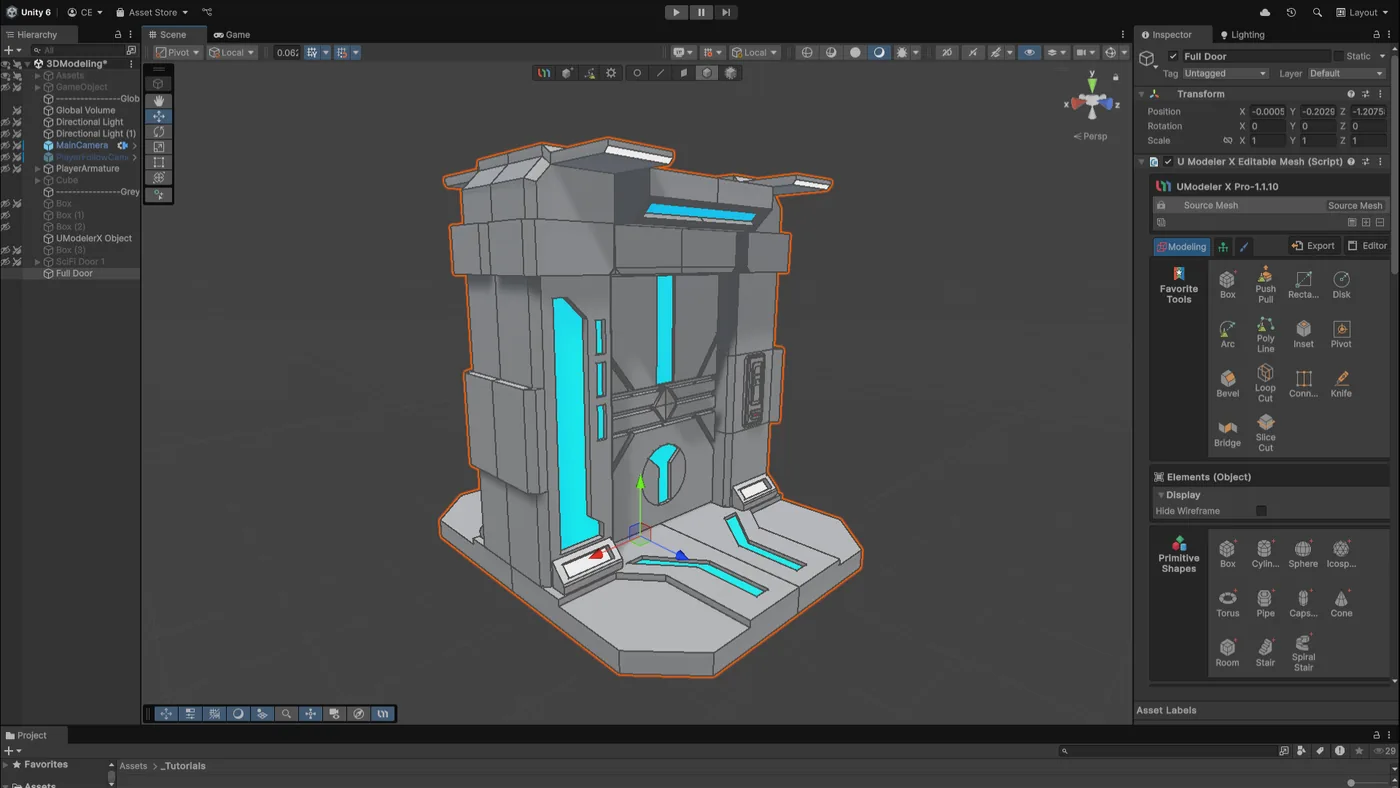
Sci-fi door
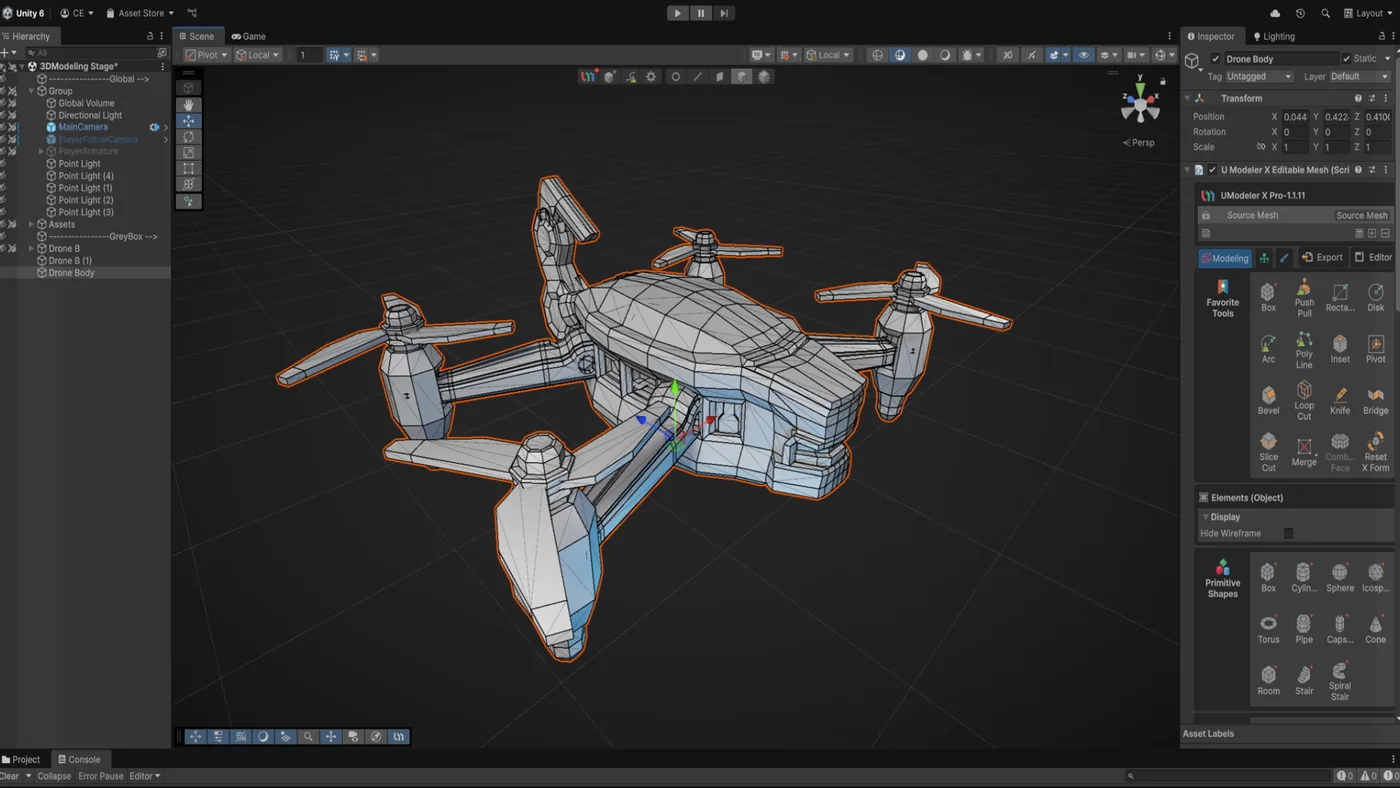
Quadcopter drone
The bottom line: make UModeler X your 3D application.
For Unity work, model, UV, paint and rig entirely in the Editor — no export/import loop, no second app, and every asset stays a live, editable Unity object.
Frequently Asked Questions
Can UModeler X replace Blender for most Unity workflows?+−
Yes. For most Unity-centric asset work — building, editing, adapting, brush-based surface deformation, and iterating models, UVs, paint and rigs — UModeler X can be the default because the work stays directly inside the Unity Editor. Blender remains useful when a task specifically needs specialized external-DCC capabilities such as high-detail multiresolution sculpting, complex character animation, offline rendering or simulation.
Why use UModeler X instead of Blender for Unity?+−
UModeler X keeps the asset, the edit and the Unity project together. You model, UV, paint, rig and iterate where the asset is evaluated: in the real prefab, scene, camera, lighting and render pipeline. That avoids repetitive export/import work and keeps the Unity asset editable throughout.
What's the main workflow difference?+−
The round-trip. With Blender you model in a separate app, export FBX or glTF, and import into Unity — repeating that on every edit. With UModeler X the modeling happens inside Unity, so the asset is a Unity object throughout and there's no export/import cycle to manage.
Do I still need Blender if I use UModeler X?+−
Only when your work needs Blender's specialized external-DCC capabilities, such as high-detail multiresolution sculpting, complex character animation, offline rendering or simulation. UModeler X already provides brush-based surface deformation in the Editor, so routine Unity asset work doesn't require Blender as a step.
Is UModeler X free?+−
Yes. UModeler X is free to download and needs no sign-up, and modeling, UV editing, painting and rigging are all included. A Pro subscription is optional and adds advanced editing tools and an art template library.
Can I edit a Blender or AI-generated model in UModeler X?+−
Yes. Import the mesh into your Unity project, then use UModeler X to adjust geometry, re-UV, paint and rig it in the Editor — no need to send it back out to another application to make changes. A specialized external-DCC step or an imported AI mesh stays an exception, instead of forcing the whole Unity iteration back through another app.
Which is easier to learn?+−
UModeler X has the lighter learning curve because its scope is focused on Unity modeling tasks. Blender is a complete 3D pipeline, which makes it more powerful and, correspondingly, steeper to learn end to end.
Explore More
UModeler X — All-in-One Unity Workflow
Modeling, UV, painting and rigging in one toolset, inside Unity.
Explore →UModeler X vs Unity ProBuilder
The other in-Unity modeling tool — greyboxing vs finished assets.
Explore →Case Study — Theme Park Manager
Attractions modeled with UModeler X, shipped in a live Unity game.
Explore →Model directly in Unity. Stay in your workflow.
Make UModeler X the default for Unity asset work: model, UV, paint, rig and iterate in the Editor — without an export/import loop, and with every asset kept editable in your project.