
Painting 3D Editor
A painting workspace for authoring per-channel textures directly on a 3D mesh, with non-destructive layers.
Translation in progress — showing the English version.
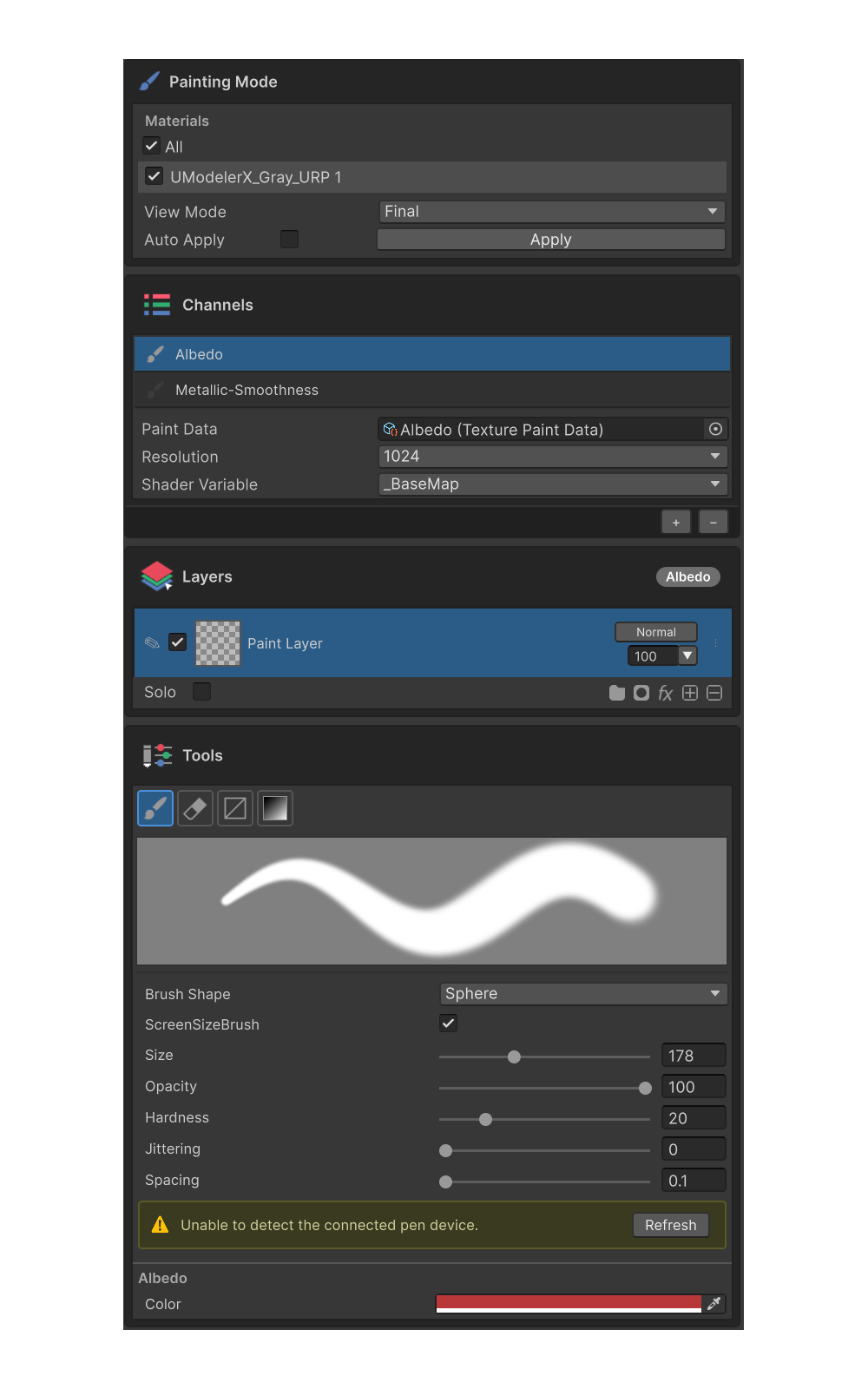
The Painting 3D Editor is a workspace for authoring textures (channels) directly on a 3D mesh's material slots, producing PBR-ready results. It supports non-destructive layer editing and exposes every channel the shader supports — Albedo · Metallic · Roughness · Normal · Height · Emission — through a single interface.
Inspector Layout
The painting mode inspector is composed of five sections, top to bottom.
| # | Section | Role | Page |
|---|---|---|---|
| 1 | Painting Mode | Material slot selection, View Mode, Apply | Painting Mode Group |
| 2 | Channels | Add / activate channels, resolution, multi-channel painting | Channels Group |
| 3 | Layers | Layer list, blending, masks, effect attachment | Layers Group |
| 4 | Filter | Parameter panel for the selected group or effect | Effects · Filter |
| 5 | Tools | Tool palette, brush preview, tool properties, active-channel color | Tools Group |
Each header can be clicked to collapse / expand the section.
Data and Tools
- For the storage layout and synchronization behavior, see Painting Data & Channels.
- For per-tool usage, see the tool pages under Tools Group (Brush / Erase / Gradient / Rect Fill).
- The floating color picker HUD over the Scene View is documented in Quick Color Palette.
- For non-destructive effects on layers, see Effects.