UModeler X MCPis live — model with an AI agent
UModeler X

Element ID Selector

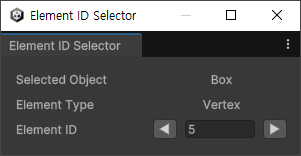
Using the Element ID Selector, check the ID of the selected element, navigate to the previous or next element, and input an ID to select a desired element.

Element ID Selector

Using the Element ID Selector, check the ID of the selected element, navigate to the previous or next element, and input an ID to select a desired element.

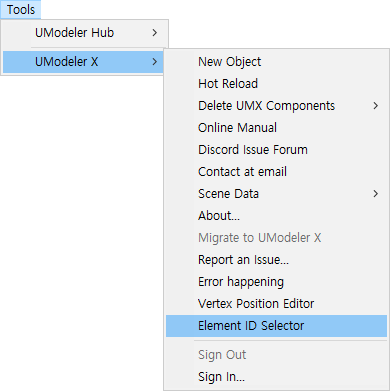
Select "Tools > UModeler X > Element ID Selector" from the top menu.


Properties

Element ID Selector

  • Selected Object

Displays the Name of the currently selected object. If nothing is selected "None" is displayed.

  • Selected Type

Displays the Type of selected Element. If nothing is selected "None" is displayed.

  • Element ID

Displays the selected Element's ID. If nothing is selected or multiple elements is selected, "-1" is displayed.


Usage Example

Element ID Selector | UModeler X Manual