
Fill Layer
A Fill layer covers the active channel with a single texture mapping, useful for laying a base tone across the entire model.
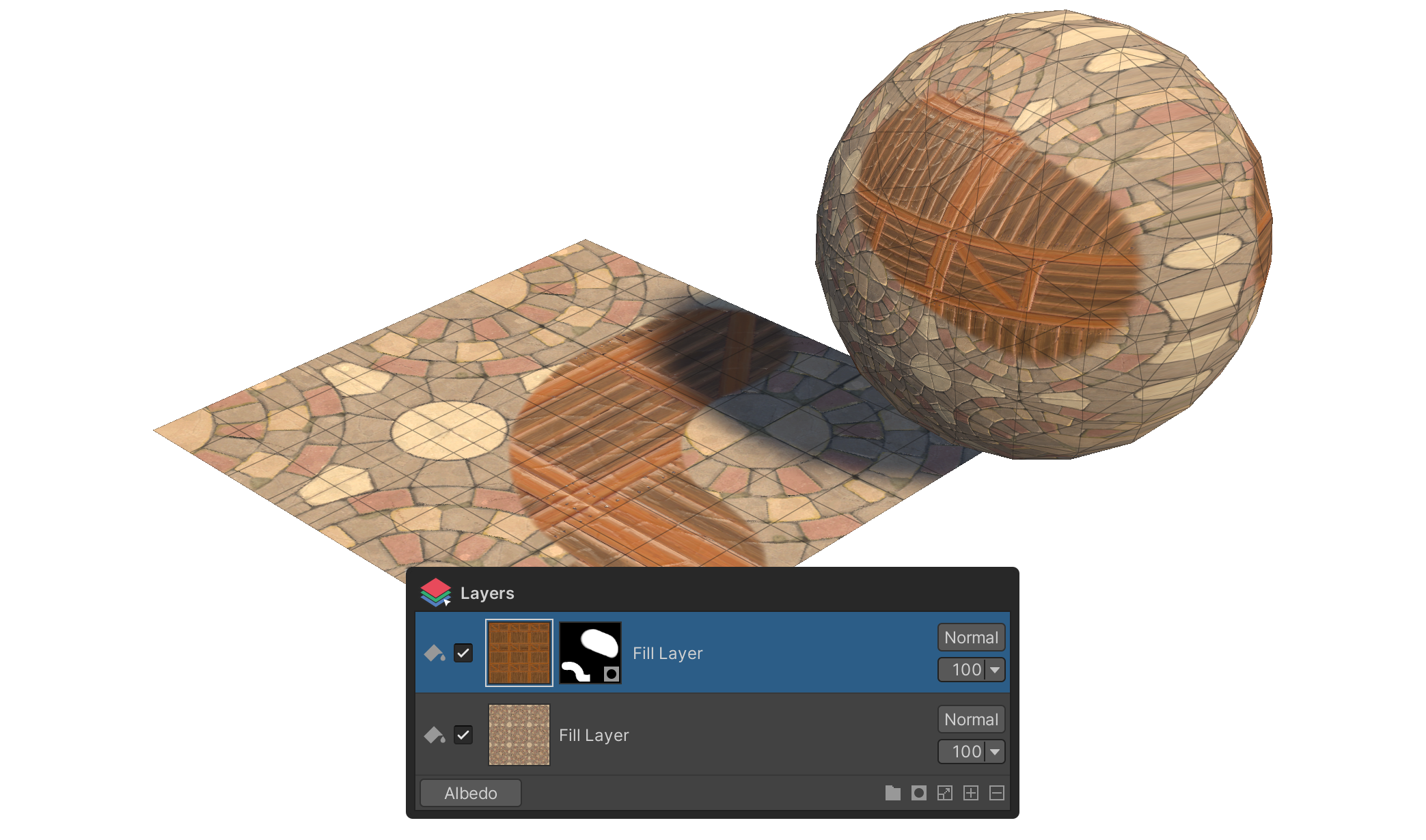
A Fill layer covers the active channel entirely with a single texture mapping. Use it to lay a base color, pattern, or noise texture across the whole model in one go, or to provide a backdrop that the Paint layers above will compose over.
How to use
- Click the
+button on the layer panel's status bar. - Pick Fill Layer from the context menu.
- A Fill layer that covers the active channel with a single mapping is added.
Tool Behavior on a Fill Layer
When a Fill layer is selected, the Tools group exposes its mapping-transform properties.
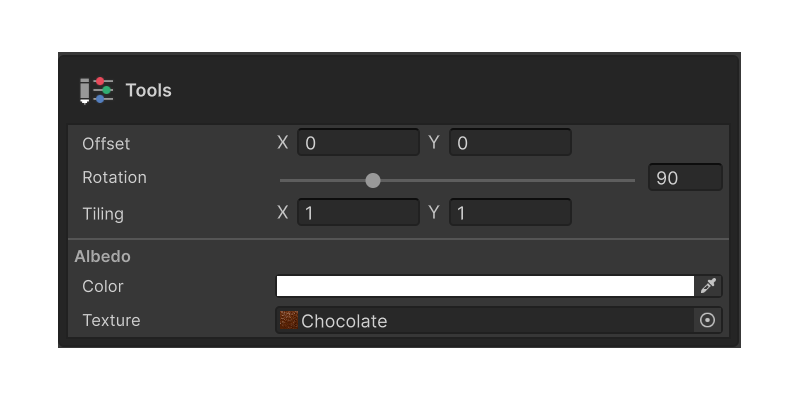
Tiling
Controls how many times the texture repeats across the model surface. X and Y are independent, so you can build horizontal stripes, vertical stripes, or grid patterns easily.
Offset
Shifts the starting position of the texture. X and Y are independent — handy for offsetting two Fill layers that share the same texture so they don't align identically.
Rotation
Sets the rotation angle (0 – 360°) of the texture.