
Channels Group
Channel add / remove, simultaneous painting, resolution, Shader Variable, and Height as Normal.
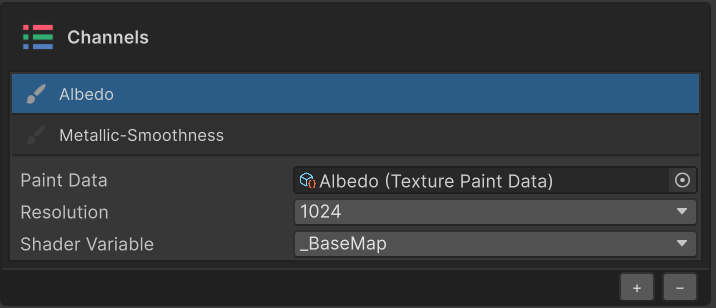
The Channels section manages a material's channels (Albedo / Metallic / Roughness / Normal / Height / …). Each channel maps one-to-one to a shader texture slot, and each channel has its own PaintData / texture / layers, stored separately.
See Painting Data & Channels for the storage layout and synchronization behavior.
Channel List
| UI element | Behavior |
|---|---|
| Brush icon | Toggles whether the channel is active (a paint target). Activating two or more channels makes a single stroke paint into all of them at once |
| Channel name | Single channels show as Albedo; grouped channels show as Metallic-Smoothness |
| Row click (selection) | Drives UI display and layer filtering. Independent from activation |

Painting Multiple Channels at Once
Activate the brush icon on multiple channels and a single stroke is applied to all of them. For example, activating Albedo and Emission lets one brush operation paint both channels simultaneously.
Add · Remove Channels
Use the + / − buttons at the bottom of the section.
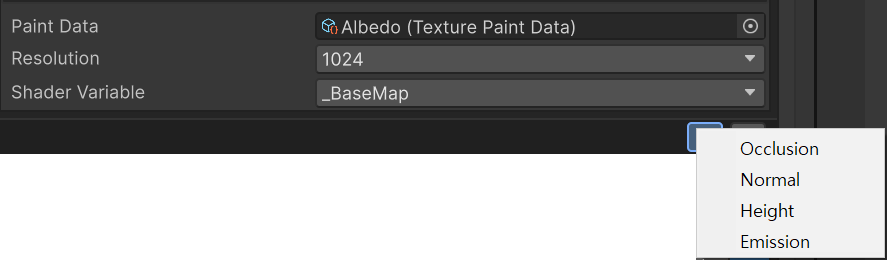
+— Pick a channel group that the current shader supports but does not yet have a PaintData for.−— Removes the currently selected channel. Related PaintData / texture assets are cleaned up as well.
Resolution
Choose the texture resolution for the channel from 128 / 256 / 512 / 1024 / 2048.
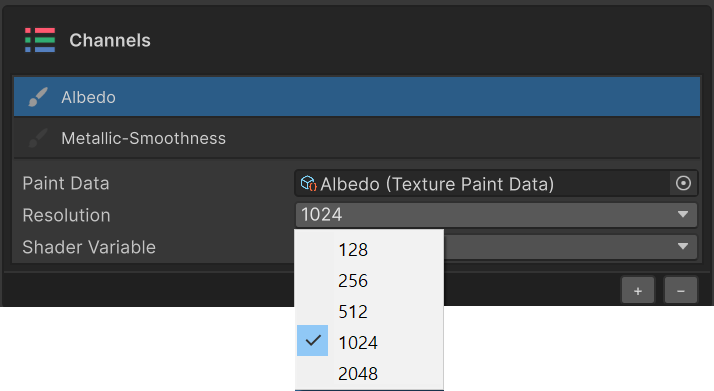
Existing pixels are resampled to the new resolution.
Shader Variable
The shader property this channel binds to (_MainTex / _BumpMap / _NormalMap / _MetallicGlossMap / …).
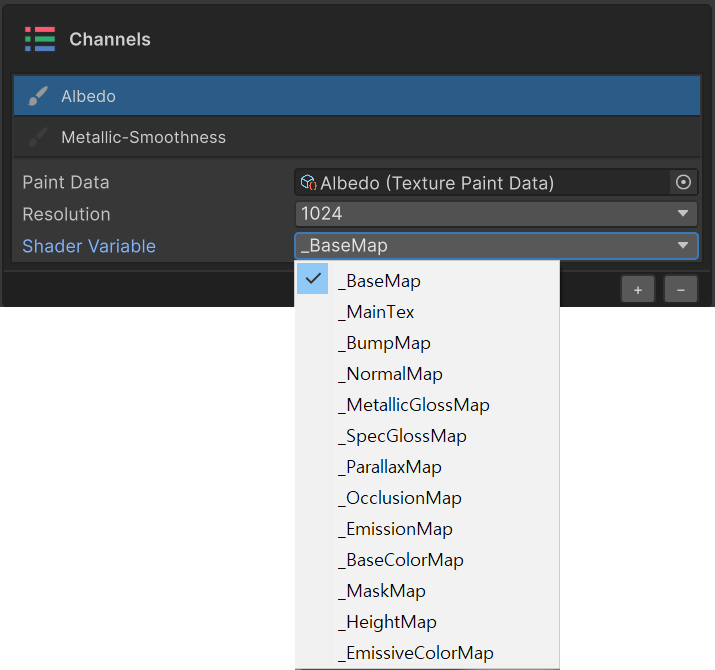
The mapping is auto-detected from the material, but you can re-bind manually for non-standard shaders.
Height as Normal
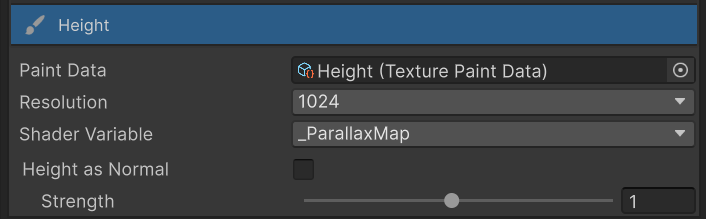
When a Height channel is selected, the Channels section exposes a Height as Normal toggle and a Strength slider. This option converts the Height texture into a Normal map and binds it into the material automatically.
| State | Behavior |
|---|---|
| Off (default) | The Height value is bound directly to the _ParallaxMap slot |
| On | The Height texture is automatically converted to a Normal map and bound to _BumpMap / _NormalMap |
The Strength slider (0.1 – 2.0) controls the conversion intensity. Lower values produce gentler bumps; higher values exaggerate the surface relief.
Use this when you want surface relief without authoring a dedicated normal map, or when you want to tweak conversion strength interactively against the rendered result.