Transform 툴
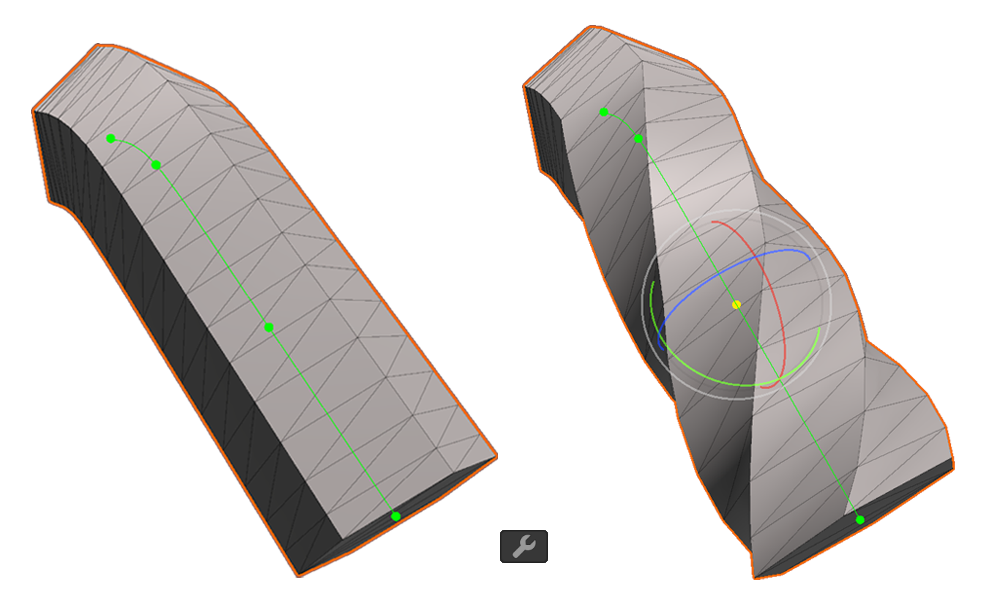
Transform 툴은 커브메쉬 점의 위치, 회전, 크기를 수정하는 기능을 제공합니다.
상단 툴바의 버튼 또는 단축키 Shift+3을 사용해 선택할 수 있습니다.
속성
World Space
위치 값이 월드 기준으로 표시됩니다.
Position
점의 위치를 표시합니다.
Rotation
점의 회전을 나타냅니다. 점의 진행 방향을 기준으로 합니다.
Scale
점의 크기를 나타냅니다. 점의 상하, 좌우 방향을 기준으로 합니다.

Transform 툴은 커브메쉬 점의 위치, 회전, 크기를 수정하는 기능을 제공합니다.
상단 툴바의 버튼 또는 단축키 Shift+3을 사용해 선택할 수 있습니다.
위치 값이 월드 기준으로 표시됩니다.
점의 위치를 표시합니다.
점의 회전을 나타냅니다. 점의 진행 방향을 기준으로 합니다.
점의 크기를 나타냅니다. 점의 상하, 좌우 방향을 기준으로 합니다.