
Detach Tool
The Detach tool is used to detach only selected faces from the message, or to detach them from the object currently being edited and separate them into a new object.
Translation in progress — showing the English version.
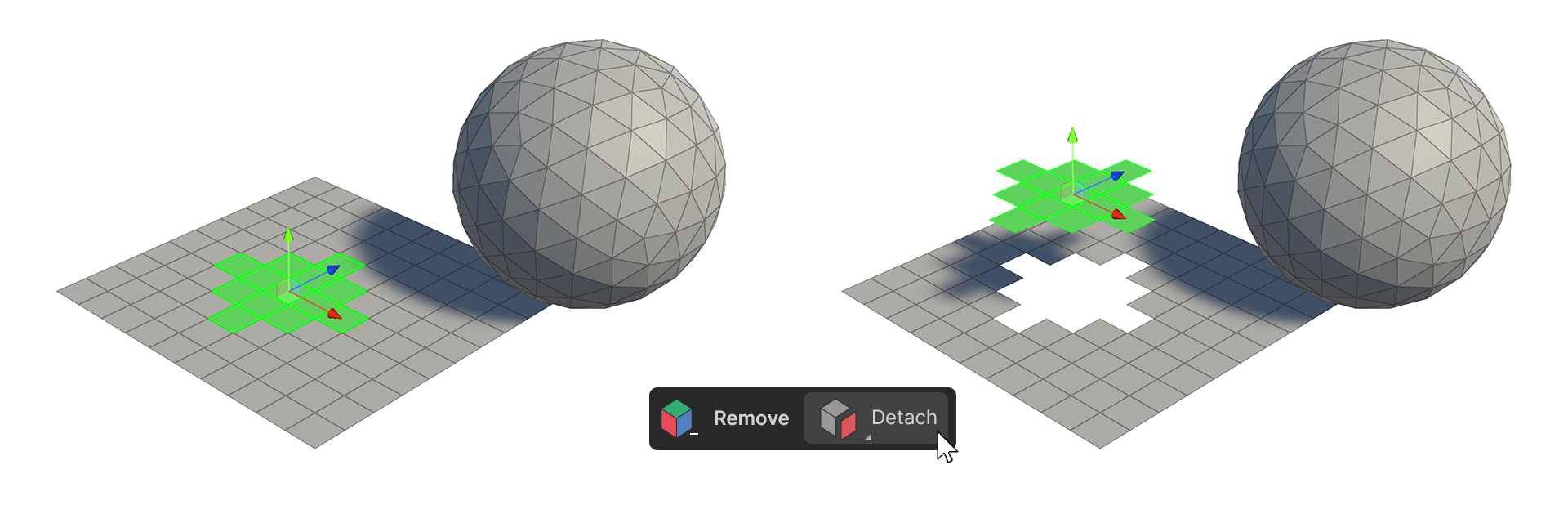
The Detach tool is used to detach only selected faces from the message, or to detach them from the object currently being edited and separate them into a new object.
How to use
The Detach tool is a tool that is applied directly according to the set properties, so you need to change the properties before executing it.
properties
Detach Type: To Elements
Detach from a connected mesh
1.select a face.
2.Run the Detach Tool.
3.The selected faces are detached from the connected mesh.
Detach Type: To Object
Create an Object with Detach
1.select a face.
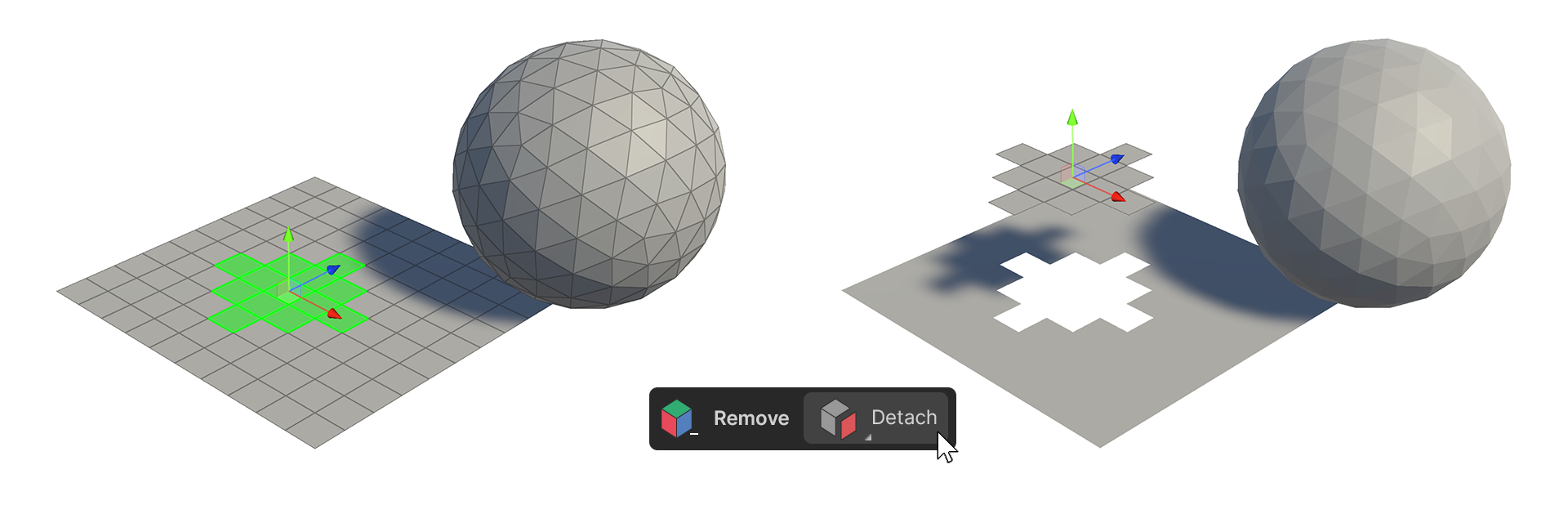
2.Run the Detach Tool.
3.The faces will detach, creating a new object with the selected faces.