
Ellipse Tool
Translation in progress — showing the English version.
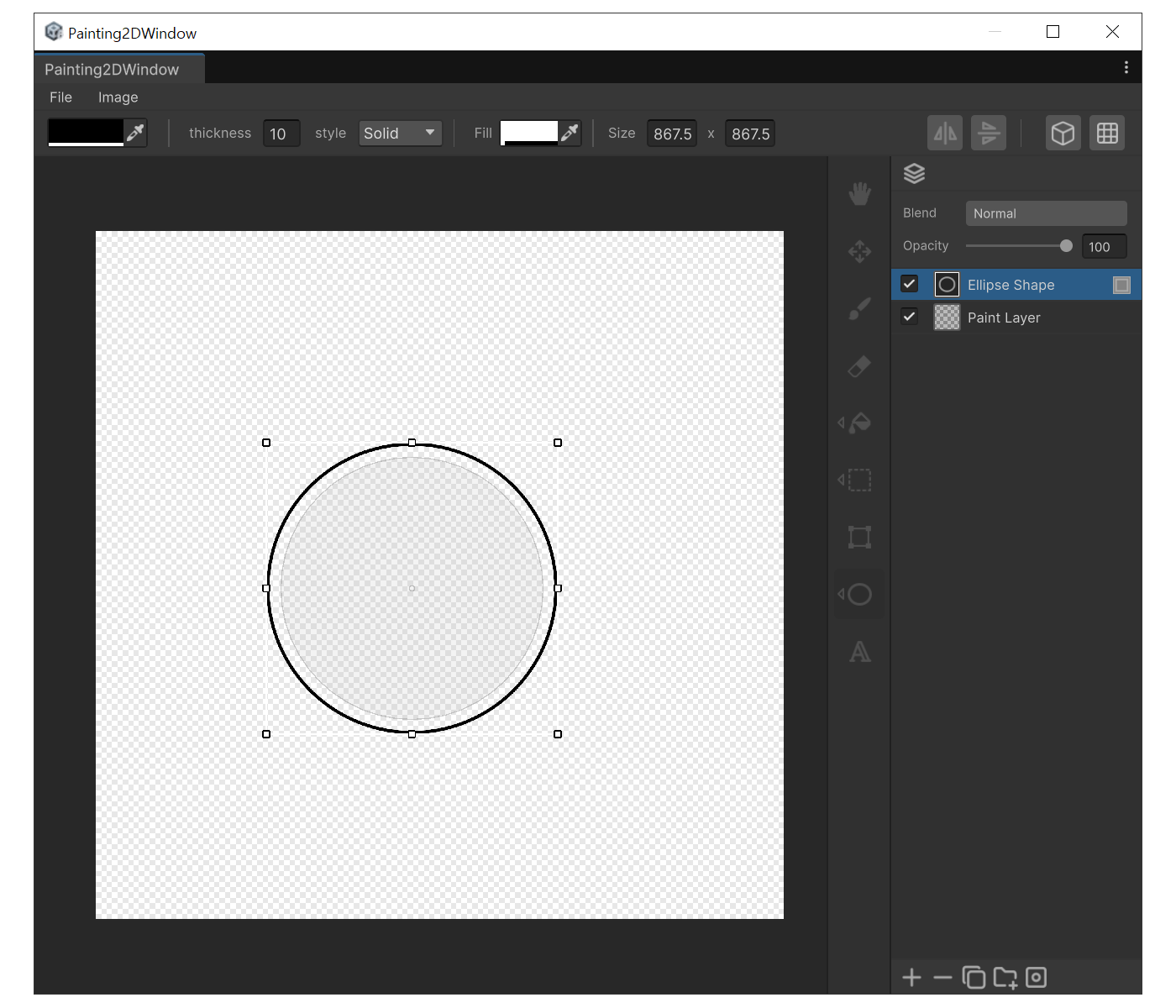
When to use
- For circular frames, buttons, light blobs, or other elliptical shapes.
Properties
- Thickness : Stroke width.
- Style : Stroke pattern (Solid / Dashed / Dotted)
- Fill : Inner fill color. When alpha is 0 only the stroke is drawn. Changing the RGB while alpha is 0 automatically raises it.
- Size : Width × Height of the ellipse. You can type exact numbers in the edit state.
How to use
- Press 'O' and drag. The ellipse fits the drag rectangle.
- Hold 'Shift' while dragging to constrain to a perfect circle.
- Right after creation the shape enters edit state, so changing Size or Corner in the property panel updates the shape immediately.
- You can also drag the bounding-box handles or the rotation disc to transform the shape non-destructively.