Handling Files
You can import modeling or texture files from external sources by dragging and dropping them into the desired folder in the Project panel.
File Import and Convert
You can import modeling or texture files from external sources by dragging and dropping them into the desired folder in the Project panel.
To view the imported models, drag and drop them into the Hierarchy.
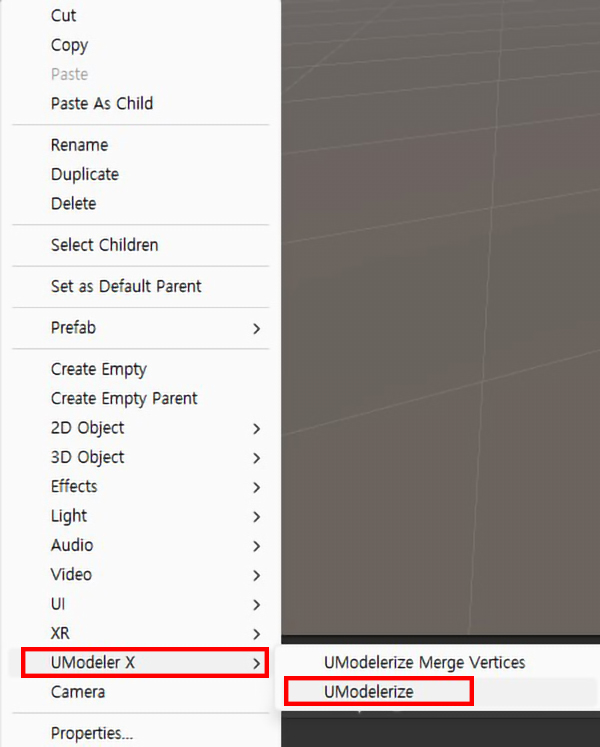
External models cannot be edited directly. To modify these models with UModeler X, right-click on the object and select UModeler X - UModelerize.
File Save
In Unity, you typically import modeling files from external sources and use them in the scene. As a result, models created with UModeler X cannot exist solely within the scene.
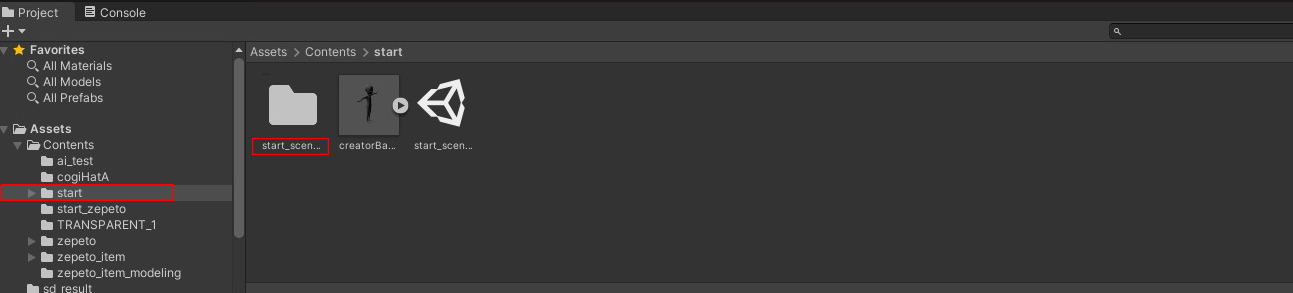
When you save a scene file that includes models created with UModeler X, the UModeler X files and modeling files are automatically saved in the folder where the scene file is located, using the scene name.
For easier management, it is convenient to create separate folders for each item and name the scenes after the items.