
Erase Tool
Removes painted pixels. Shares the brush mechanics and properties, but inverted.
Translation in progress — showing the English version.
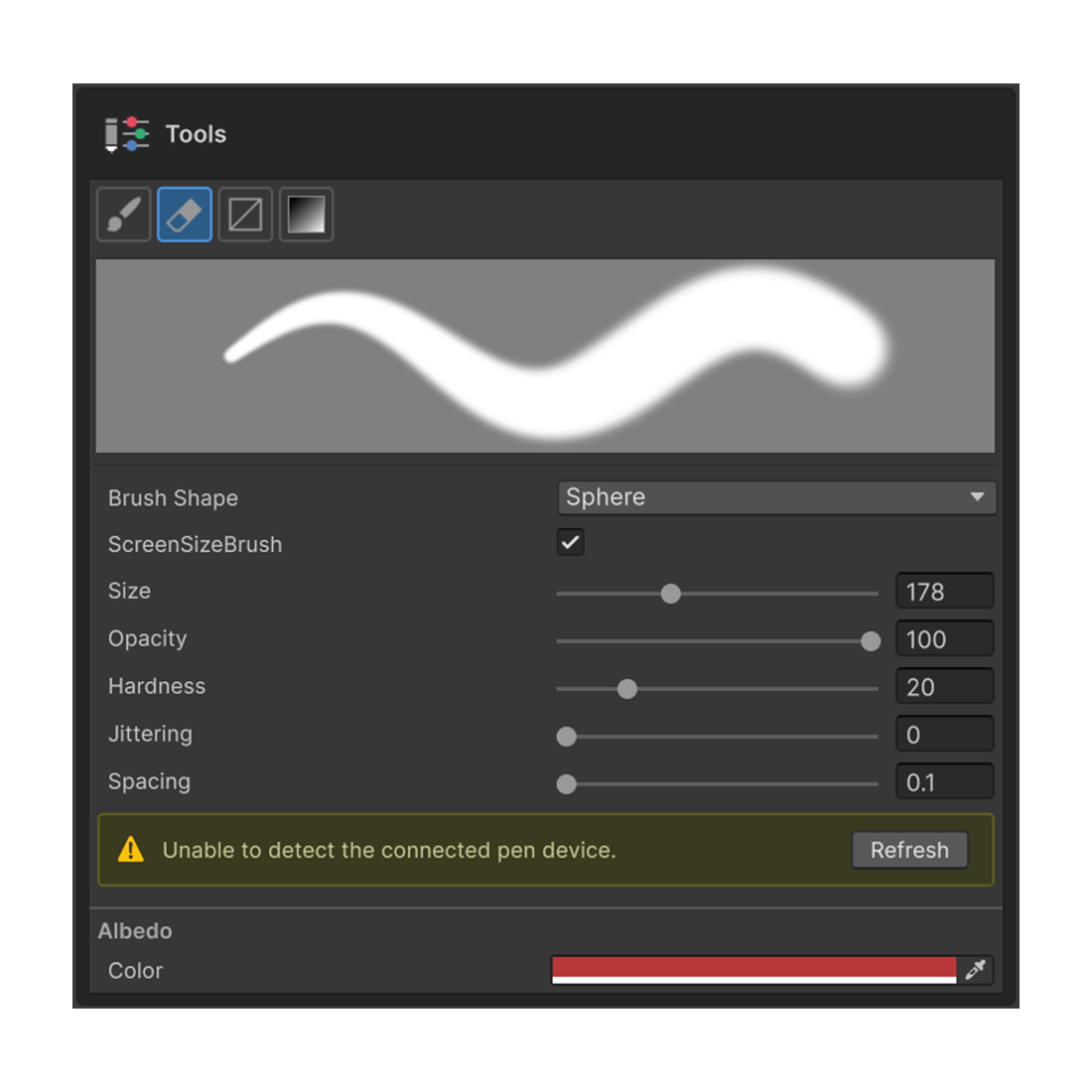
Removes previously painted pixels. Internally it shares the same stamp mechanism as the Brush Tool, so the properties are virtually identical.
Shortcut
E — Activates the Erase Tool in the Painting 3D tool palette.
Behavior
| Context | Action |
|---|---|
| Regular paint layer | Removes painted color along with the alpha |
| Mask edit mode | Behaves like a white brush (re-reveals areas hidden by the mask) |
The key distinction is that in mask edit mode, Erase becomes a "paint-white" tool. Alternate Brush and Erase to sculpt the mask area.
Properties
Identical to the Brush Tool. See the Brush Tool page for the full description of each.
- Shape — Circle / Square
- Size
- Hardness
- Opacity — How much is removed per stamp
- Spacing
- Jittering
- Pen Pressure — Size / Strength options appear when a Wintab pen is detected
The Tools section shows the same stamp preview as the Brush tool, reflecting the current settings instantly.