
Rect Fill Tool
A region-based fill tool — fills polygons, rectangles, lasso regions, UV islands, or connected mesh parts in a single input.
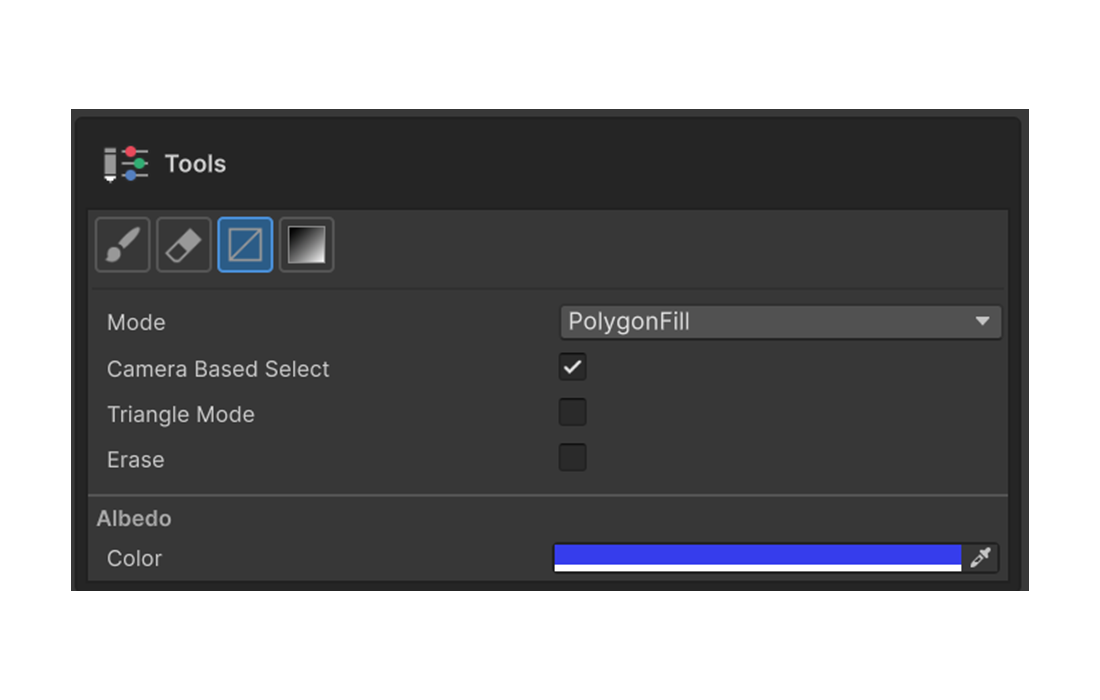
Instead of brushing with strokes, this tool fills regions in one input. Use it to color large areas quickly or to keep face-by-face boundaries clean. It offers five fill modes, all swapped from the same Mode dropdown.
Shortcut
F — Activates the Rect Fill Tool in the Painting 3D tool palette.
Fill Modes
The Mode dropdown determines what unit gets filled and how it is selected.
Polygon Fill
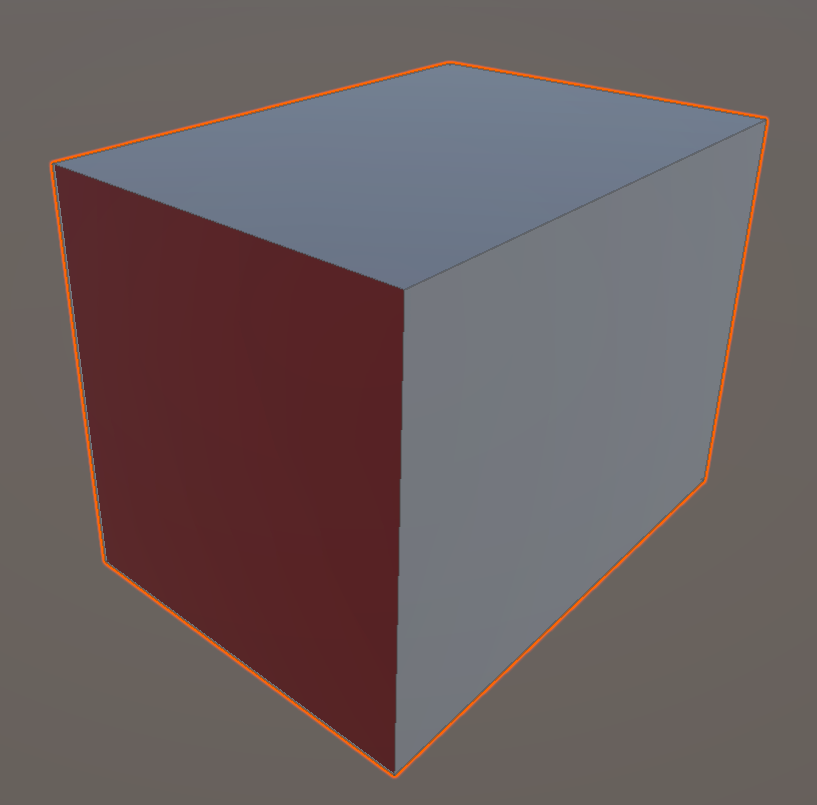
The default mode. Clicks a single face and fills it immediately.
- Hovering over the mesh highlights the face under the cursor.
- Left-click fills that face.
- No drag — a single click does the work.
- Great for filling a cube face or any well-separated face on a planar model.
Rect Fill
Click-drag to draw a rectangle on screen and fill every face that falls inside it in one shot.
- The drag start point anchors a flashing preview rectangle.
- On release, the rectangle is committed and any face that touches it (even partially) is filled.
- It works against the camera view — turning the camera changes which faces qualify.
- Use it to cover a wide area or to work in screen-aligned chunks.
Polygonal Lasso Fill
Left-clicks lay down polygon vertices to outline a free-form region, then the faces inside are filled.
- Each left-click adds a vertex to the polygon.
- Two ways to commit and fill (both require at least 3 vertices to be laid):
- Left-click near the start vertex — When your last click lands within 5 pixels of the start vertex, the polygon closes automatically. The preview line turns yellow to indicate the close-snap is armed.
- Right-click or
Enter— Close the polygon with the vertices laid so far and fill immediately.
Esccancels the in-progress polygon.- Use this when you need a more precise free-form area than Rect Fill allows.
Island Fill
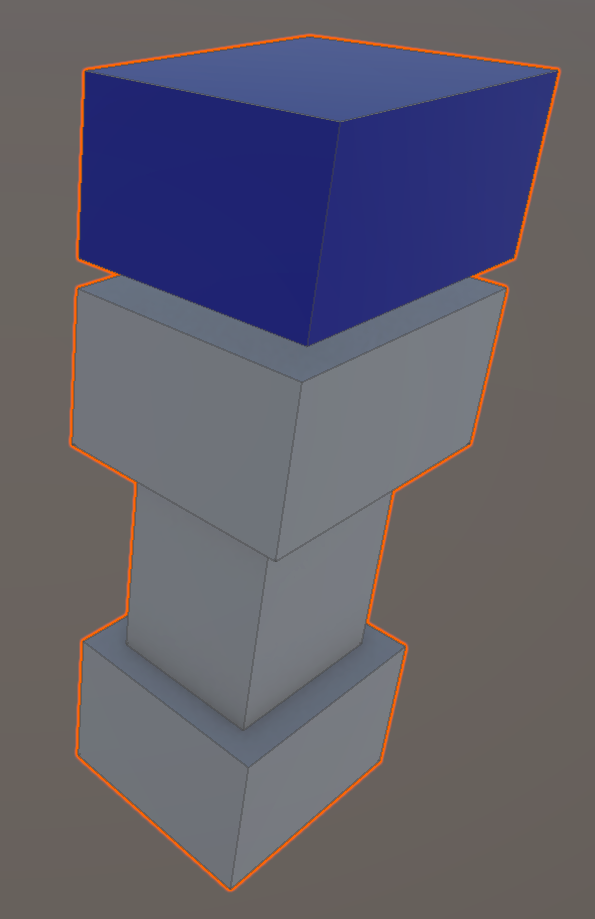
Fills the entire UV island that contains the clicked face.
- A "UV island" is a group of faces that are connected without seams in UV space.
- Perfect for filling a clothing piece, a body part, or any unit that's already grouped on the texture.
- Even on a single mesh, faces separated by UV seams form different islands and are not filled together.
Isolation Fill
Fills every face topologically connected to the clicked face in 3D mesh space.
- Similar to Island Fill, but the criterion differs. Island Fill uses UV-space connectivity; Isolation Fill uses 3D mesh-space connectivity.
- Even if UVs are split across multiple islands, a single 3D-connected chunk fills in one click.
- Use it for separate mesh parts (head / body / arm) when you want to color one part at a time.
Options Shared Across Modes
These options apply with every mode.
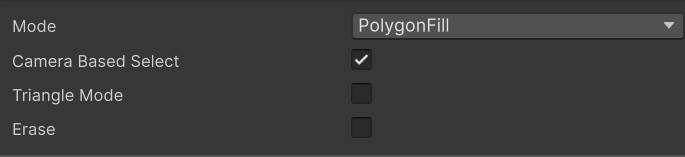
Triangle Mode
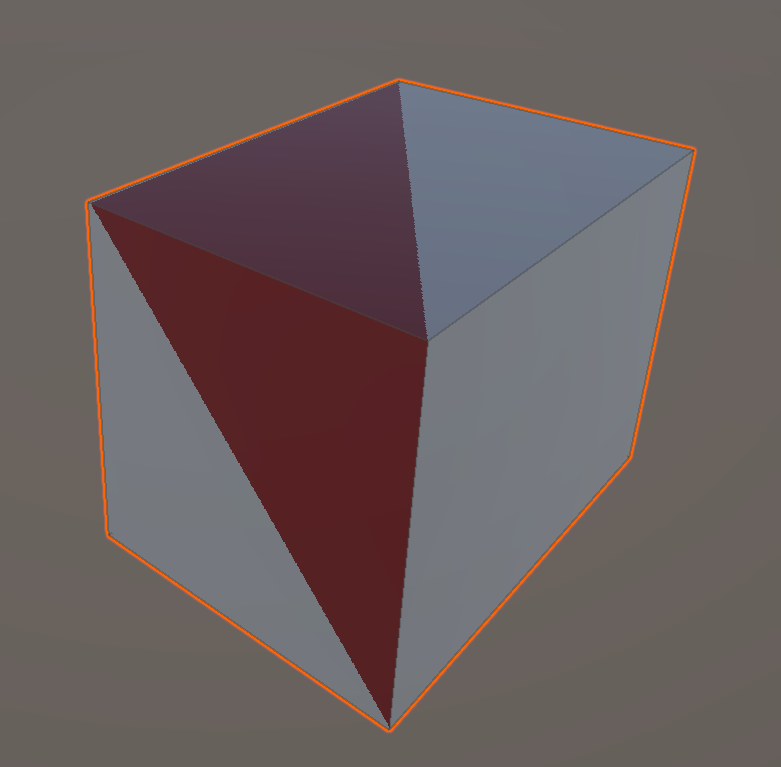
When enabled, the fill unit changes from whole polygons (multi-triangle planar faces) to individual triangles.
- Where a face is split into several triangles, only the triangles inside the click / rectangle / lasso are filled.
- Meaningful with Polygon, Rect, and Lasso Fill.
- Use it when you want a wireframe-style fill or to color only part of a face.
Erase Mode
Enable to erase painted pixels in the same region instead of filling. Handy for removing paint over a large area at once.
Fill Camera Based
When enabled, only faces visible to the current camera are eligible for the fill.
- Applies even to Polygon Fill where the result is single-click.
- Prevents back faces or hidden parts from being filled, and is great when you only want to act on what's on screen.
Mask Value
The mask value (0 – 1) to write when editing a mask.
Keyboard Shortcuts
| Shortcut | Action |
|---|---|
F | Activate the Rect Fill Tool |
Esc | Cancel an in-progress lasso |
Enter or right-click | Commit the lasso — close the polygon with the vertices laid so far and fill (requires 3+ laid vertices) |
| Left-click within 5px of start | Auto-close the lasso (preview line is yellow when armed) |
0 / 1 | Set Mask Value to 0 or 1 (in mask edit mode) |
The following actions can be bound in Preferences → Shortcuts:
- Switch Fill Mode — Cycle to the next fill mode
- Toggle Triangle Mode — Flip Triangle Mode on/off
- Toggle Erase Mode — Flip Erase Mode on/off
Practical Use Cases
- Polygon Fill + Triangle Mode OFF — Color a single subdivided face of a box in one click.
- Polygon Fill + Triangle Mode ON — Surface patterns that reveal the topology.
- Rect Fill — Color a large screen-aligned region quickly.
- Polygonal Lasso Fill — Precise free-form patches.
- Island Fill — Color a whole UV-grouped part (clothes, hat) in one click.
- Isolation Fill — Color whole mesh parts (head / body / arm) at a time.