
Radial Array Modifier
The Radial Array Modifier is a modifier that arranges a model in a circular pattern around a user-defined axis.
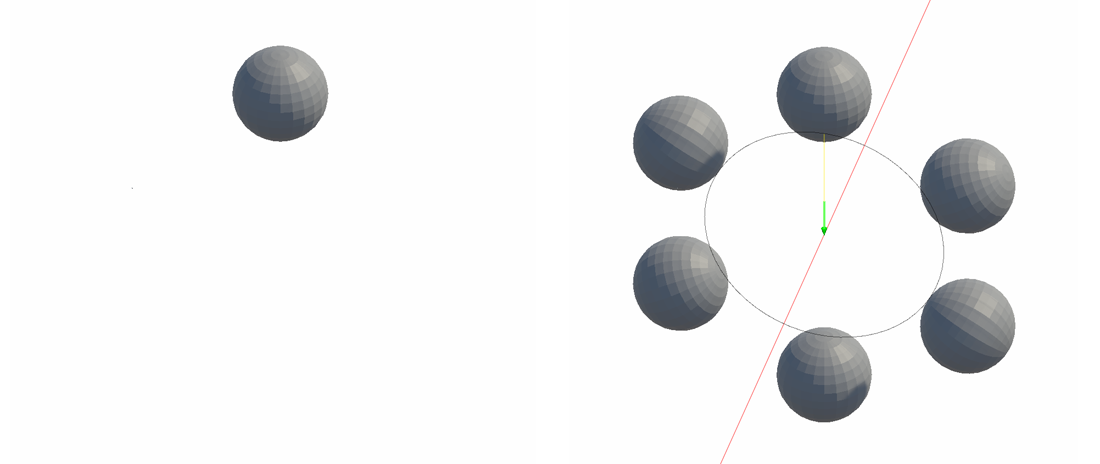
The Radial Array Modifier is a modifier that arranges a model in a circular pattern around a user-defined axis.
How to Use

- Click the Add Modifier button.
- Select the Radial Array modifier.
- Choose Angle Type.
- Choose Rotate Axis.
- Adjust the position of the rotation axis and other properties as needed.
Properties
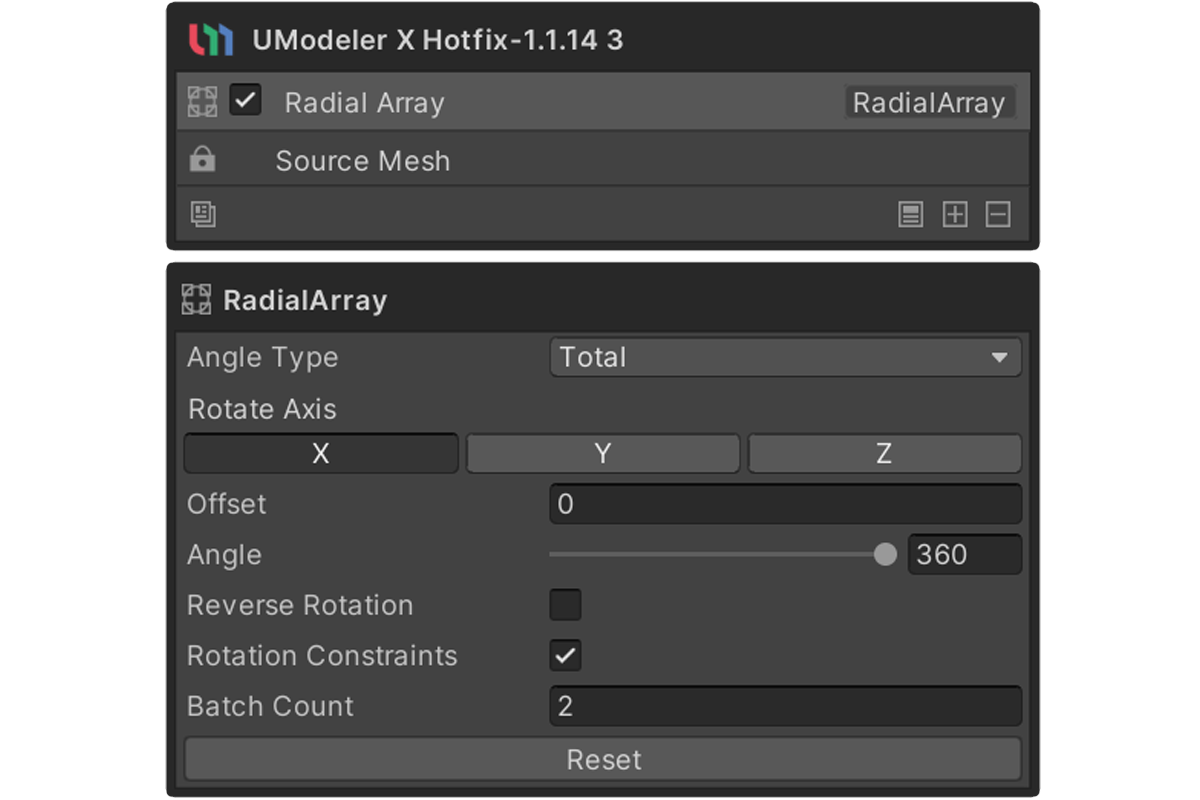
Angle Type
- Interval : The Angle value is applied as the rotation interval between each duplicated element.
- Total : The specified Angle is treated as the total rotation angle and evenly divided by the Batch Count.
Rotate Axis
Sets the axis around which the original model will be rotated. You can choose from X, Y, or Z.
Offset
Sets the distance between the original model and the rotation axis.
Angle
This is the reference value for rotation when creating an array of duplicates.
Reverse Rotation
Applies the Angle in the opposite direction.
When enabled, the rotation direction is inverted from the default.
Rotation Constraints
Prevents duplicated meshes from rotating themselves. Each duplicated mesh is positioned along the circular pattern but maintains the original rotation.
Batch Count
Sets the number of elements or objects to be created (from 2 to 1000).