
Flip Vertical Tool
The Flip Vertical Tool in the UV Editor flips the position of the selected UV element up or down relative to its center.
Translation in progress — showing the English version.
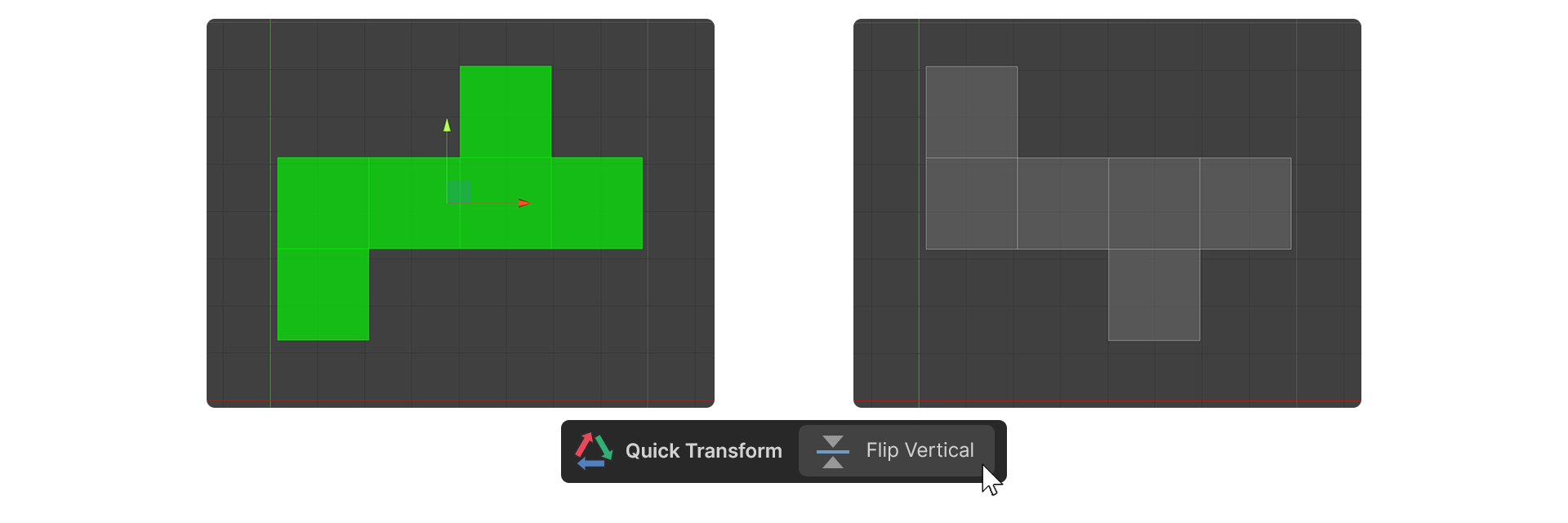
The Flip Vertical Tool in the UV Editor flips the position of the selected UV element up or down relative to its center.
If the UV Editor's cursor is active, the position of the cursor is centered and flipped up and down.
How to Use
- Select a UV element.
- Run the Flip Vertical Tool.
- The selected UV element is flipped up and down.